
Submagic alternative when you've outgrown three publishing channels and need the rest of social
Submagic polishes short videos very well, with styled captions, B-roll, zooms and eye contact correction that go beyond our subtitles. It now publishes to TikTok, Instagram and YouTube Shorts too. AutoPoster AI suits you if posting has become a bigger job than the edit and you need dubbing, an inbox, approvals and autoposting in one tool.
Choose AutoPoster AI if
- You need voice dubbing, as Submagic's translator keeps your original audio and adds translated subtitles.
- You want comment and DM inboxes, approvals or WhatsApp broadcasts after publishing.
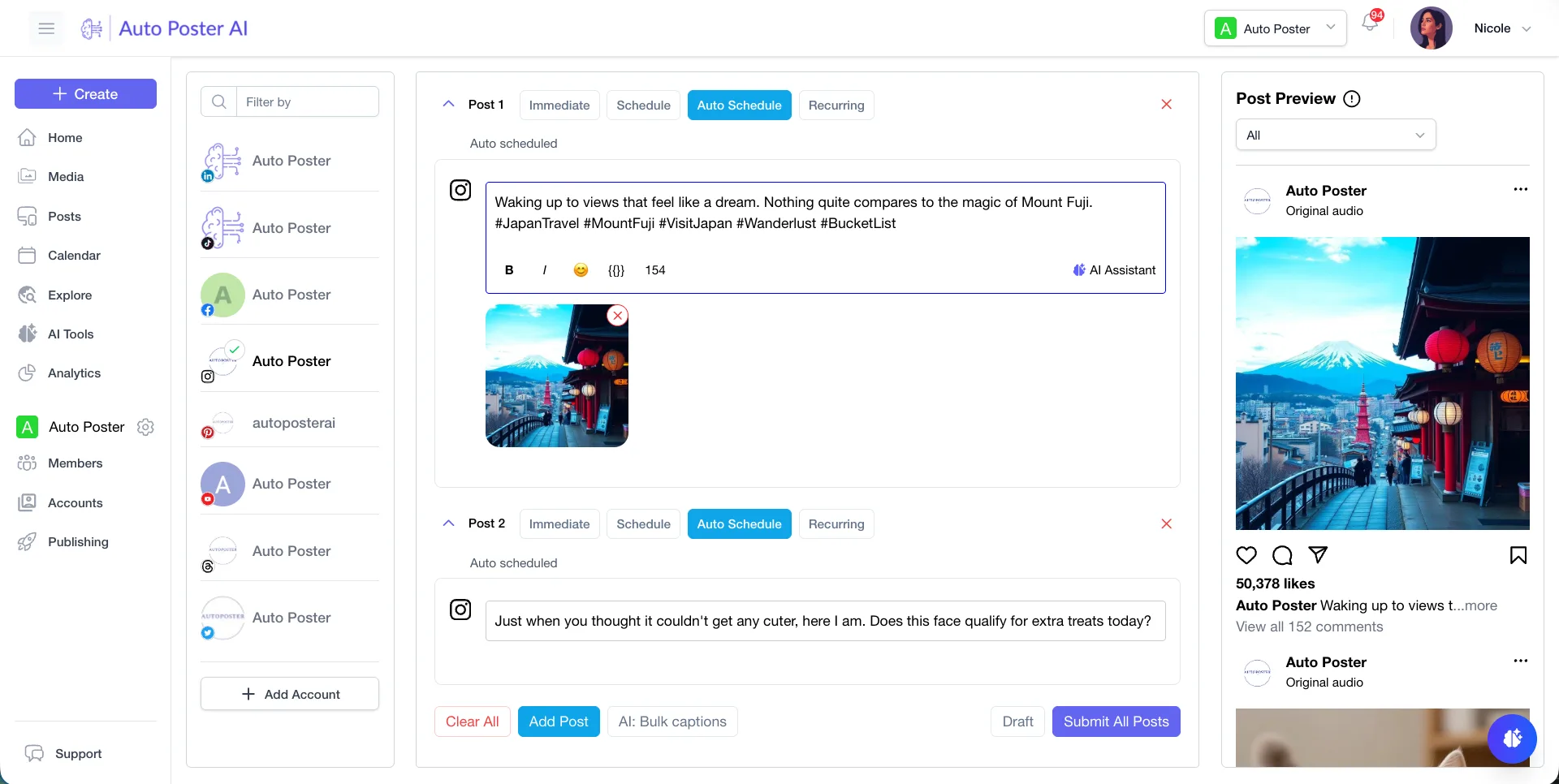
- You want bulk posting from media folders and autoposting flows, not just publishing from the editor.
Stay with Submagic if
- Caption styling and quick polish on short videos are the priority, with premium templates and auto zooms.
- You want Storyblocks B-roll on Pro, or movie clips on Business, inside the editor.
- You like translated captions that keep your real voice, without dubbing.
- You need 120+ stock AI actors for short presenter clips. We have no avatars.
Submagic in brief
Submagic is a short-video editor built around AI captions, with B-roll, zooms and clean-up in the same place. Plans are priced by credits, with annual billing as low as $12 a month on Starter, and video length caps of 2, 5 and 30 minutes by plan. Its pricing page disagrees with itself on some limits, including API minutes and custom templates, so confirm those before buying.
It has also moved towards publishing: its scheduler reaches three channels today, with future-date posting on Pro and Business. If that covers you, Submagic may be all you need. AutoPoster AI is the better match once you want dubbing, an inbox, approvals and autoposting too, and you accept less caption and editing depth in exchange.
Submagic pricing
| Plan | Billed monthly | Billed annually | What you get |
|---|---|---|---|
| Starter | $19/mo | $12/mo | 45 credits, about 15 videos, 2-minute limit, 1080p, no watermark |
| Pro | $39/mo | $23/mo | 120 credits, about 40 videos, 5-minute limit, 2K, 3 users |
| Business | $69/mo | $41/mo | 300 credits, about 100 videos, 30-minute limit, 4K, 60 FPS, 3 profiles per platform |
| Custom | Not confirmed | Not confirmed | Contact sales |
AutoPoster AI vs Submagic
| Feature | AutoPoster AI | Submagic |
|---|---|---|
| Animated subtitles | Professional plan | Yes: core product, video counts by plan |
| Long video to short clips | Professional plan | Yes: credit article says 8 credits per clip, guide calls it an add-on |
| AI video generation | Professional plan | Partial: AI actors, scripts up to 720 characters |
| AI dubbing and voiceover | Professional plan | Not listed: translator adds subtitles and keeps original audio |
| AI image generation | Professional plan | Not listed |
| Multi-platform scheduling | Yes | Partial: TikTok, Instagram, YouTube Shorts. Future dates on Pro and Business |
| Analytics and best-time heatmap | Brand plan | Partial: publish and analytics listed on plans, detail not stated |
| API | Professional plan | Yes: minutes by plan, the page gives two figures |
| MCP for Claude, ChatGPT and Cursor | Professional plan | Not listed |
| Unified comment inbox | Brand plan | Not listed |
| DM inbox | Brand plan | Not listed |
| Link in bio pages | Yes | Not listed |
"Not listed" means we did not find the feature on Submagic's site on October 31, 2026. It may still exist or may ship later.
AutoPoster AI in practice
Where AutoPoster AI is stronger
A broader publishing job
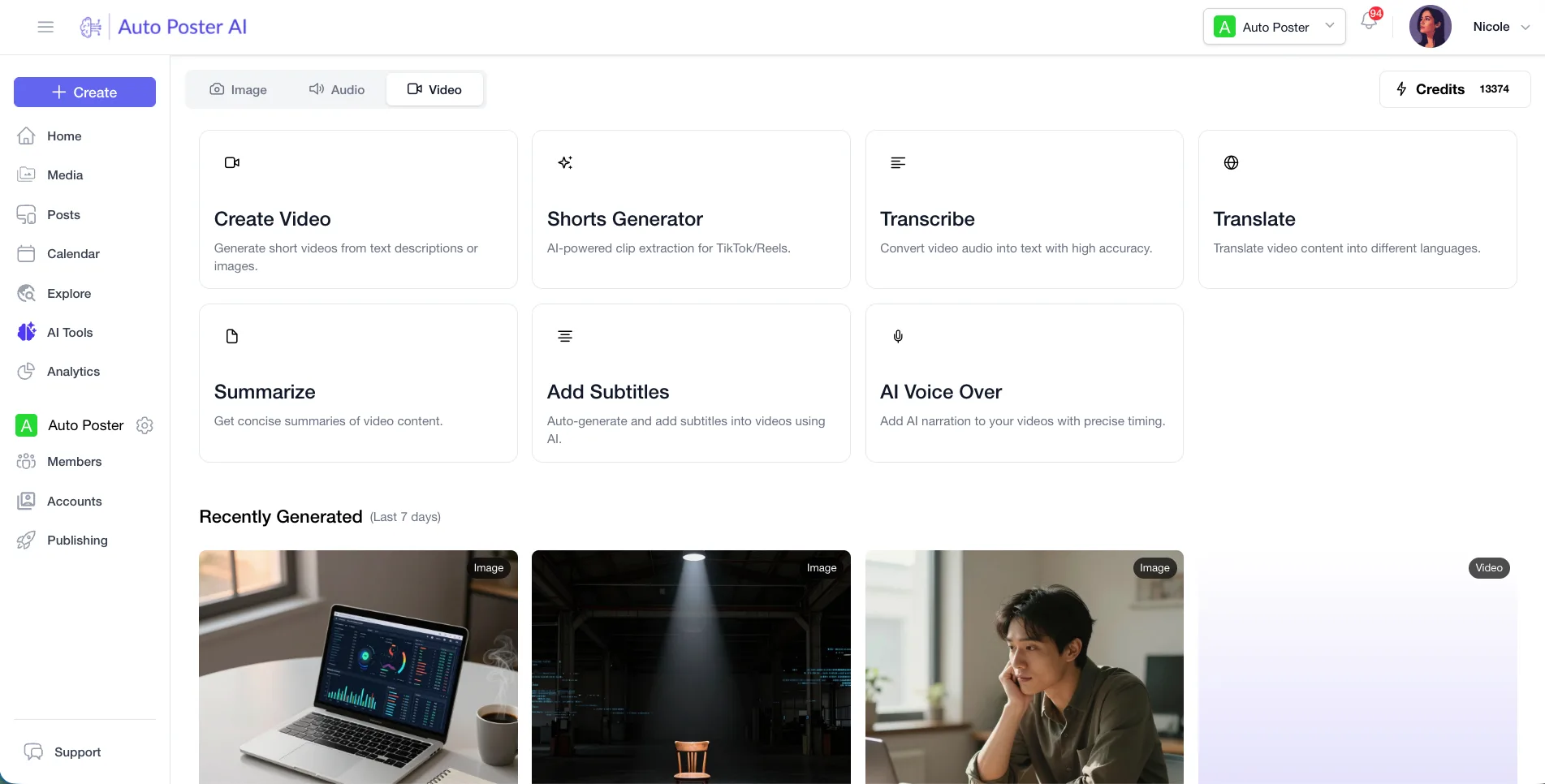
Submagic lists TikTok, Instagram and YouTube Shorts today, with LinkedIn, Facebook and X marked coming soon. Ours is built as a full scheduler, with bulk posting from media folders and autoposting flows.
Learn more →Dubbing and voiceover
AI Studio includes dubbing and voiceover. Submagic's translator page says it adds translated subtitles and keeps your original audio.
Learn more →Replies and team work
Brand adds comment and DM inboxes, WhatsApp broadcasts and approvals. Business adds AI moderation and replies. We found no inbox on Submagic's publishing page.
Learn more →A bio page included
Every plan includes link-in-bio pages, 5 of them on Professional, so viewers have somewhere to go after the video.
Learn more →Where Submagic is stronger
Caption and editing polish
Premium caption templates, auto zooms, hook titles, silence and bad-take removal are purpose-built for short video. Subtitles are one tool among many for us.
Built-in B-roll library
Pro draws on premium Storyblocks B-roll, and Business adds movie clips, without leaving the editor.
Eye contact correction
It's a dedicated Submagic feature, listed on the Business comparison. Check the plan you'd need.
Clip output
Magic Clips gives 20+ clips from a long video, each with a transcript and virality score, from a YouTube link, upload or public Drive link.
No-code automation
Direct integrations with Make, Zapier, n8n, Google Drive and Gumloop can trigger captions and clipping from other apps.
How to switch from Submagic
- 1
Export finished videos one at a time: click Export, choose quality, and save the file. We found no bulk export article.
- 2
Do this before you cancel. Submagic's cancel article doesn't say what happens to projects or how long access lasts, so ask support@submagic.co if that matters to you.
- 3
Cancel from your profile: choose Go To Stripe Portal, then Cancel Subscription. You can pause instead if you only need a break.
Frequently asked questions
- How do Submagic credits work?
An upload costs 3 credits with captions included, other AI features cost 1 to 3, and Magic Clips costs 8 each. That gives about 15 videos on Starter and 40 on Pro.
- Can Submagic schedule posts?
Yes, on Pro and Business, to TikTok, Instagram and YouTube Shorts. Free accounts can publish one video immediately. LinkedIn, Facebook and X are marked coming soon.
- Does Submagic dub videos?
Its translator page says it keeps your original audio and adds translated subtitles. We found no voice dubbing there.
- Are Submagic's captions better than AutoPoster AI's subtitles?
For style options and short-video polish, Submagic goes deeper. We make more sense if subtitles are one step in a wider publishing workflow.
Other alternatives
Sources, checked on October 31, 2026
- https://www.submagic.co/pricing
- https://care.submagic.co/en/article/how-much-does-it-cost-to-use-submagic-1xm83pa/
- https://www.submagic.co/features/ai-avatar-video-generator
- https://www.submagic.co/features/ai-video-translator
- https://www.submagic.co/
- https://www.submagic.co/social-media-scheduler
- https://www.submagic.co/integrations
- https://care.submagic.co/en/article/how-to-use-magic-clips-step-by-step-guide-15mve5q/
- https://care.submagic.co/en/article/how-to-use-submagic-step-by-step-guide-pafx7o/
- https://care.submagic.co/en/article/how-do-i-cancel-my-plan-uxq6z9/
Pricing and features change, so check Submagic's site before buying. Submagic is a trademark of its owner. AutoPoster AI is not affiliated with it.
Switch from Submagic to AutoPoster AI
Connect your accounts and try it on your own content.
Includes 7 days of Pro access • No credit card required • Seamless downgrade to free plan