Turn One Folder Into Weeks of Social Posts
Select your media, generate captions with AI, choose your posting times, and let AutoPoster schedule and publish everything automatically.
7-day Professional trial · No credit card required · Auto-switches to Free
From Media Folder to Published Posts
Creating weeks of social content shouldn't mean creating and scheduling every post one by one. AutoPoster lets you turn a folder of content into a complete social media schedule in a few steps.
1. Select Your Media
Choose multiple images and videos from your media library or uploaded folders.
2. Generate Captions with AI
Generate viral captions, hooks, and hashtags for your selected content in bulk.
3. Choose Your Schedule
Assign posts to preset publishing timeslots or choose custom calendar dates.
4. Auto-Post on Autopilot
Submit your batch. AutoPoster publishes automatically to all connected social channels.
Create Autoposting Flows Instead of One-by-One Scheduling
Traditional social media schedulers force you to create and schedule every single post manually one by one. With AutoPoster AI, you build an automated Autoposting Flow once.
Connect a media folder, configure optimal timeslots, pick your social channels, and turn Autoposting ON. Your content queue fills and publishes on complete autopilot.
- Select source folders from your cloud media library
- Pick target accounts across 14+ social networks
- Set daily publishing timeslots and recurring intervals
- Enable AI bulk captions, hashtags, and UTM tracking
- Toggle Autoposting ON for 100% hands-free publishing
Schedule Weeks of Content in One Session
Have a folder full of content? Instead of manually creating every post, use AutoPoster's bulk scheduling workflow to turn your existing media into a complete social media calendar.
Generate Captions for Your Entire Content Batch
Don't start from a blank text box for every post. Select multiple pieces of content and use AI to generate tailored captions, hooks, and hashtags for your posts in bulk. Review and edit before scheduling.

"Golden hour in motion 🌅 Watching a herd of deer cross the ridge just as the light breaks through. Nature at its purest. #wildlifephotography #goldenhour"

"Standing tall above the herd 🦒 A serene gathering of zebras and oryx sharing the savanna plains under the morning sun. #safariafrica #nature"

"Oasis of the wild 🐘 When midday heat peaks, life gathers at the waterhole. Gentle giants and springboks in peaceful harmony. #wildlife #earthcapture"
Build a Social Posting Routine
Create a repeatable posting workflow instead of manually rebuilding your schedule every week. Use recurring posts and automated scheduling to keep your social accounts active with less manual work.
Powerful Publishing Controls, Built Into Your Scheduler
Go beyond basic scheduling with flexible publishing controls for timing, links, branding, and automated content.
Custom Timeslots
Define your preferred publishing times for each day of the week. AutoPoster uses these timeslots when automatically scheduling your content queue.
Automatic Link Tracking & Shortening
Automatically append UTM parameters and shorten URLs in your posts so you can track where your social traffic and conversions come from.
Signatures
Automatically append a consistent signature, website link, or CTA to your posts without manual copy-pasting.
Shortcodes
Use dynamic shortcodes to automatically insert predefined snippets, tags, and variables into your post captions.
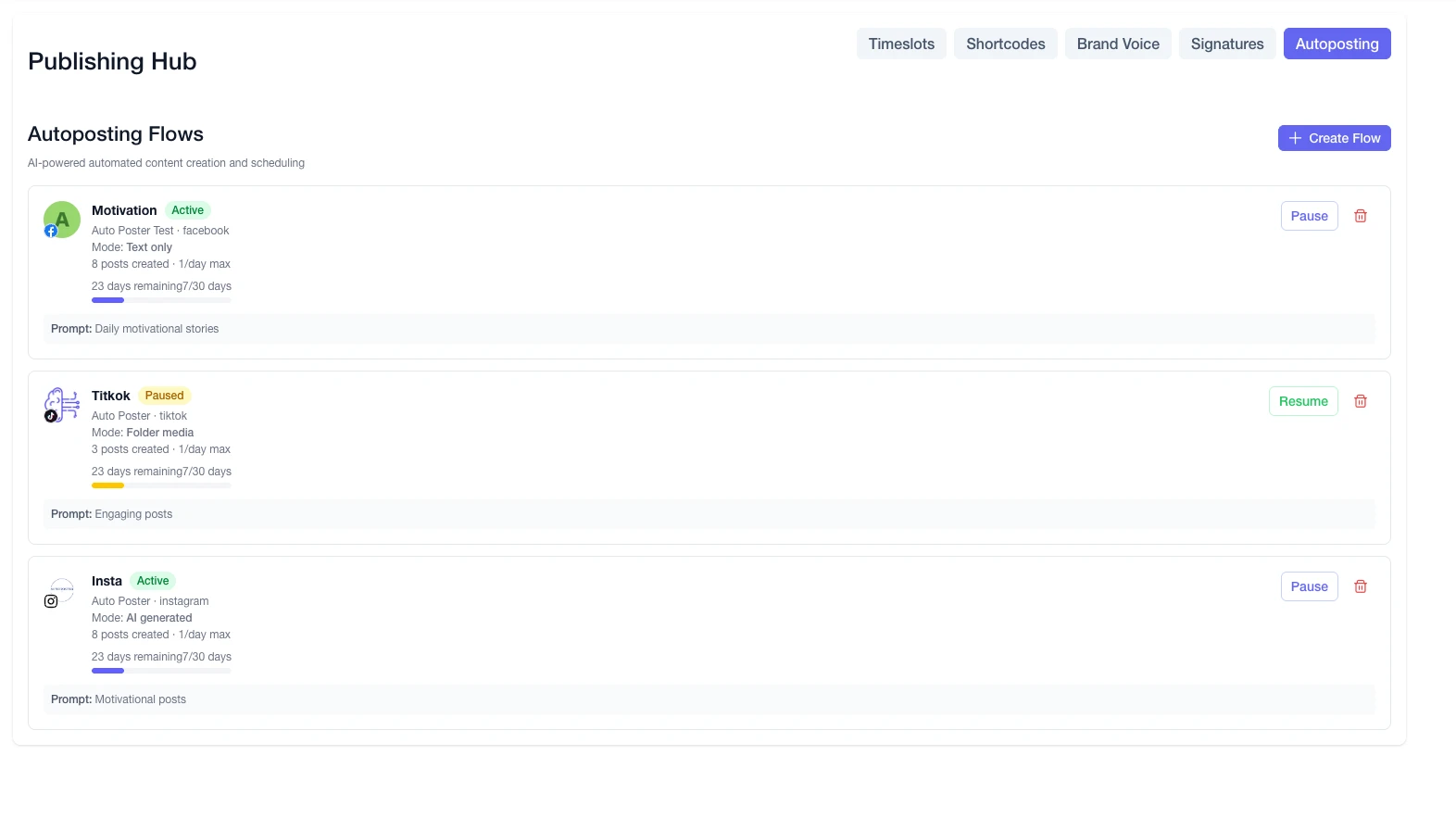
Autoposting Flows
Create automated publishing pipelines that turn your content folders, AI prompts, or text feeds into scheduled posts on autopilot.
Manage Comments Without Leaving Your Scheduler
Publishing is only part of social media management. Monitor comments on your posts and respond or remove comments directly from AutoPoster.
- View incoming comments across your scheduled posts
- Reply to followers directly from your unified dashboard
- Delete spam and unwanted comments with one click
- Manage social conversations alongside your queue
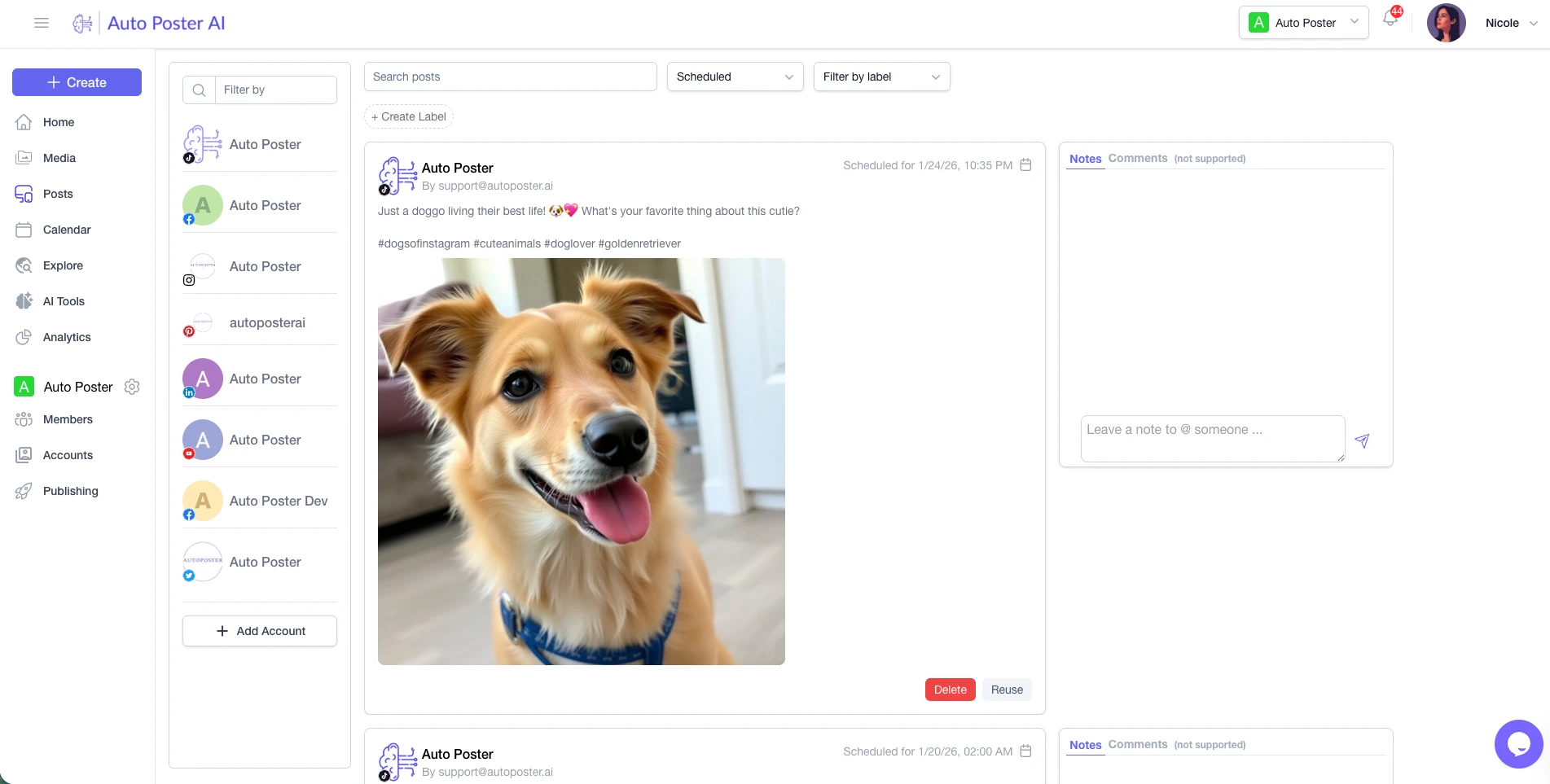
Add the First Comment Automatically
Schedule your first comment together with your post when you need additional context, links, hashtags, or follow-up information without cluttering the main caption.
Keep Your Best Content Working
Create recurring posts for content you want to publish repeatedly according to your schedule. Keep your social feeds lively without reinventing the wheel.
Built-In AI Creation Tools
AutoPoster combines social media scheduling with 23+ in-app AI tools for creating and improving content.
AI Captions & Copy
Generate engaging captions, hooks, and hashtags for all platforms.
AI Image Studio
Generate visuals, upscale images, remove backgrounds, and maintain character consistency.
AI Video Generator & Shorts
Turn text into video, burn subtitles, voice-over clips, and create viral Shorts.
AI Voice & Audio
Realistic AI text-to-speech voiceovers, dubbing, voice cloning, and audio dialogs.
AI Content Chat
Brainstorm content ideas, draft campaigns, and schedule directly inside chat.
23+ In-App AI Tools
Everything you need to create, repurpose, and scale your social media output.
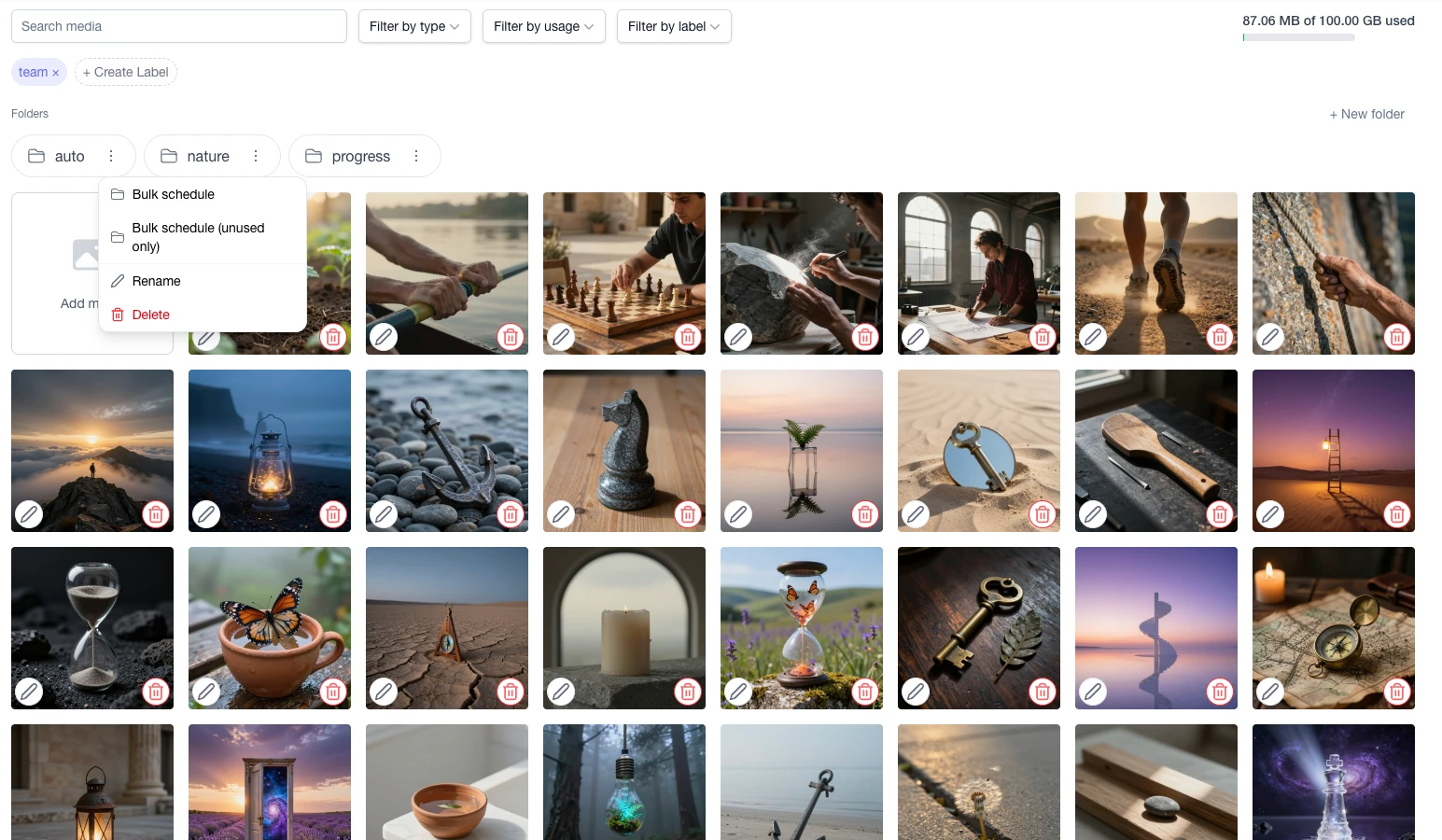
Keep Your Content Ready to Publish
Store and organize your media in folders so content is ready whenever you want to schedule it. Reuse your top assets, upload in bulk, and launch campaigns in seconds.
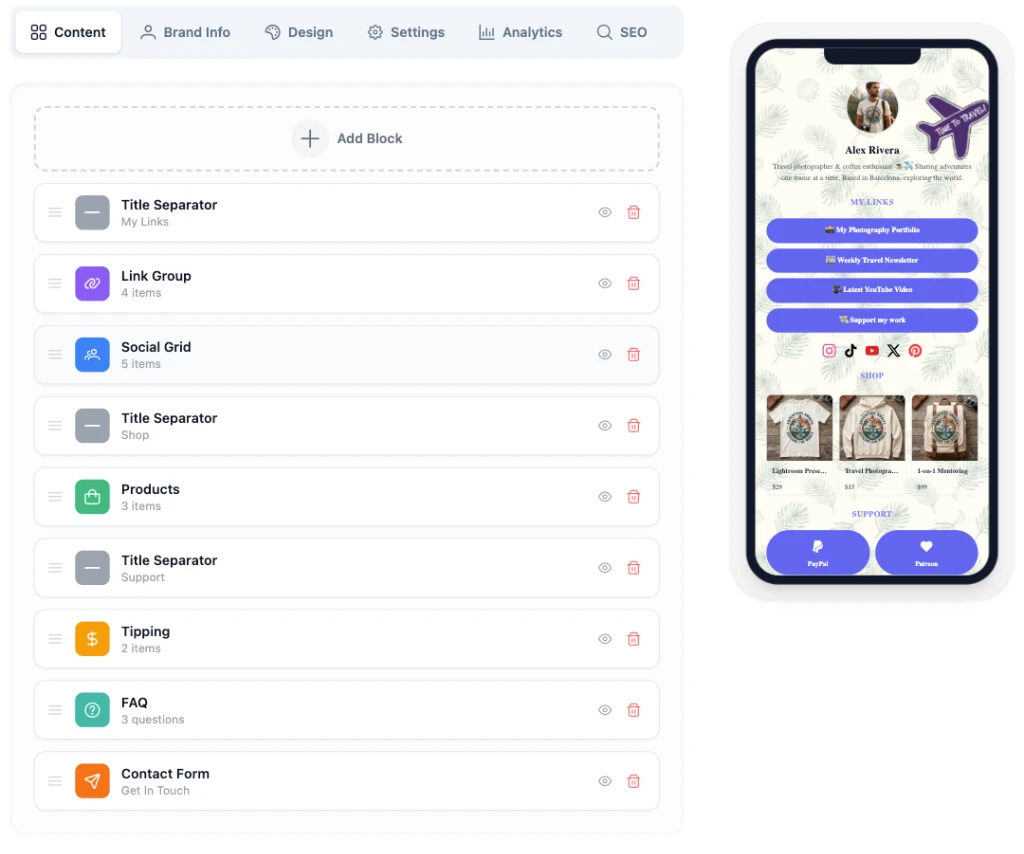
Turn Your Social Traffic Into More Than Views
Pair your social scheduling workflow with a Link in Bio page. Create your Link in Bio page and connect your social content so followers can discover more of your content and links.
Everything You Need to Plan, Create, and Publish
See how AutoPoster AI provides an end-to-end publishing workflow compared to traditional social media schedulers.
* Feature and plan comparisons reflect publicly available tier data for 5 social channels. Competitor features and pricing may change. All trademarks belong to their respective owners.
One Workflow for Creating, Scheduling, and Publishing
AI tools generate captions, videos, and images.
Store assets in media folders for instant reuse.
Assign posts to preset timeslots or recurring routines.
Autopilot publishing to 14+ social networks.
Reply to comments and manage conversations.
Drive traffic to your free customizable Link in Bio.
Pricing
Pricing plans for teams of all sizes
We have you covered, whether you're an individual content creator, a brand, business or agency.
Professional
7-Day Free TrialBest for individual content creators.
$13/month
- 5 social accounts
- 10.00 GB storage
- 1000 Free AI credits/month
- 5 Link in Bio profiles
- AI Chat Assistant & Brainstorming
Brand
Most popularBest for startups and small brands.
$20/month
- 10 social accounts
- 15 Link in Bio profiles
- 5 team members
- 3000 Free AI credits/month
- All Professional features
Business
Best for businesses and organizations.
$40/month
- 30 social accounts
- 50 Link in Bio profiles
- 15 team members
- 7000 Free AI credits/month
- All Brand features
Frequently Asked Questions
Turn Your Content Folder Into Your Social Media Calendar
Select your content, generate captions with AI, choose your schedule, and let AutoPoster handle the publishing.
Take your social media scheduler with you