
invideo alternative for clips, voice and music with built-in publishing
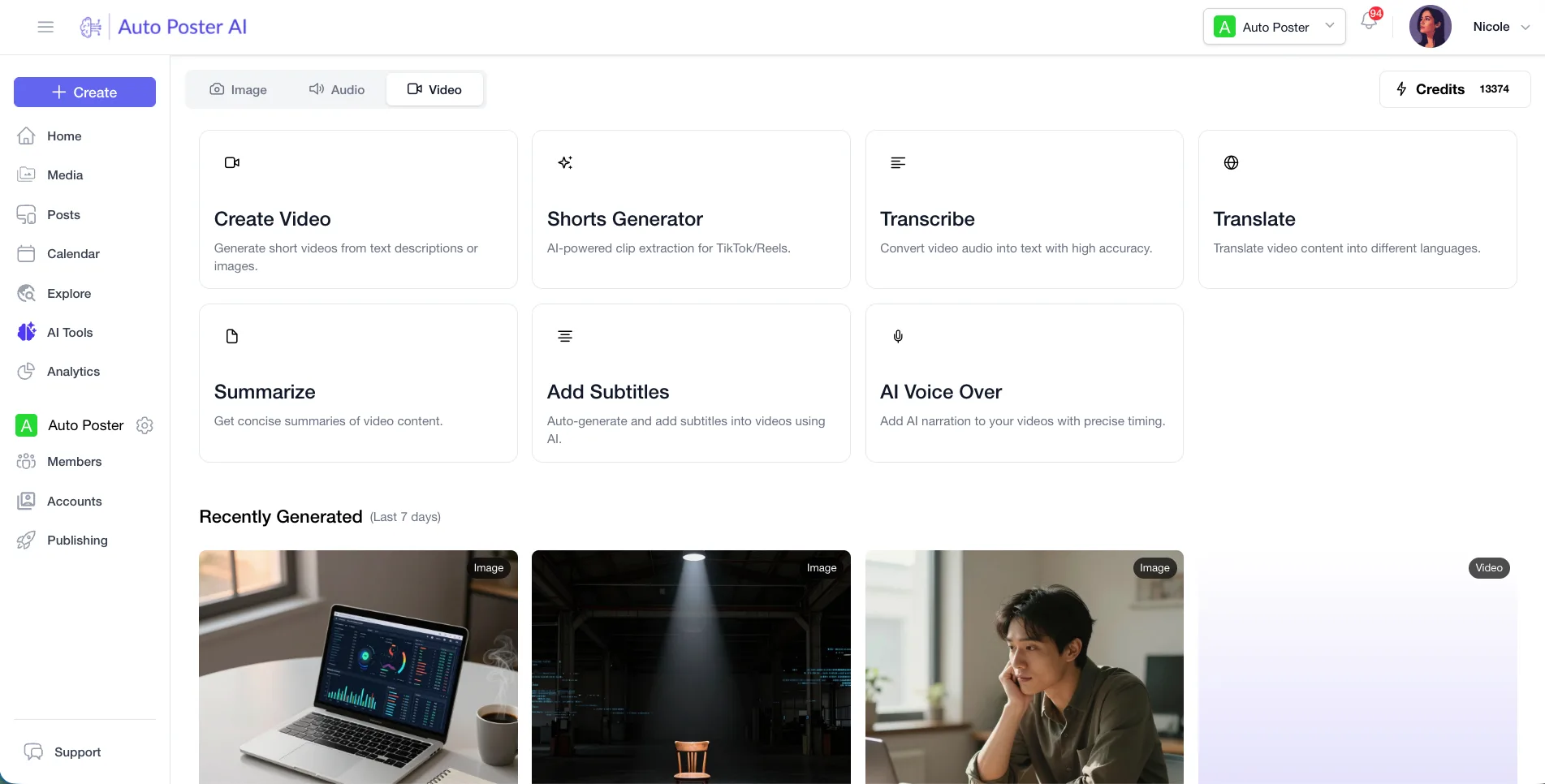
invideo makes video from a prompt using third-party video, image and audio models, and edits it on a timeline. We have no avatars or timeline editor. AutoPoster AI suits you if you want clips, subtitles, voice and music plus scheduling, and your video starts from existing footage.
Choose AutoPoster AI if
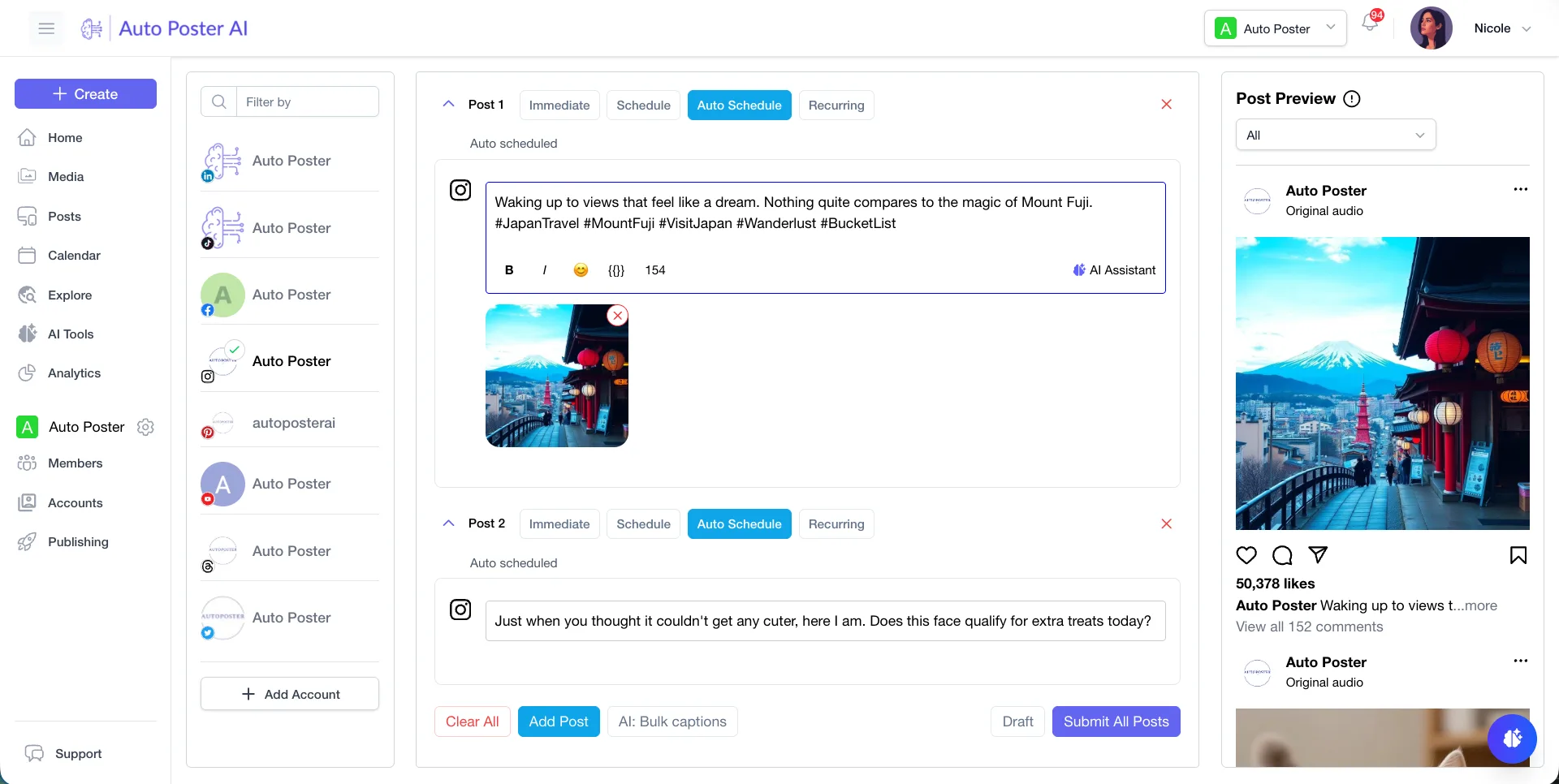
- You want a scheduler for X, Bluesky, Instagram, TikTok and more beside your video tools.
- You start from existing recordings and want clips, animated subtitles and dubbing.
- You want a free plan to try, since we didn't find one on invideo's pricing page.
Stay with invideo if
- You want to generate scenes from a prompt with models such as Veo, Sora, Kling and Seedance.
- You want a full timeline editor. We don't have one.
- You want an AI avatar generator, which we lack.
invideo in brief
invideo is a generation hub: its home page lists leading video, image and audio models, a timeline editor, voice cloning and music. Its pricing is per seat with monthly credits that do not roll over.
If you want to conjure scenes from a prompt, it does that and we mostly don't. If you work from your own footage and care what happens after export, such as scheduling, replies and reviews, then a bundle with those parts is the better match.
invideo pricing
| Plan | Billed monthly | Billed annually | What you get |
|---|---|---|---|
| Starter | $20/mo | $10/mo | Per seat. 400 credits a month, up to 5 seats, 200 GB storage, timeline editor |
| Plus | $60/mo | $30/mo | Per seat. 2,000 credits a month, up to 10 seats plus 10 guests, Seedance 2.5, 600 GB storage |
| Max | $250/mo | Not confirmed | Per seat. 8,000 credits a month, up to 20 seats, 2,000 GB, lowest cost per credit. Annual figure shown as $37.50 and $75 on the same page |
AutoPoster AI vs invideo
| Feature | AutoPoster AI | invideo |
|---|---|---|
| AI video generation | Professional plan | Yes: prompt, text and image to video with several models |
| AI image generation | Professional plan | Yes: image models plus a thumbnail maker |
| Text to speech | Professional plan | Yes: AI voice generator |
| Voice cloning | Professional plan | Yes: listed as a tool |
| AI music generation | Professional plan | Yes: AI music generator |
| MCP for Claude, ChatGPT and Cursor | Professional plan | Partial: MCP page linked, for connecting an agent to the editor |
| Long video to short clips | Professional plan | Not listed: only a video trimmer is listed |
| Animated subtitles | Professional plan | Not listed |
| AI dubbing and voiceover | Professional plan | Not listed |
| Team roles and approvals | Brand plan | Partial: multiplayer editing, seats and guest seats |
| API | Professional plan | Not listed |
| Multi-platform scheduling | Yes | Not listed |
| Unified comment inbox | Brand plan | Not listed |
| Analytics and best-time heatmap | Brand plan | Not listed |
"Not listed" means we did not find the feature on invideo's site on October 31, 2026. It may still exist or may ship later.
AutoPoster AI in practice
Where AutoPoster AI is stronger
Clips, subtitles and dubbing
Turn a long recording into clips, add animated subtitles, or dub it. invideo's page lists a trimmer, and we found none of the other three.
Learn more →Scheduling and bulk posting
Queue the result to many networks, or let a media folder feed an autoposting flow. We found no publishing on invideo's pages.
Learn more →Flat accounts, not seats
Professional covers 5 social accounts and 1000 credits for $15 a month, and Brand covers 5 members. invideo bills per seat.
Learn more →Replies and reviews
Brand adds comments, DMs and review replies for Google Business, Facebook and app stores.
Learn more →Where invideo is stronger
Generation from a prompt
It exposes Veo 3.1, Sora 2, Kling and Seedance, with image and audio models too. Our video work edits what you bring, with limited generation.
A timeline editor
It describes its editor as full AI timeline editing on paid plans. We have no full timeline editor.
Avatars
An AI avatar generator is listed. We have none.
Bigger credit pools
Max gives 8,000 credits per seat a month and 2,000 GB of storage.
How to switch from invideo
- 1
Export projects before you leave. Downloads are limited to exported videos, taken from My Projects with the download button.
- 2
Cancel from the Subscription page under your profile icon. After cancelling, previous videos stay visible but new downloads are blocked on the free plan.
- 3
invideo Studio and invideo AI have separate cancellation articles, so check which product you pay for.
- 4
Credits don't roll over, so spend them before the cycle ends.
Frequently asked questions
- How much does invideo cost?
Per seat: Starter $20 monthly or $10 annual, Plus $60 or $30, Max $250 monthly. Max annual shows two figures, so check the page.
- Does invideo have a free plan?
We didn't find one on its pricing page, which lists Starter, Plus and Max only.
- Does AutoPoster AI have a timeline editor?
No. We have no full video timeline editor and no avatars.
- Can invideo schedule posts?
We found no scheduling or publishing on its home or pricing pages.
Other alternatives
Sources, checked on October 31, 2026
- https://invideo.io/pricing/
- https://invideo.io/
- https://help.invideo.io/articles/56815-how-do-i-download-my-video
- https://help.invideo.io/articles/111774-how-do-i-cancel-my-invideo-ai-subscription
- https://help.invideo.io/articles/57661-how-to-cancel-or-pause-the-subscription
Pricing and features change, so check invideo's site before buying. invideo is a trademark of its owner. AutoPoster AI is not affiliated with it.
Switch from invideo to AutoPoster AI
Connect your accounts and try it on your own content.
Includes 7 days of Pro access • No credit card required • Seamless downgrade to free plan