
Opus Clip alternative when clips are only one step of your social workflow
OpusClip is a deep clipping tool, with reframing, virality scoring and editor exports that we don't match. AutoPoster AI makes sense if you want clipping inside a full social tool, so you can also schedule, answer comments and read analytics.
Choose AutoPoster AI if
- You want clips, a scheduler, an inbox and analytics on one bill.
- You want link in bio, image generation and voice tools with your clip tool.
- You need comments and DMs handled after your clips go live.
Stay with Opus Clip if
- Clip quality is your whole job and you want prompt-based moment finding and object-tracking reframes.
- Your editor finishes clips in Premiere Pro or DaVinci Resolve.
- You want a free tier focused on clipping, with 60 processing minutes a month.
OpusClip in brief
OpusClip does one job and does it thoroughly: it turns long videos into short, captioned, reframed clips. Podcasters and YouTubers with a large back catalogue get real value from its ranking and clean-up tools. It also has a 29-tool MCP server and an API with official SDKs.
The trade-off is what happens next. Starter has no scheduler, and we found no inbox, so anyone running a social presence also needs another tool to manage replies and plan content. That second subscription is what AutoPoster AI can replace, at the cost of some clip-level depth.
Opus Clip pricing
| Plan | Billed monthly | Billed annually | What you get |
|---|---|---|---|
| Free | $0/mo | Not confirmed | 60 processing minutes a month, watermark, no posting or scheduling |
| Starter | $15/mo | Not confirmed | 150 processing minutes a month, direct posting, no scheduler |
| Pro | $29/mo | Not confirmed | 300 processing minutes a month, scheduler, 100GB storage, API, MCP |
| Business | Not confirmed | Not confirmed | Contact sales. Unlimited seats, 4K, SSO |
AutoPoster AI vs Opus Clip
| Feature | AutoPoster AI | Opus Clip |
|---|---|---|
| Long video to short clips | Professional plan | Yes: core product |
| Animated subtitles | Professional plan | Yes: watermarked on Free |
| AI dubbing and voiceover | Professional plan | Yes: dubbing on Pro and Business |
| AI video generation | Professional plan | Yes: B-roll, reframing, Agent Opus |
| AI image generation | Professional plan | Partial: B-roll images only |
| Voice cloning | Professional plan | Not listed |
| AI music generation | Professional plan | Not listed |
| Multi-platform scheduling | Yes | Partial: scheduler on Pro and Business |
| Unified comment inbox | Brand plan | Not listed |
| AI comment moderation | Business plan | Not listed |
| DM inbox | Brand plan | Not listed |
| Analytics and best-time heatmap | Brand plan | Partial: clip analytics on Business, coming to Pro |
| Link in bio pages | Yes | Not listed |
| MCP for Claude, ChatGPT and Cursor | Professional plan | Yes: 29 tools |
"Not listed" means we did not find the feature on Opus Clip's site on October 31, 2026. It may still exist or may ship later.
AutoPoster AI in practice
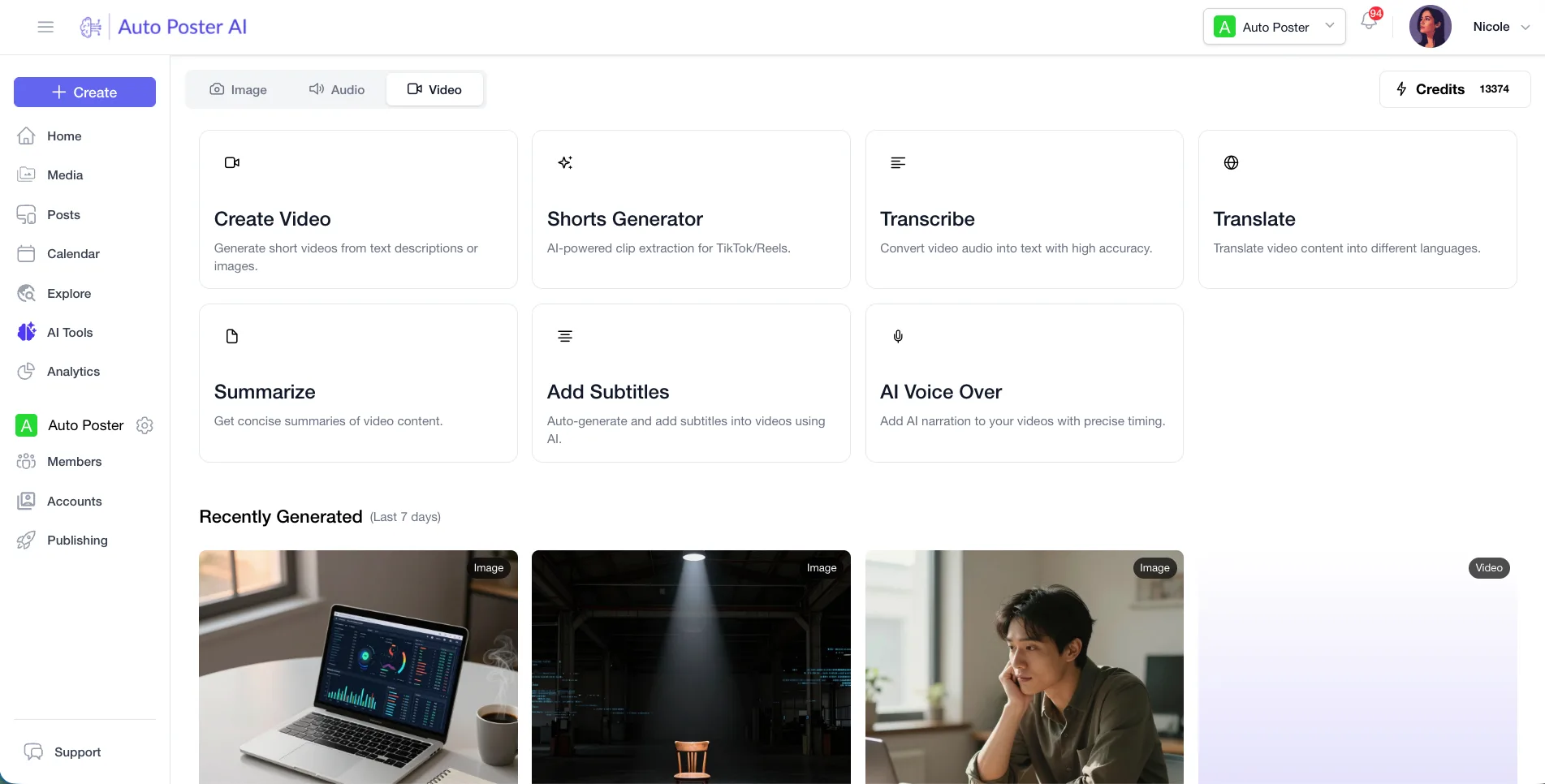
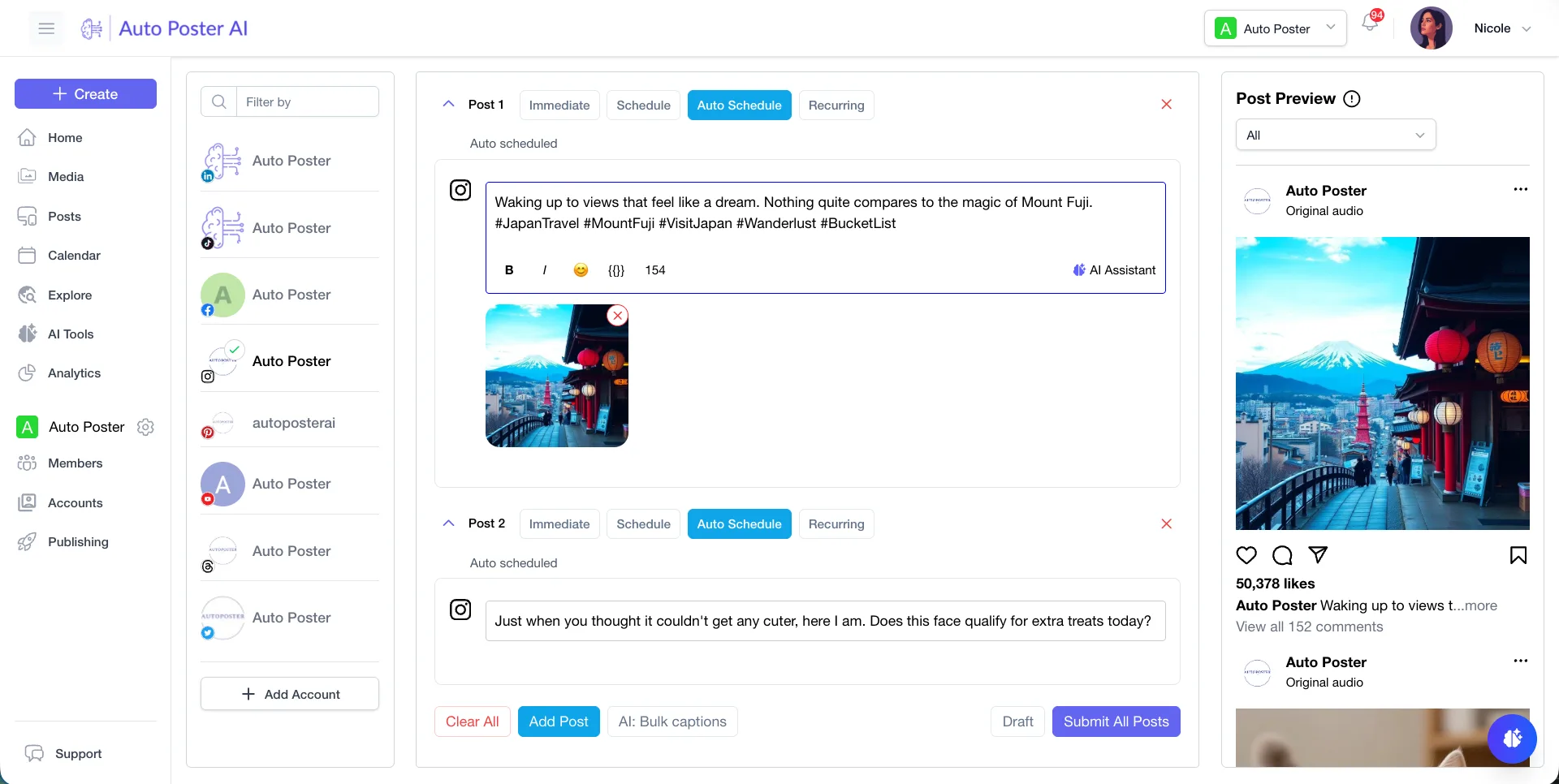
Where AutoPoster AI is stronger
One tool from clip to reply
After a clip publishes, comments and DMs arrive in the same account, and you can read performance there too. OpusClip's pages focus on making and posting the clip.
Learn more →Wider publishing
OpusClip's scheduler covers 9 video-friendly networks. We also post to Mastodon, Telegram, Reddit and Discord.
Learn more →A bigger creative toolbox
Image generation, voice cloning, text to speech and music generation sit beside clipping and use one pool of AI credits.
Learn more →A bio link included
Send viewers to a link-in-bio page you build on the same account, even on the Free plan.
Learn more →Where Opus Clip is stronger
Finding the moment
ClipAnything works across genres and takes natural-language prompts for specific moments.
Smarter reframing
ReframeAnything tracks objects with AI and allows manual override, useful when your subject moves.
Editor hand-off
XML plus SRT export to Premiere Pro and DaVinci Resolve, with extra handles, suits professional editors. We don't offer this.
Clip polish
Virality scores, bad-take removal, eye contact correction and speech enhancement sit in one editor.
How to switch from Opus Clip
- 1
Download your finished clips first. MP4 export windows are 3 days on Free and 30 days on Starter, with no limit on Pro and Business.
- 2
Use bulk MP4 export if you're on Pro or Business. Past projects need Pro before you can render XML for an editor.
- 3
Finish before cancelling, because projects are no longer accessible 3 days after cancellation takes effect.
Frequently asked questions
- How do OpusClip plans work?
They're stated in processing minutes: 60 on Free, 150 on Starter and 300 on Pro each month. Business is a custom quote.
- Can I schedule posts on OpusClip Starter?
Starter can post directly but has no scheduler. The scheduler is on Pro and Business.
- Is AutoPoster AI's clipping as good as OpusClip's?
OpusClip goes deeper, and specialist features such as editor export and object-tracking reframes aren't in our tool. We're the better fit if you want clipping and social management together.
- Does OpusClip have a free trial?
OpusClip offers a 7-day Pro trial with no card, limited to 90 minutes of processing.
Other alternatives
Sources, checked on October 31, 2026
- https://help.opus.pro/docs/article/plans-and-credits
- https://www.opus.pro/pricing
- https://www.opus.pro/
- https://www.opus.pro/mcp
- https://www.opus.pro/export-to-xml
- https://help.opus.pro/docs/article/import-to-adobe-premiere
Pricing and features change, so check Opus Clip's site before buying. Opus Clip is a trademark of its owner. AutoPoster AI is not affiliated with it.
Switch from Opus Clip to AutoPoster AI
Connect your accounts and try it on your own content.
Includes 7 days of Pro access • No credit card required • Seamless downgrade to free plan