The #1 YouTube Auto Poster & Scheduler
Never miss an upload schedule again. Automate your YouTube channel by scheduling Shorts and long-form videos directly from our unified dashboard.
No credit card required • 7-day free Pro access


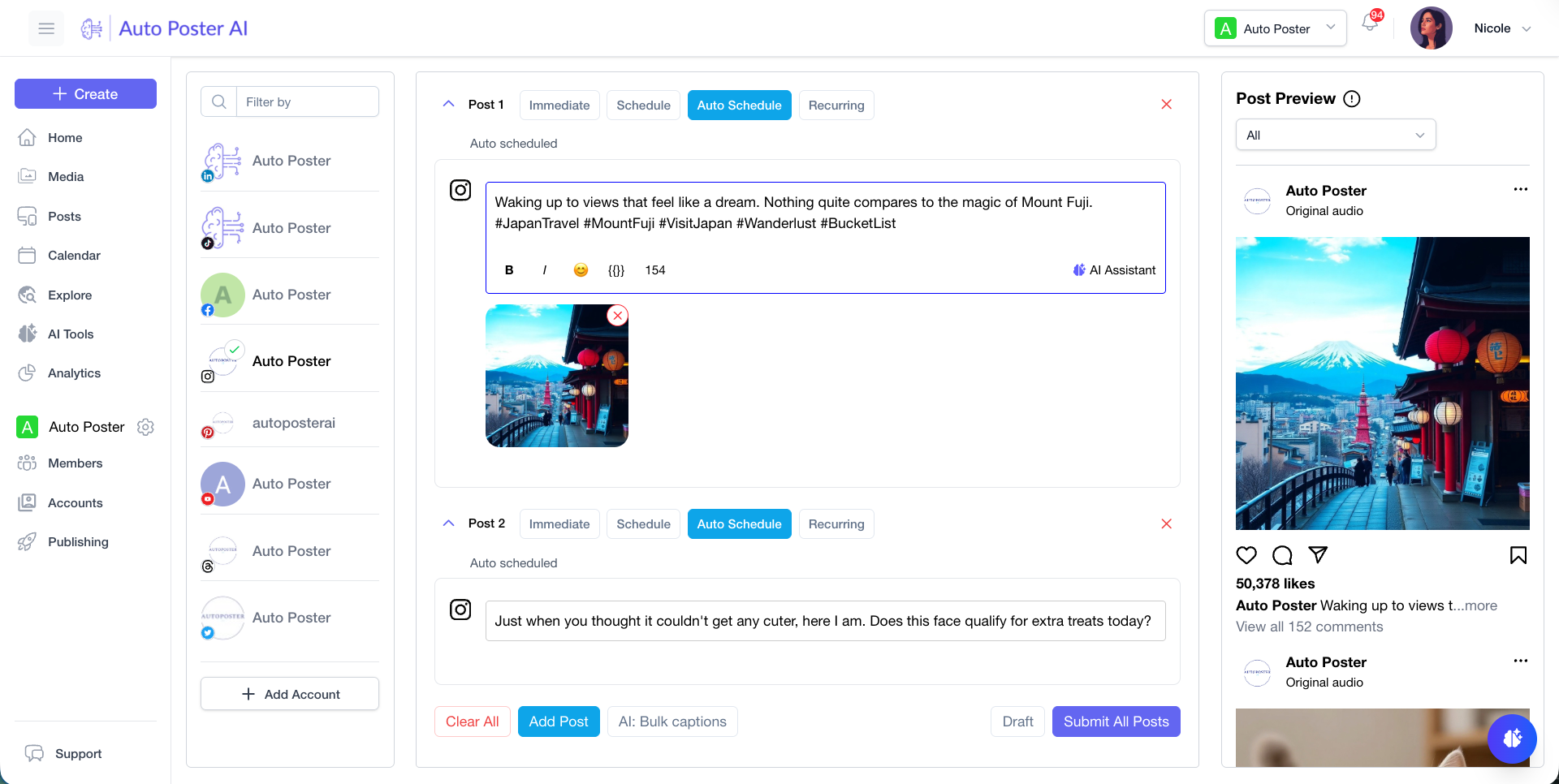
Seamlessly post to your favorite platforms
YouTube Assistant
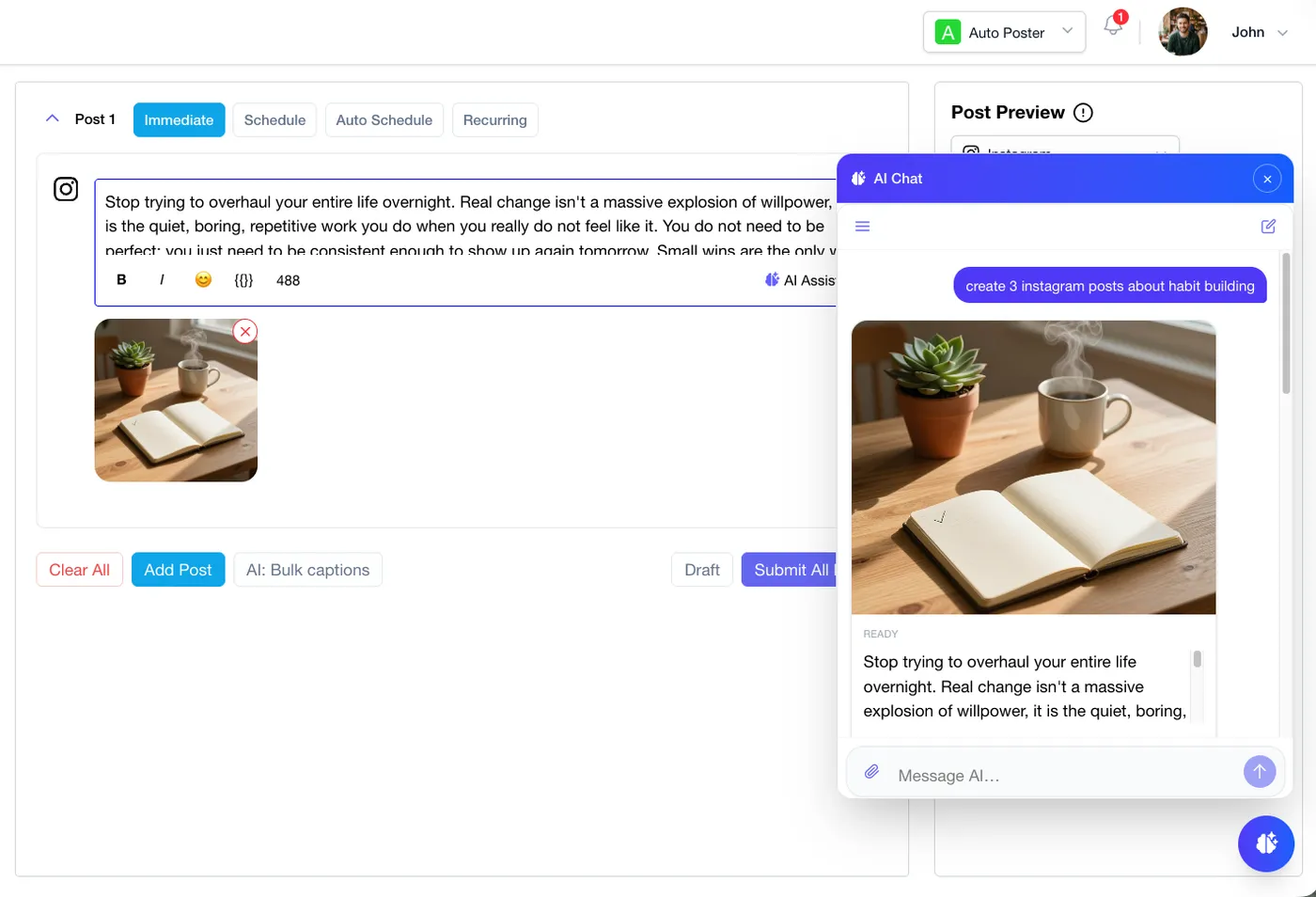
Brainstorm video concepts and Shorts
Collaborate with an AI trained on YouTube success. Brainstorm viral video ideas, draft SEO-optimized descriptions and chapter timestamps, generate custom thumbnails, and schedule your uploads to YouTube—all through a simple chat interface.
- Brainstorm video hooks, titles, and SEO descriptions.
- Generate striking custom thumbnails and edit them in-chat.
- Schedule Shorts and long-form videos directly to your channel.
YT Publishing Hub
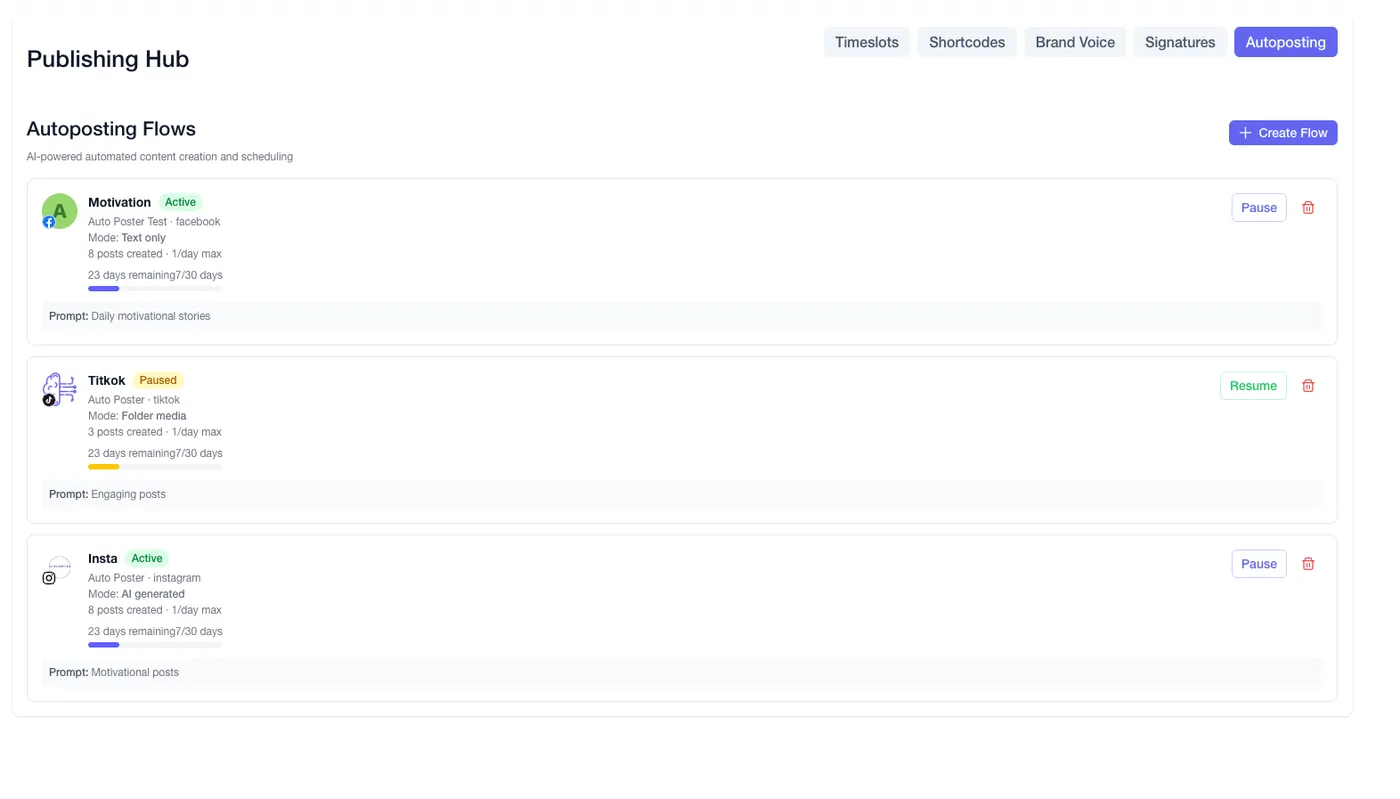
Command your YouTube channel growth
Streamline your video releases. Create AI instructions for your channel's unique personality, utilize shortcodes for standardized sponsor links and social plugs, and automate the precise release times of your upcoming YouTube content.
- Standardize your video descriptions with custom brand voices.
- Manage sponsor links and social plugs via dynamic shortcodes.
- Automate your upload schedules to hit subscriber peak times.
Video Asset Library
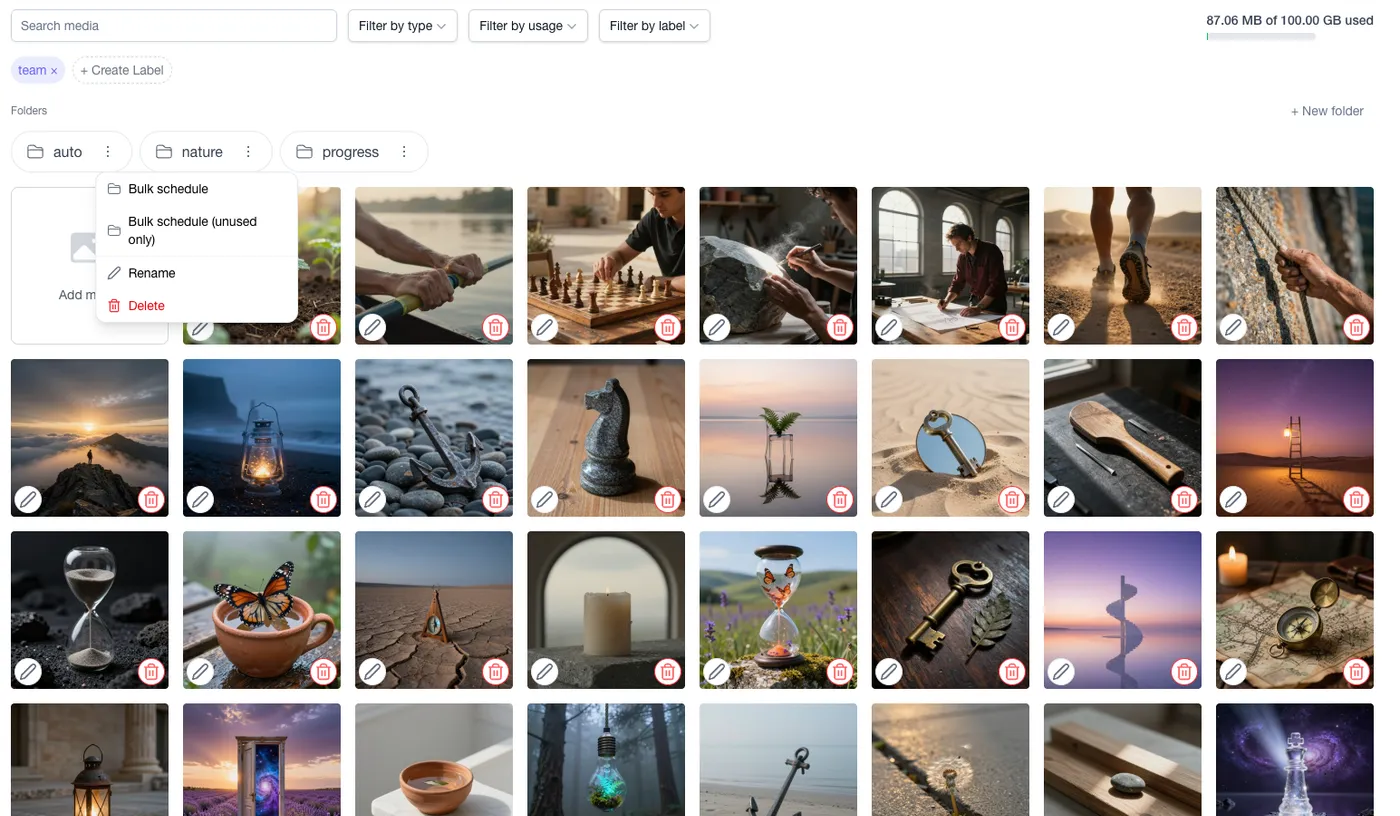
Organize your Shorts and Thumbnails
The ultimate command center for your video assets. Store your raw Shorts, promotional clips, and custom thumbnails in dedicated folders. Label videos by series, tweak thumbnails directly, and bulk-schedule your content calendar seamlessly.
- Organize Shorts and long-form video files into custom folders.
- Filter by video type, series tag, or publication status.
- Trigger bulk scheduling for an entire batch of Shorts.
Testimonials
Loved by creators & brands worldwide
“Scheduling YouTube Shorts automatically is a massive feature. I upload my whole batch on the weekend.”

“The AI description generator writes better SEO copy for my videos than I ever could. Highly recommended.”

“I manage 3 different YouTube channels. Being able to schedule long-form and Shorts in one place is amazing.”

“The automatic thumbnail uploading and privacy status settings work flawlessly every single time.”

“The AI timestamp chapter generator saves me at least 20 minutes per video. Truly a magical feature.”

“Analytics that compare my Shorts performance against long-form videos really helped refine my strategy.”

“Auto-generating relevant tags based on my video topic has visibly improved my search rankings.”

“No more manually changing videos from Unlisted to Public. The scheduler handles it all perfectly.”

“Managing my community tab posts and video schedules together gives me total control over my channel.”

Pricing
Pricing plans for teams of all sizes
We have you covered, whether you're an individual content creator, a brand, business or agency.
Professional
7-Day Free TrialBest for individual content creators.
$13/month
- 5 social accounts
- 10.00 GB storage
- 1000 Free AI credits/month
- 5 Link in Bio profiles
- AI Chat Assistant & Brainstorming
Brand
Most popularBest for startups and small brands.
$20/month
- 10 social accounts
- 15 Link in Bio profiles
- 5 team members
- 3000 Free AI credits/month
- All Professional features
Business
Best for businesses and organizations.
$40/month
- 30 social accounts
- 50 Link in Bio profiles
- 15 team members
- 7000 Free AI credits/month
- All Brand features
Frequently asked questions
- How does the free trial work? Do I need a credit card?
No credit card is required! Every new signup automatically receives 7 days of free Pro access with 5 social channels and 300 free AI credits. You get full access to experience all Pro features risk-free. If you don't choose to upgrade after 7 days, your account smoothly drops to our permanent Free tier (1 channel) without any unexpected charges or lockouts.
- What social networks and post types does Auto Poster AI support?
We support all major platforms: Facebook (Pages & Groups), Instagram (Reels, Stories, Grid), X/Twitter (Threads & Accounts), LinkedIn (Profiles & Company Pages), Pinterest (Standard & Video Pins), YouTube (Shorts & Long-form), TikTok, Google Business Profile, Telegram (Groups & Channels), Threads, Mastodon, Bluesky, Discord (Servers & Channels), and WordPress.
- What are AI Credits and how do they work?
AI Credits are used whenever you generate content using our AI tools—such as creating an image, translating video audio, or writing a complex thread. Your credits reset at the beginning of each billing cycle.
- Can I manage multiple clients or brands?
Absolutely. Our Brand and Business plans are designed for agencies and multi-brand owners. You get unlimited workspaces, allowing you to separate clients, define custom AI Brand Voices for each, and collaborate with your team.
- What payment methods do you accept?
You can pay securely with any major credit / debit card or PayPal. Our payments are processed securely via Paddle. You can choose to pay monthly, or subscribe annually to get 2 months free.
Ready to scale your social media?
Join thousands of creators and brands who save hours every week using our AI-powered auto poster.
Includes 7 days of Pro access • No credit card required • Seamless downgrade to free plan