
Photoroom alternative when you need to publish content more than polish product photos
Photoroom is an e-commerce visual editor: background removal, product staging, AI models and batch editing for catalogs. We don't do background removal or product photo editing, and we are not a substitute. AutoPoster AI fits if your job is scheduling and publishing content, with AI image generation as one input.
Choose AutoPoster AI if
- You want to schedule posts and manage replies, which we did not find on Photoroom's pricing page.
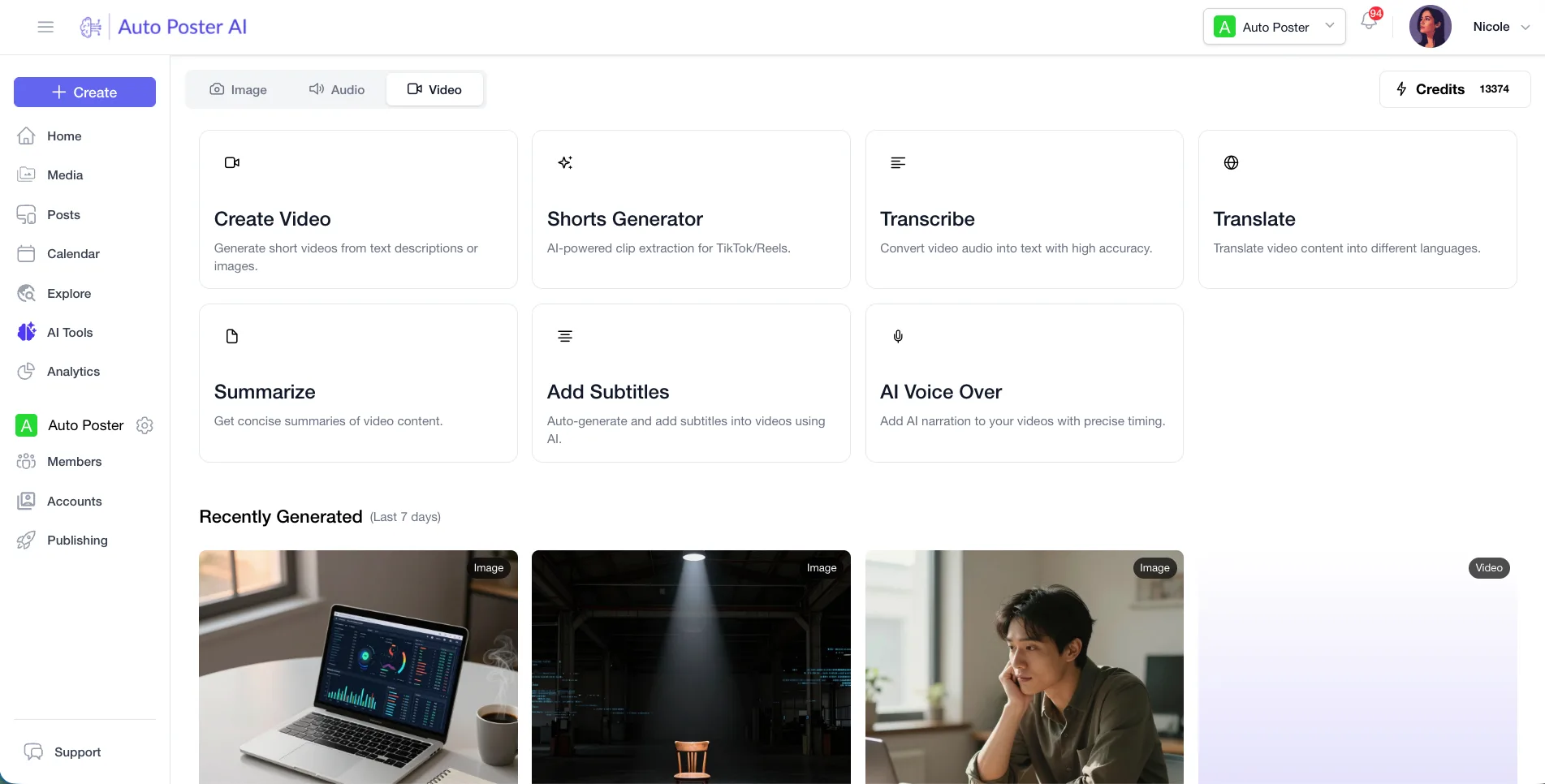
- You need captions, clips, subtitles or voiceover for social content.
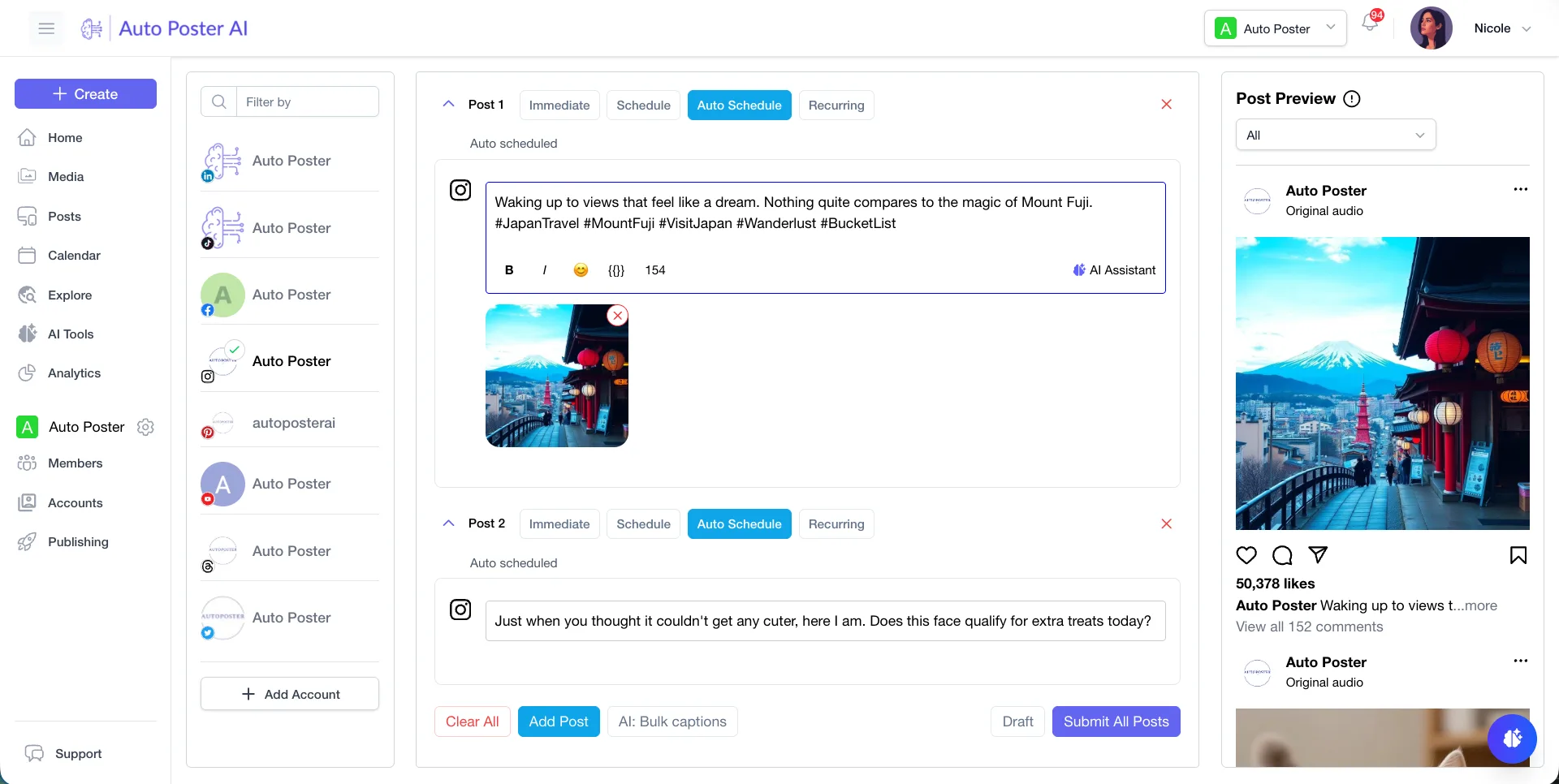
- You want AI image generation from a prompt in the same place you post.
Stay with Photoroom if
- You sell products and need background removal and clean listing images. We don't offer these.
- You edit catalogs in batches, with a brand library and Shopify integration.
- You make product videos and ads for marketplaces.
Photoroom in brief
Photoroom describes itself as an AI visual editor for e-commerce, covering image tools, product videos, batch editing, a REST API and a Claude connector. Its plans are measured in AI credits and exports, with Pro, Max and Ultra tiers and an Enterprise contract.
It is not a social publishing tool, and we are not a product photo editor. We don't do background removal or product photo editing. The overlap is narrow: both can generate AI images, but we aim at the post, and Photoroom aims at the listing.
Photoroom pricing
| Plan | Billed monthly | Billed annually | What you get |
|---|---|---|---|
| Pro | Not confirmed | Not confirmed | 8,000 AI credits and 1,000 exports a month, up to 50 seats, free trial button (length not stated) |
| Max | Not confirmed | Not confirmed | 25,000 AI credits, 3,000 exports, video generation, Shopify integration |
| Ultra | Not confirmed | Not confirmed | 75,000 AI credits, 10,000 exports, more video, 4K images |
| Enterprise | Not confirmed | Not confirmed | Custom contract, SSO, SOC 2 Type 2, SLA |
AutoPoster AI vs Photoroom
| Feature | AutoPoster AI | Photoroom |
|---|---|---|
| AI image generation | Professional plan | Yes: AI backgrounds, product photography and models |
| AI video generation | Professional plan | Yes: product videos and ads, from Max |
| API | Professional plan | Yes: billed separately from app plans |
| MCP for Claude, ChatGPT and Cursor | Professional plan | Yes: connector for Claude |
| Mobile apps | Yes | Yes: iOS and Android |
| Media library | Yes | Partial: brand library and product catalog manager |
| Multi-platform scheduling | Yes | Not listed |
| AI captions and hashtags | Professional plan | Not listed |
| Long video to short clips | Professional plan | Not listed |
| Unified comment inbox | Brand plan | Not listed |
| WhatsApp inbox, templates and broadcasts | Brand plan | Not listed |
| Analytics and best-time heatmap | Brand plan | Not listed |
"Not listed" means we did not find the feature on Photoroom's site on October 31, 2026. It may still exist or may ship later.
AutoPoster AI in practice
Where AutoPoster AI is stronger
Scheduling and publishing
Post to networks including Instagram, Pinterest, TikTok and Facebook from a calendar. We saw no scheduler on Photoroom's pricing page.
Learn more →Captions and social video
AI captions, long video to clips, subtitles and dubbing are in the same Professional plan.
Learn more →Replies to your audience
Brand includes a comment inbox, DMs and analytics with a best-time heatmap.
Learn more →A free start
Our Free plan gives you 1 account, 50 credits and a 7 day trial. We did not find a free plan on Photoroom's current pricing page.
Learn more →Where Photoroom is stronger
Product photo editing
Background removal, product staging, AI fashion models and virtual try-on are its core work. We don't do background removal or product photo editing.
Batch and catalog tools
Batch editing for thousands of images, a catalog manager and a brand library suit stores with large catalogs.
E-commerce integrations and security
Shopify integration from Max, plus SOC 2 Type 2 and SLA on Enterprise, serve retailers with procurement needs.
How to switch from Photoroom
- 1
There is no content to move into us. Download the product images you need first, as we found no bulk export article in the help center.
- 2
Cancel on the platform where you subscribed (App Store, Google Play, Stripe or Shopify). Cancelling elsewhere will not stop billing.
- 3
Cancel before you delete. Deletion needs an inactive subscription, and the same email cannot rejoin for at least 30 days.
Frequently asked questions
- Does AutoPoster AI remove backgrounds?
No. We don't do background removal or product photo editing. If you need either, keep Photoroom for that.
- How much does Photoroom cost?
Its pricing page did not show dollar amounts when we read it, only credits and 'billed yearly', so we left prices blank. Check photoroom.com/pricing.
- Can I use both?
Yes. Edit product photos in Photoroom, then upload them to AutoPoster AI to caption, schedule and publish.
Other alternatives
Sources, checked on October 31, 2026
- https://www.photoroom.com/pricing
- https://www.photoroom.com/
- https://help.photoroom.com/en/
- https://help.photoroom.com/en/articles/3518262-cancel-your-subscription
- https://help.photoroom.com/en/articles/8238046-delete-your-account
Pricing and features change, so check Photoroom's site before buying. Photoroom is a trademark of its owner. AutoPoster AI is not affiliated with it.
Switch from Photoroom to AutoPoster AI
Connect your accounts and try it on your own content.
Includes 7 days of Pro access • No credit card required • Seamless downgrade to free plan