
Canva alternative when the posting side matters as much as the design
Canva is a design suite first, with a Content Planner that schedules finished designs to connected accounts on paid seats. For layout, templates and brand kits it is far deeper than we are. AutoPoster AI fits better if scheduling, captions, video clips and replies are the daily work and design is one input.
Choose AutoPoster AI if
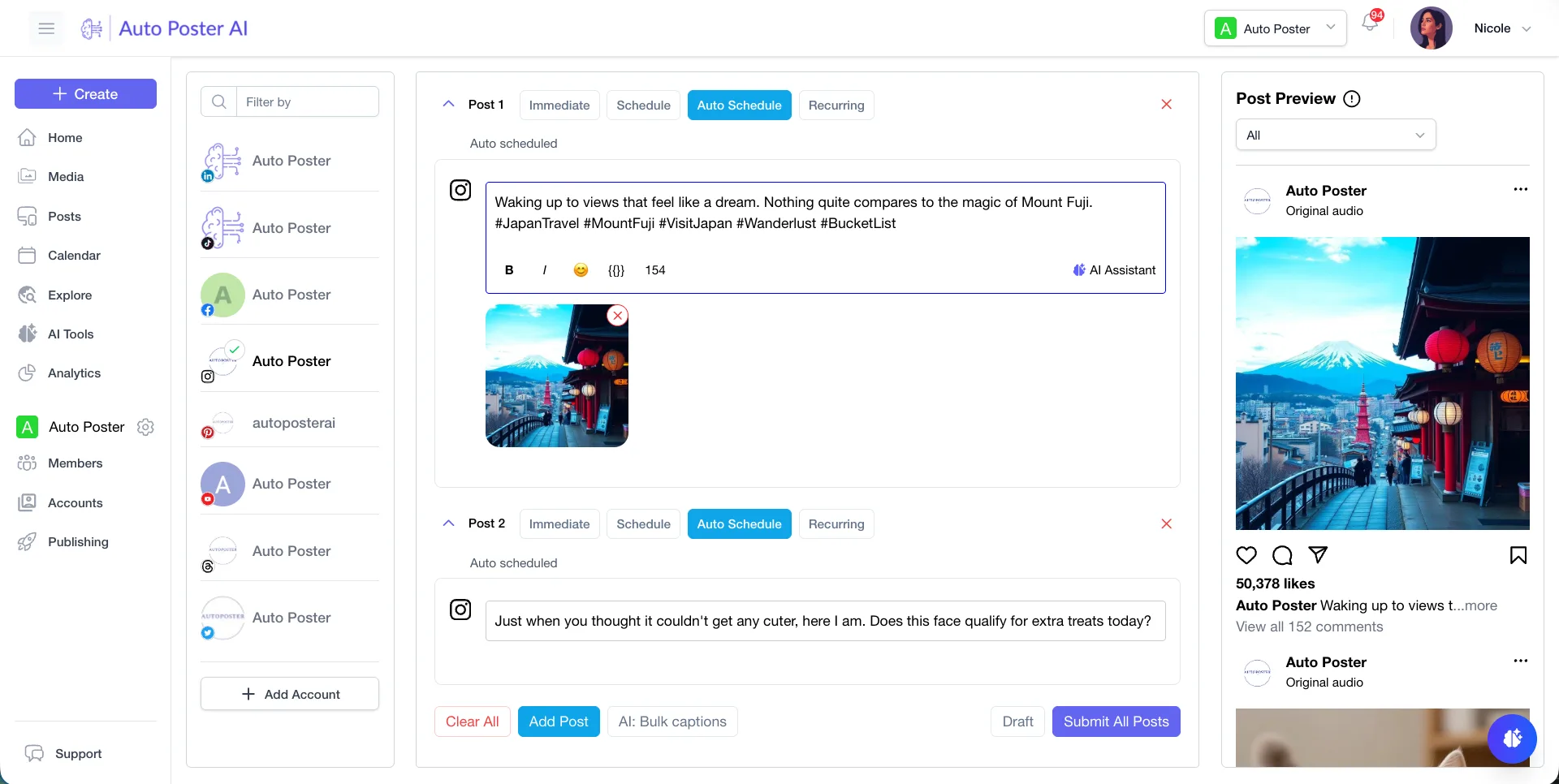
- You publish every day and want a scheduler with bulk posting from media folders and autoposting flows.
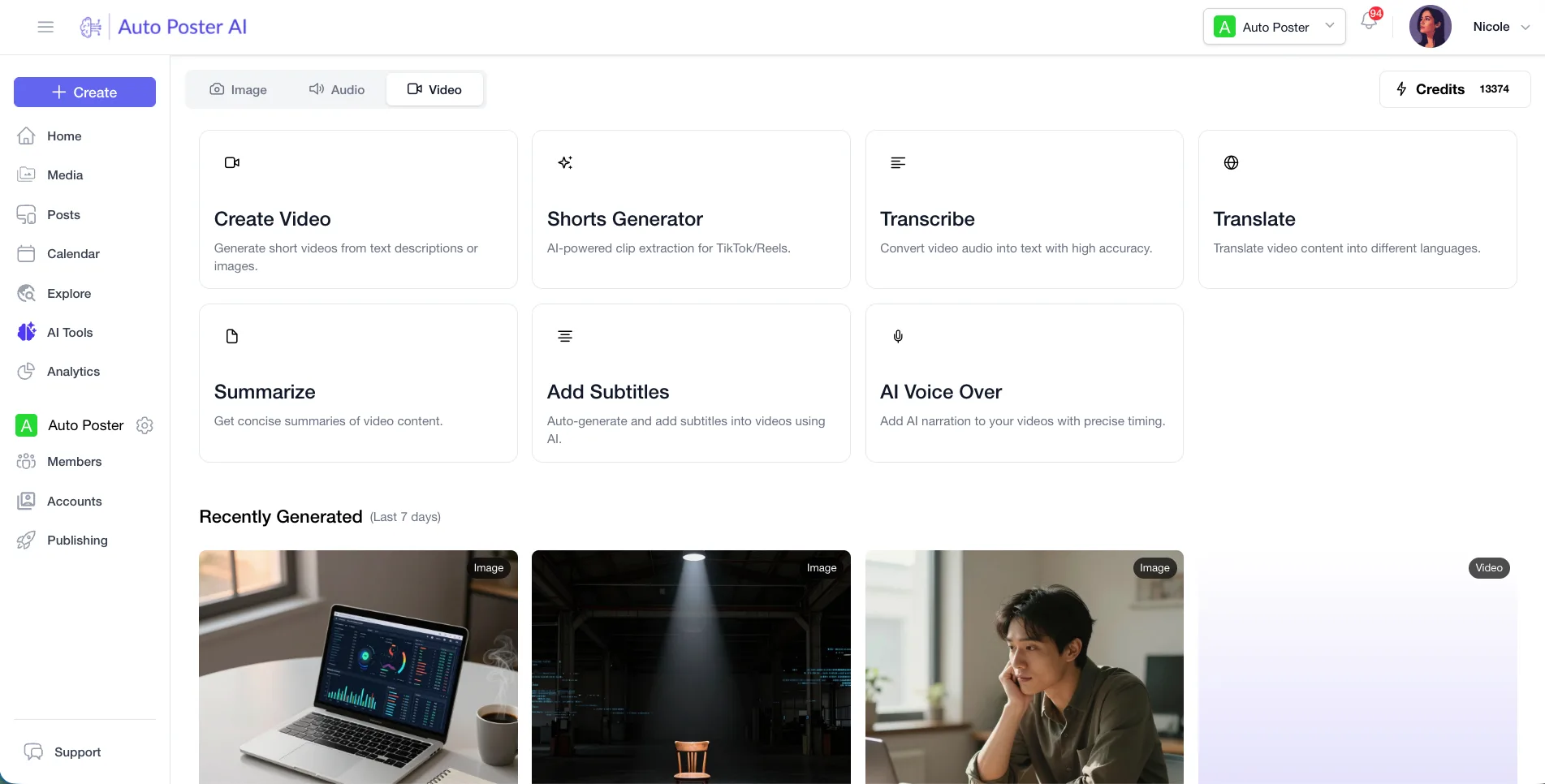
- You need clips, animated subtitles, dubbing or voiceover for short video.
- You want a comment inbox, DMs and review replies next to the posts.
Stay with Canva if
- { "Design is the job": "templates, layouts, brand kits and editable documents." }
- You make presentations, print or documents as well as social graphics.
- You want scheduling folded into the tool where the design already lives.
Canva in brief
Canva sells a design suite and treats publishing as an add-on. Its pricing page splits Free, Pro, Business and Enterprise by brand kits, storage and team controls, and the Content Planner lets paid seats schedule a design to a connected account.
That is a fair answer for a small team that designs and posts a few times a week. The comparison tips once you post at volume, cut video, or need to handle replies. We are not a design suite, and pairing the two is common.
Canva pricing
| Plan | Billed monthly | Billed annually | What you get |
|---|---|---|---|
| Free | $0/mo | $0/mo | One person, 1 brand kit, 5GB storage, limited AI access |
| Pro | Not confirmed | $12/mo | $144 a year for one person, 5 brand kits, 100GB storage, free trial. Monthly price not shown on the page we read |
| Business | Not confirmed | $20.83/mo | $250 a year per person, 100 brand kits, 500GB storage, collaboration and team admin tools, free trial |
| Enterprise | Not confirmed | Not confirmed | Contact sales. Multi-team management, SSO, SCIM, 1,000 brand kits |
AutoPoster AI vs Canva
| Feature | AutoPoster AI | Canva |
|---|---|---|
| AI image generation | Professional plan | Yes: AI allowance by plan, with AI Pass and top-ups sold extra |
| Multi-platform scheduling | Yes | Yes: Content Planner on paid seats, one design per social post |
| Team roles and approvals | Brand plan | Partial: team admin tools on Business, approval flows not confirmed |
| Media library | Yes | Yes: cloud storage from 5GB on Free to 1TB on Enterprise |
| Bulk posting from media folders | Professional plan | Not listed |
| AI autoposting flows | Professional plan | Not listed |
| Long video to short clips | Professional plan | Not listed |
| AI dubbing and voiceover | Professional plan | Not listed |
| Unified comment inbox | Brand plan | Not listed |
| WhatsApp inbox, templates and broadcasts | Brand plan | Not listed |
| Analytics and best-time heatmap | Brand plan | Not listed |
"Not listed" means we did not find the feature on Canva's site on October 31, 2026. It may still exist or may ship later.
AutoPoster AI in practice
Where AutoPoster AI is stronger
Built for the publishing queue
Bulk posting from media folders and autoposting flows keep a calendar full without placing each design by hand. Canva's help pages describe scheduling one design to one social post.
Learn more →Short video from long recordings
AI Studio cuts long video into clips, adds animated subtitles and dubs or voices over the result. We found no such clip tools on Canva's pricing page.
Learn more →Answers where the post lives
Brand adds a unified comment inbox, DMs and review replies, so replies sit beside the schedule rather than in each network.
Learn more →Flat plans by account count
Professional is $15 a month ($12.50 annual) for 5 accounts. Canva Business is priced per person, which suits designers more than channel counts.
Learn more →Where Canva is stronger
Real design depth
Brand kits, large template libraries and editable layouts are the heart of Canva. Our image generation makes pictures, it does not replace a layout editor.
Scheduling inside the design tool
On Pro and Business seats you can schedule from the editor Share menu or the Content Planner without leaving the design.
Brand governance for design teams
Business offers 100 brand kits and Enterprise adds multi-team management, SSO and SCIM. Our team features focus on roles and approvals for publishing.
How to switch from Canva
- 1
Nothing needs importing. Download your designs as images or video from Canva and upload them to AutoPoster AI. We did not find a bulk export article, so check Canva's help center.
- 2
Posts already queued in the Content Planner live in Canva. Note their dates and captions, then recreate them in our calendar before you cancel.
Frequently asked questions
- Can Canva schedule social posts?
Yes. Its help pages say scheduling is available to Pro, Business and Nonprofits administrators and template designers, through the Content Planner or the editor Share menu.
- How much does Canva cost?
Its pricing page shows yearly amounts: $144 a year for Pro and $250 a year per person for Business. We did not see monthly prices, so those are blank. Free is $0.
- Do I need both?
Many people do. Design in Canva, export the file, then caption, schedule and publish it with AutoPoster AI.
Other alternatives
Sources, checked on October 31, 2026
Pricing and features change, so check Canva's site before buying. Canva is a trademark of its owner. AutoPoster AI is not affiliated with it.
Switch from Canva to AutoPoster AI
Connect your accounts and try it on your own content.
Includes 7 days of Pro access • No credit card required • Seamless downgrade to free plan