
Otter.ai alternative, if you wanted transcripts for content rather than meetings
Otter.ai transcribes and summarises meetings, and nothing we found on its site is aimed at social publishing. If that is your job, it is the better fit. AutoPoster AI only makes sense if what you really wanted was subtitles, clips and captions for posts you then schedule.
Choose AutoPoster AI if
- You want animated subtitles on short videos, not a transcript document.
- You turn long recordings into clips and want to schedule them to your social accounts.
- You want captions, voiceover and publishing under one set of credits.
Stay with Otter.ai if
- You record meetings and need speaker-labelled transcripts, summaries and action items.
- You want a notetaker that joins Zoom, Teams or Google Meet from your calendar.
- You need CRM sync or an enterprise security setup around your recordings.
Otter.ai in brief
Otter is a meeting assistant: it records or joins calls, transcribes them, and produces summaries and action items. Its plans are priced per user and capped by minutes, so a team of five on Pro pays five times the listed price.
This is only a loose alternative. If you landed here searching for transcription because you make video content, AutoPoster AI covers the subtitle and clip part and then publishes. If you need notes from calls, stay with Otter. The pricing page mentions a Pro promotion limited to India-issued cards, which we ignored.
Otter.ai pricing
| Plan | Billed monthly | Billed annually | What you get |
|---|---|---|---|
| Basic | $0/mo | $0/mo | 300 min/month, 30 min per conversation, 25 most recent conversations kept, 3 lifetime imports |
| Pro | $16.99/mo | $8.33/mo | 1,200 min/month, 90 min per conversation, 10 imports a month, PDF, DOCX and SRT export |
| Business | $30/mo | $19.99/mo | 4 hours per conversation, 6,000 import minutes, bulk export, 3 concurrent meetings (page also shows $24 with a 20% promotion) |
| Enterprise | Not confirmed | Not confirmed | Contact sales. SSO, SCIM and the Otter API are listed here |
AutoPoster AI vs Otter.ai
| Feature | AutoPoster AI | Otter.ai |
|---|---|---|
| Animated subtitles | Professional plan | Partial: SRT export on Pro and above, no styled social overlays listed |
| AI chat assistant | Yes | Yes: AI Chat over your meetings, query caps by plan |
| MCP for Claude, ChatGPT and Cursor | Professional plan | Yes: MCP server for ChatGPT and Claude to query meeting knowledge |
| API | Professional plan | Partial: listed under Enterprise only |
| Text to speech | Professional plan | Not listed |
| Voice cloning | Professional plan | Not listed |
| AI dubbing and voiceover | Professional plan | Not listed |
| AI music generation | Professional plan | Not listed |
| Long video to short clips | Professional plan | Not listed |
| Multi-platform scheduling | Yes | Not listed |
| Unified comment inbox | Brand plan | Not listed |
| Link in bio pages | Yes | Not listed |
"Not listed" means we did not find the feature on Otter.ai's site on October 31, 2026. It may still exist or may ship later.
AutoPoster AI in practice
Where AutoPoster AI is stronger
Output built for posting
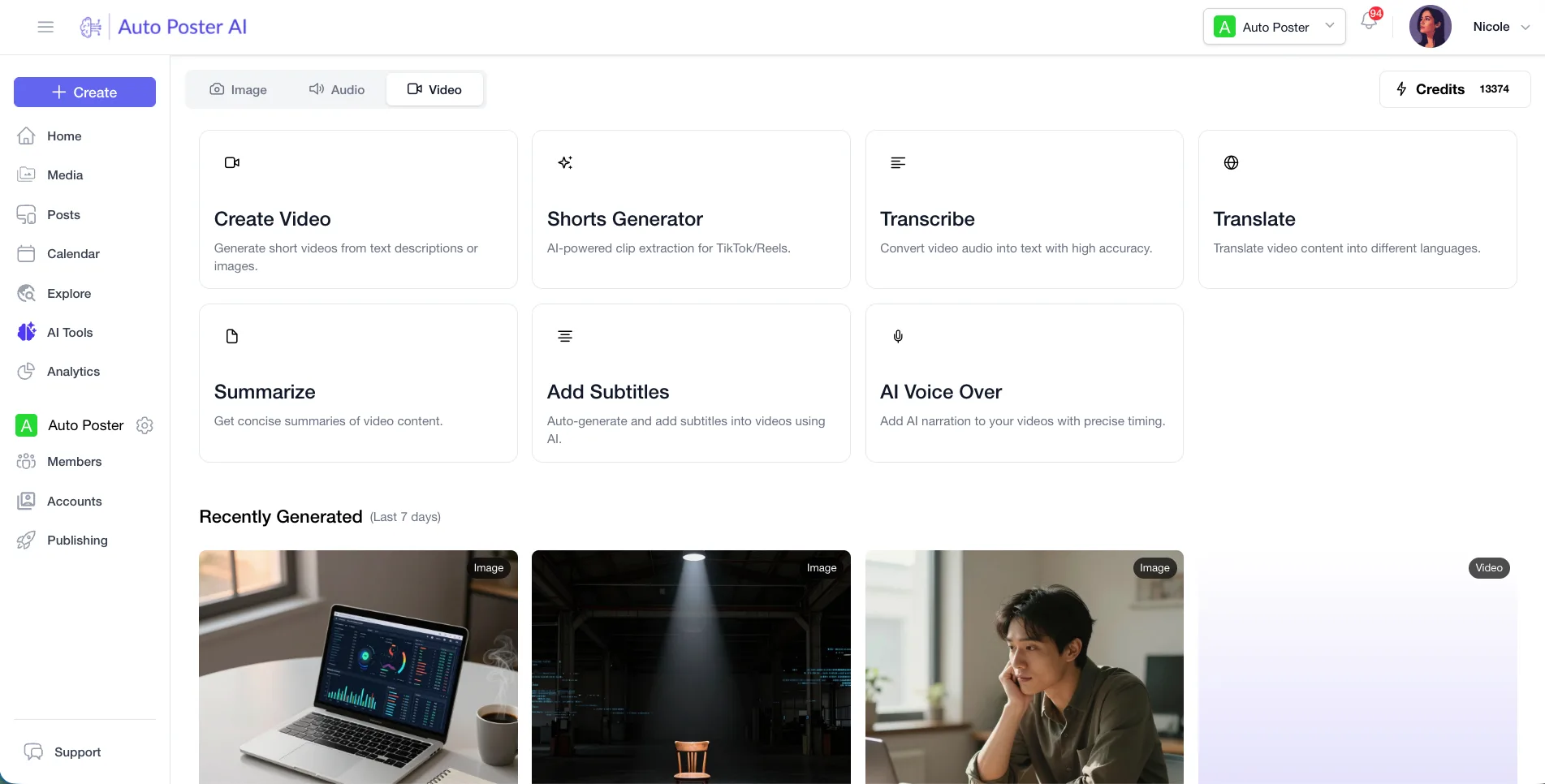
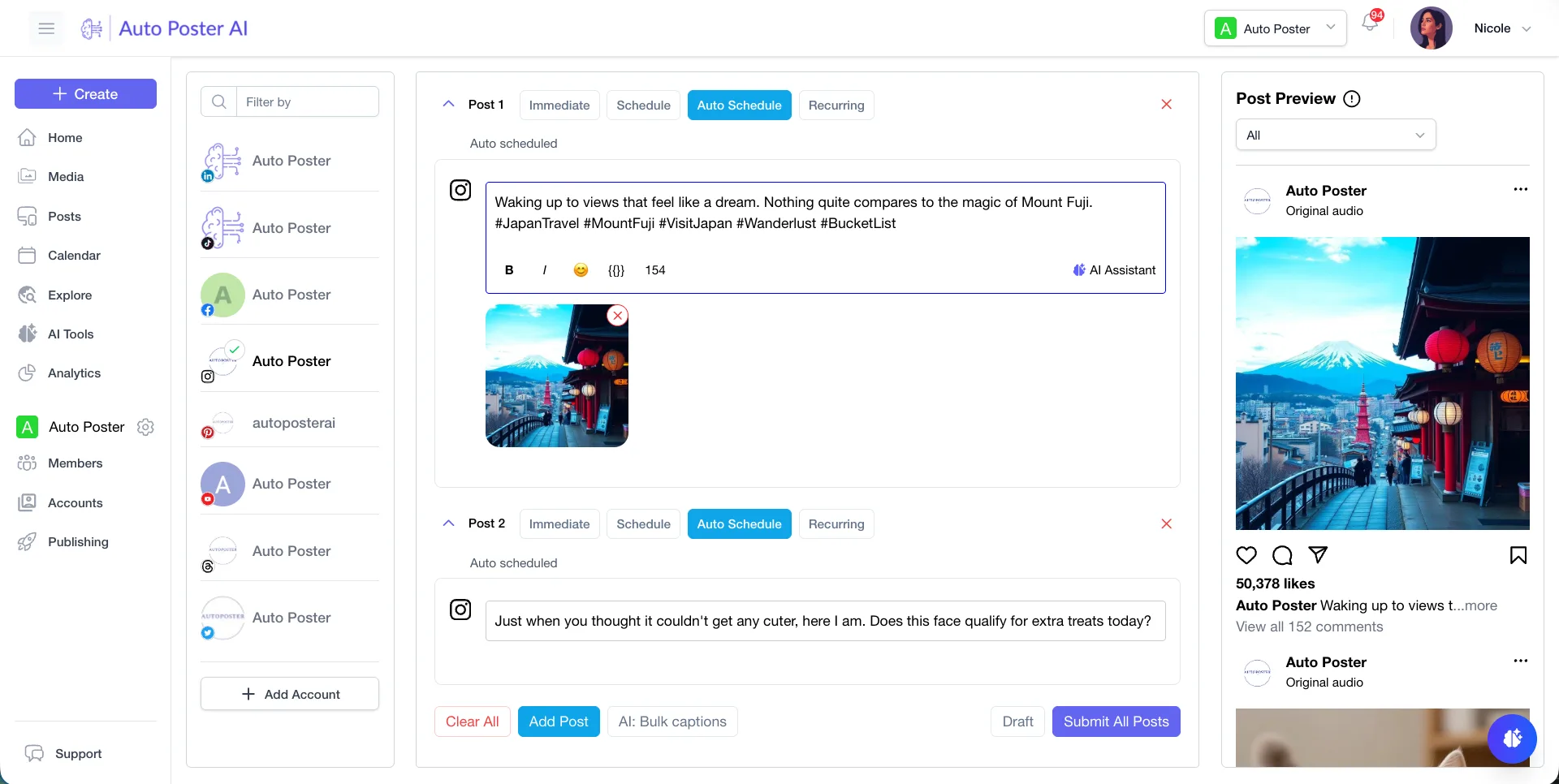
Our subtitles are animated overlays on a video you can publish. An Otter transcript is a text record, so you still need another tool to make something viewers watch.
Learn more →Recording to clips to schedule
AI Studio cuts a long video into clips, and the same workspace holds the calendar, captions and your connected accounts.
Learn more →Voice tools Otter does not list
Voiceover, text to speech and voice cloning are in our plans. We found none of them on Otter's pages, which concentrate on capturing speech rather than generating it.
Learn more →Where Otter.ai is stronger
Meeting capture
Live transcription with speaker recognition on desktop, mobile and browser, plus a notetaker that joins Zoom, Teams and Google Meet from your calendar.
Summaries and action items
Decisions, action items and next steps are pulled out automatically, and AI Chat can answer questions across past meetings.
Business integrations
Zoom, Slack, Notion, Jira, Asana and Google Drive are listed, with HubSpot and Salesforce sync for sales teams. We offer none of this.
Longer recordings
Business allows 4 hours per conversation and 6,000 minutes of imports a month, far above what a social workflow normally needs.
How to switch from Otter.ai
- 1
Export transcripts before downgrading. Basic offers MP3 and TXT only, while PDF, DOCX and SRT need Pro or above. Bulk export is listed on Business and Enterprise.
- 2
Check the history limit first. Basic keeps only your 25 most recent conversations, so older ones may not be there when you come to export.
- 3
We could not open Otter's help center (HTTP 403), so we have no official step-by-step export or account deletion article to point to. Check help.otter.ai before you cancel.
Frequently asked questions
- Is Otter.ai a social media tool?
No. Its pages describe meeting transcription, summaries and CRM sync. We found no scheduling, clips or social publishing there.
- Can AutoPoster AI transcribe meetings like Otter?
Not as a product. We have no meeting notetaker or action-item summaries. We do subtitles and clips for video you publish.
- Does Otter export subtitles?
SRT export is listed from Pro upwards. These are plain subtitle files, not styled overlays on a video.
- What does Otter cost?
Basic is free. Pro is $16.99 monthly or $8.33 a month billed annually, and Business is $30 or $19.99. Prices are per user.
Other alternatives
Sources, checked on October 31, 2026
- https://otter.ai/pricing
- https://otter.ai/
- https://help.otter.ai/hc/en-us/articles/360047733634-Export-or-Download-Otter-transcripts
Pricing and features change, so check Otter.ai's site before buying. Otter.ai is a trademark of its owner. AutoPoster AI is not affiliated with it.
Switch from Otter.ai to AutoPoster AI
Connect your accounts and try it on your own content.
Includes 7 days of Pro access • No credit card required • Seamless downgrade to free plan