
Post Planner alternative when you pass 3 accounts or need more than a publishing queue
Post Planner is a low-cost scheduler built around finding proven content and recycling it. Its Starter plan is cheap but stops at 3 accounts and excludes X and Pinterest, so the next step is $39 a month on annual billing. AutoPoster AI suits you better at 4 to 10 accounts, or if you need inboxes and video tools.
Choose AutoPoster AI if
- You manage 4 to 10 accounts and Post Planner's jump from $9 to $39 is more than you need to pay.
- You answer comments and DMs where you publish. We did not find an inbox on Post Planner's site.
- You make video and want clips, subtitles and dubbing rather than scheduling finished files only.
- You need team approvals or API access, which we did not find listed.
Stay with Post Planner if
- You run up to 3 accounts and want the lowest price. Starter is $9 a month on annual billing.
- Finding content to share is your main problem, and you want viral posts up to 3 years old from curated sources.
- You want evergreen posts recycled on a schedule, a set number of times or forever.
- You need 50 or more accounts. Agency covers 50, and Booster Packs add 50 more each.
Post Planner in brief
Post Planner sells a simple idea: find content that has already worked, then queue and recycle it. Its plan details reflect this, since how far back you can search for content rises with each plan. The pricing page also shows a summary grid at $6 a month that conflicts with the detailed plan figures, and we used the detailed figures.
The product is still moving. Its newest features list shows AI images and captions in the composer in June 2026, multiple scheduled comments in January 2026, and Booster Pack and AI Image Pack add-ons in October 2026. If you mainly curate and reshare, it is a sensible tool to stay on.
Post Planner pricing
| Plan | Billed monthly | Billed annually | What you get |
|---|---|---|---|
| Free | $0/mo | $0/mo | 1 account, 1 user, 30 posts in queue, 3 AI images a month |
| Starter | $14/mo | $9/mo | 3 accounts, 1 user, 150 posts in queue, 15 AI images, no X or Pinterest |
| Growth | $59/mo | $39/mo | 15 accounts, 2 users, 1,500 posts in queue, 150 AI images |
| Business | $99/mo | $69/mo | 25 accounts, 5 users, 250 AI images, no daily post limit |
| Agency | $179/mo | $119/mo | 50 accounts, 10 users, 500 AI images |
| Accounts | AutoPoster AI | Post Planner |
|---|---|---|
| 5 | $12.5/mo (Professional) | $39/mo Growth. Starter holds 3, and add-on prices were not listed |
| 10 | $20/mo (Brand) | $39/mo Growth, 2 users |
AutoPoster AI vs Post Planner
| Feature | AutoPoster AI | Post Planner |
|---|---|---|
| Multi-platform scheduling | Yes | Yes: X and Pinterest need Growth or higher |
| First comment scheduling | Yes | Yes: Instagram and Facebook, Growth and higher |
| Bulk posting from media folders | Professional plan | Yes: images, RSS articles or a spreadsheet |
| Recurring posts | Yes | Yes: recycling, by count, date or forever |
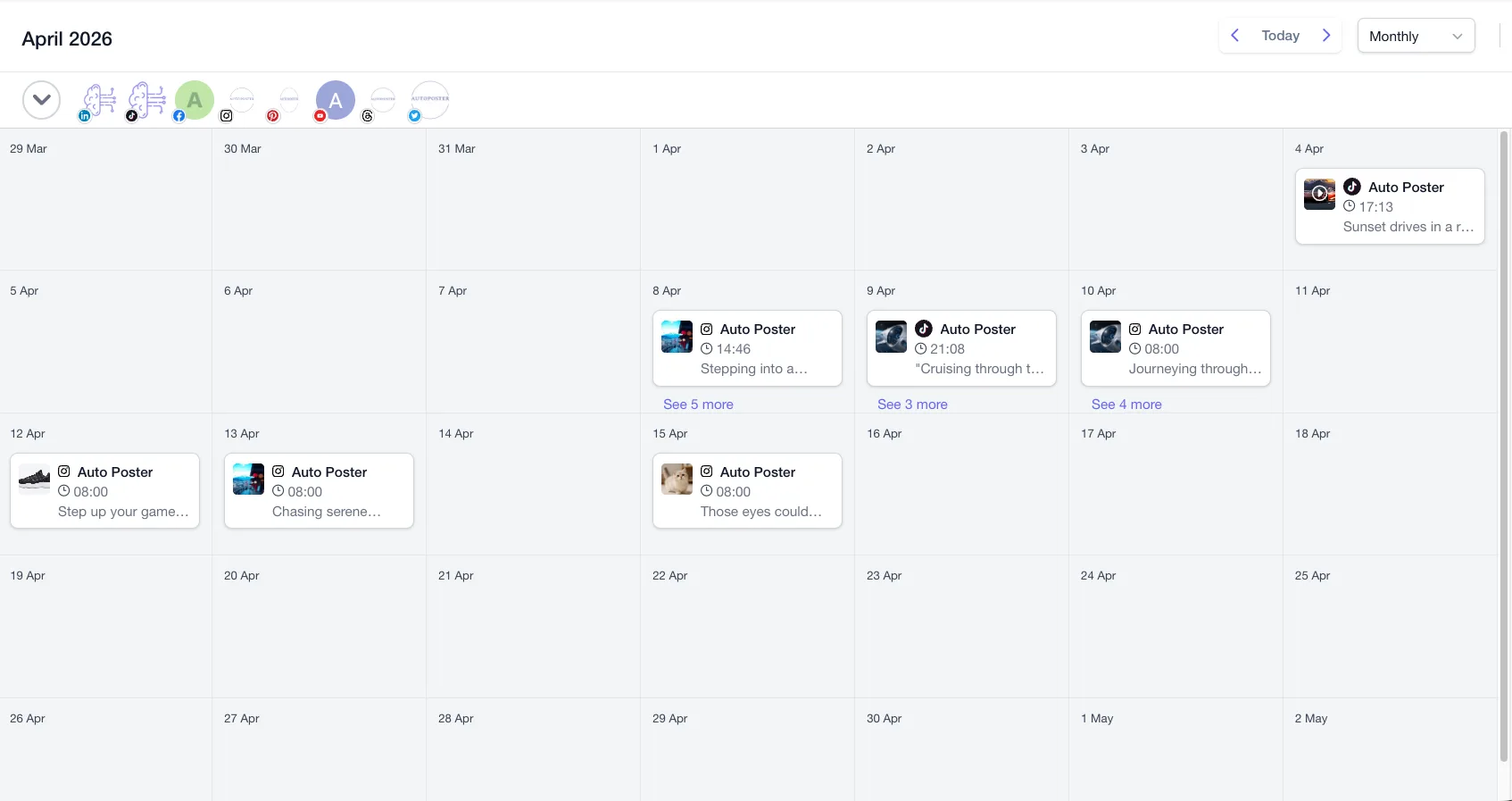
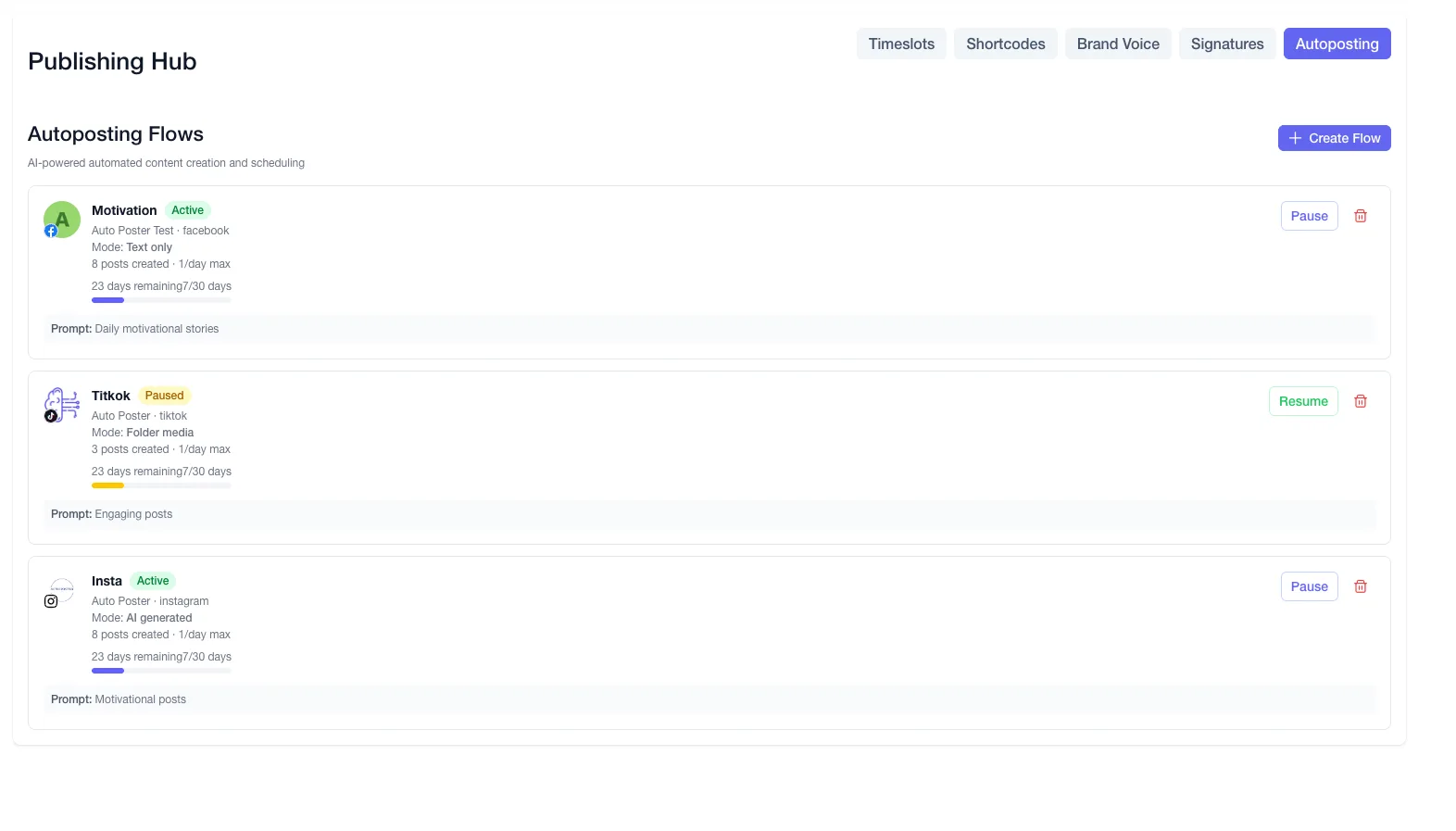
| AI autoposting flows | Professional plan | Not listed: a smart queue is listed |
| AI captions and hashtags | Professional plan | Yes: in the composer since June 2026 |
| AI image generation | Professional plan | Yes: monthly cap by plan |
| Long video to short clips | Professional plan | Not listed |
| Animated subtitles | Professional plan | Not listed |
| AI dubbing and voiceover | Professional plan | Not listed |
| Unified comment inbox | Brand plan | Not listed |
| DM inbox | Brand plan | Not listed |
| Analytics and best-time heatmap | Brand plan | Yes: post performance and engagement |
| Team roles and approvals | Brand plan | Not listed: seats vary by plan |
| Link in bio pages | Yes | Not listed |
| API | Professional plan | Not listed |
| Mobile apps | Yes | Yes: iOS and Android |
"Not listed" means we did not find the feature on Post Planner's site on October 31, 2026. It may still exist or may ship later.
AutoPoster AI in practice
Where AutoPoster AI is stronger
Cheaper in the 4 to 10 account range
Five accounts on Post Planner need Growth at $39 a month on annual billing. Our Professional is $12.50 for 5, and Brand is $20 for 10 accounts and 5 team members.
Learn more →Inboxes included from Brand
Brand brings a comment inbox, a DM inbox and comment-to-DM on Facebook and Instagram. Post Planner's homepage and feature pages focus on publishing and content discovery.
Learn more →Video work, not only video scheduling
Post Planner schedules Reels, Shorts and TikToks that are already finished. AI Studio on Professional handles clips, subtitles, dubbing and voiceover first.
Learn more →Approvals and more seats at a lower price
Growth includes 2 users at $39. Brand adds approvals with 5 team members at $20, and Business gives 15 at $40.
Learn more →Where Post Planner is stronger
Cheapest for 3 accounts
At $9 a month on annual billing, Starter is below our $12.50 Professional plan if you only need 3 accounts and do not post to X or Pinterest.
Content discovery is the core product
Discover pulls ideas from Facebook pages, LinkedIn pages, subreddits, YouTube, RSS feeds and stock libraries. It suits people who need something to post each day.
Evergreen recycling with fine control
Posts can republish a set number of times, until a date or forever, inside topic categories and a custom queue for each weekday.
Scale past 30 accounts
Agency covers 50 accounts for $119 a month on annual billing, and Booster Packs add 50 profiles, 10 users and 500 AI images at a time. Our Business plan has 30 accounts.
How to switch from Post Planner
- 1
Copy anything you want to keep. We found no export option on Post Planner's pages. Its privacy policy says EEA, UK and Swiss users can request a digital copy of personal data through support@postplanner.com.
- 2
Email support@postplanner.com to cancel, with the words Cancel my Post Planner account and your account email. Paid access runs to the end of the billing period, and signup or annual renewal payments can be refunded if you ask within 7 days.
- 3
Only request deletion once your content is saved. It removes scheduled, queued and draft posts, your library media, categories and settings, and it completes within 30 days.
Frequently asked questions
- How much does Post Planner cost for 5 accounts?
Growth is the first plan listed with more than 3 accounts, at $59 monthly or $39 a month on annual billing. Starter accounts can buy extra profiles, but the price was not shown on the pricing page.
- Is Post Planner cheaper than AutoPoster AI?
For up to 3 accounts, yes, at $9 against our $12.50 on annual billing. From 4 to 10 accounts, we are cheaper at $12.50 or $20 against $39.
- Does Post Planner post to X on every plan?
No. Its pricing page says X and Pinterest publishing requires Growth or higher.
- How do I cancel Post Planner?
By email, not a button. Send the request to support@postplanner.com from your account address.
Other alternatives
Sources, checked on October 31, 2026
- https://www.postplanner.com/pricing
- https://www.postplanner.com/features/social-post-composer-tool
- https://www.postplanner.com/features/social-posting-scheduler
- https://help.postplanner.com/en/articles/8797501-what-are-the-newest-features
- https://www.postplanner.com/features/all-in-one-social-management-tool
- https://www.postplanner.com/
- https://help.postplanner.com/en/articles/8797516-what-are-the-differences-between-plans
- https://www.postplanner.com/terms/privacy
- https://www.postplanner.com/terms/cancel
Pricing and features change, so check Post Planner's site before buying. Post Planner is a trademark of its owner. AutoPoster AI is not affiliated with it.
Switch from Post Planner to AutoPoster AI
Connect your accounts and try it on your own content.
Includes 7 days of Pro access • No credit card required • Seamless downgrade to free plan