The Ultimate Discord Auto Poster & Scheduler
Keep your Discord community engaged around the clock. Schedule announcements, media, and rich text messages to your Servers and Channels automatically.
No credit card required • 7-day free Pro access


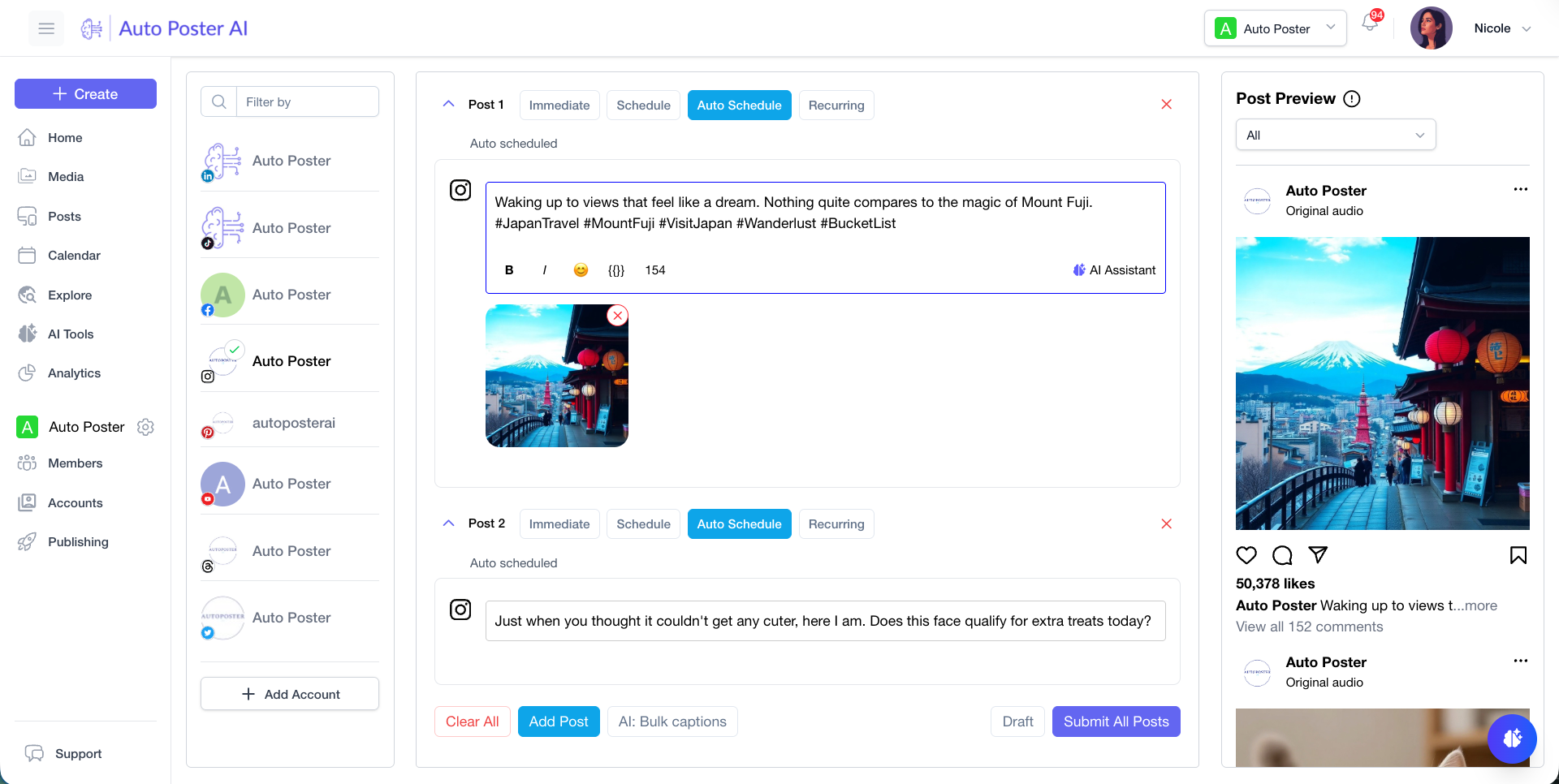
Seamlessly post to your favorite platforms
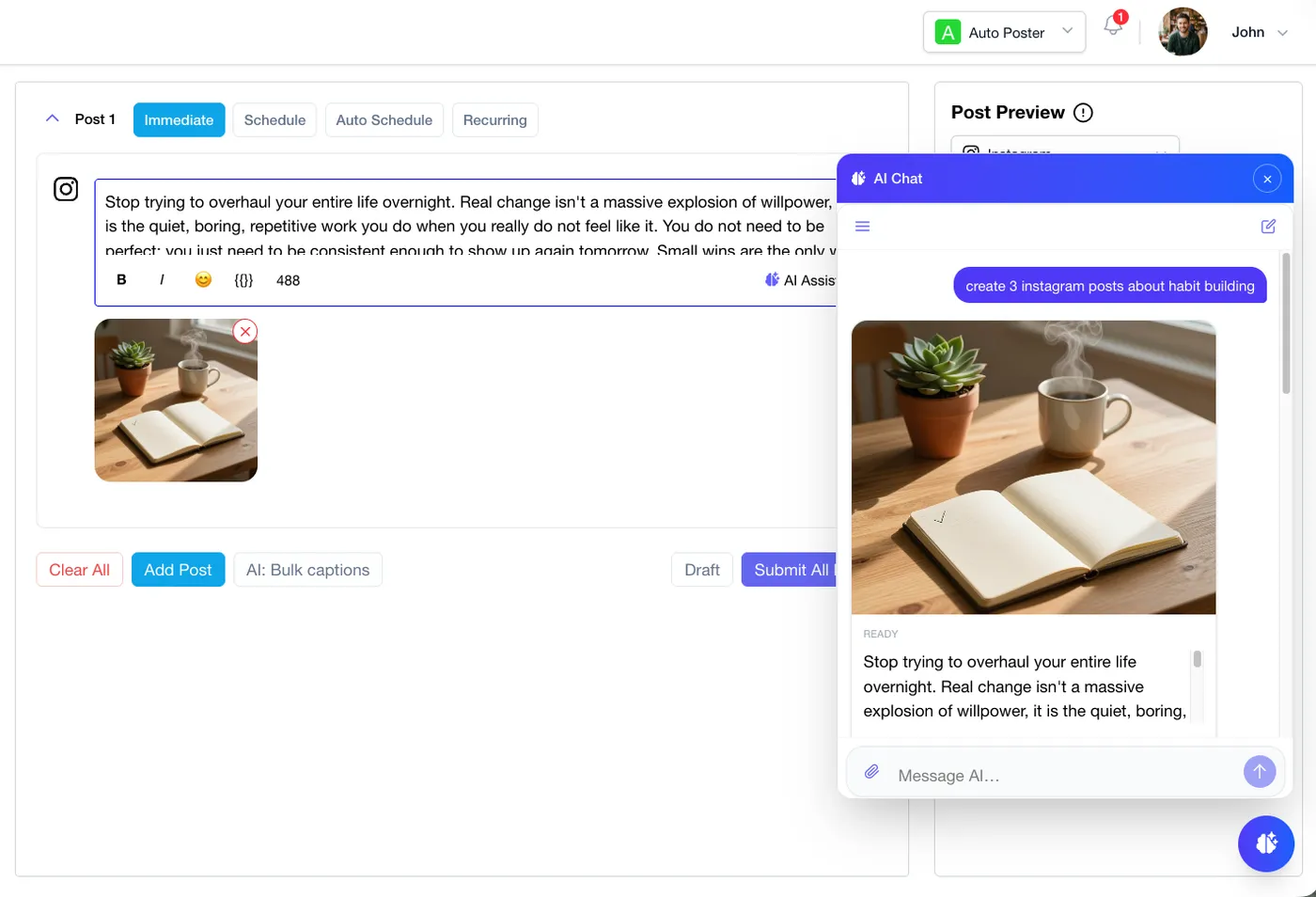
Discord AI Assistant
Engage your Discord servers instantly
Harness our intelligent chat manager to draft compelling Discord announcements, suggest engaging discussion topics for your community, and generate custom media. Post immediately or schedule to multiple channels without leaving the chat.
- Interactive workflow for drafting Discord announcements.
- Format messages with Discord-native markdown support.
- Publish immediately or queue updates to multiple channels.
Discord Publishing Hub
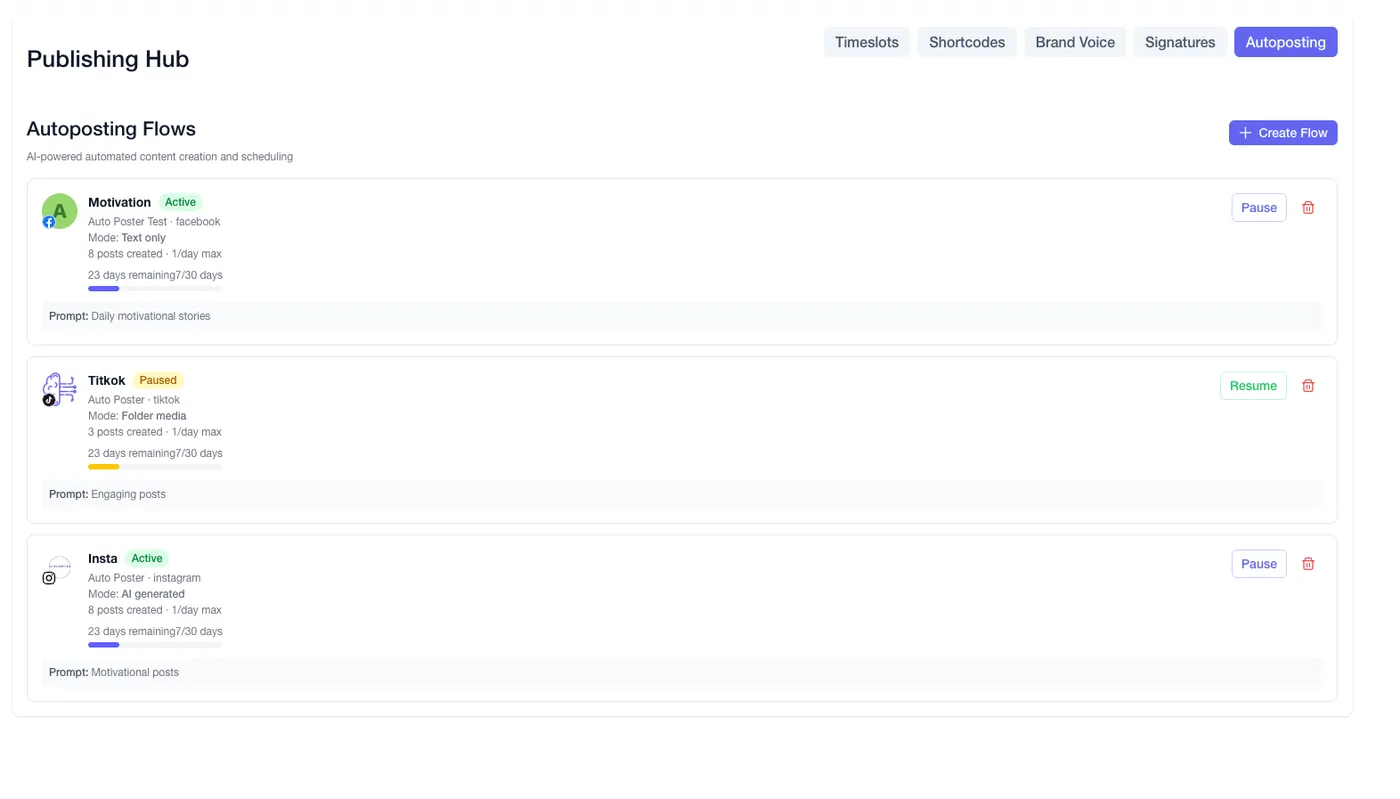
Centralize your server announcements
Take full control of your Discord presence. Design custom AI brand voices that match your server's vibe, use dynamic shortcodes for event links, and set up automated scheduling flows to keep your channels active 24/7.
- Maintain consistent tone across all your Discord servers.
- Use dynamic shortcodes to automate event promotions.
- Automated queueing to hit peak server activity hours.
Discord Media Vault
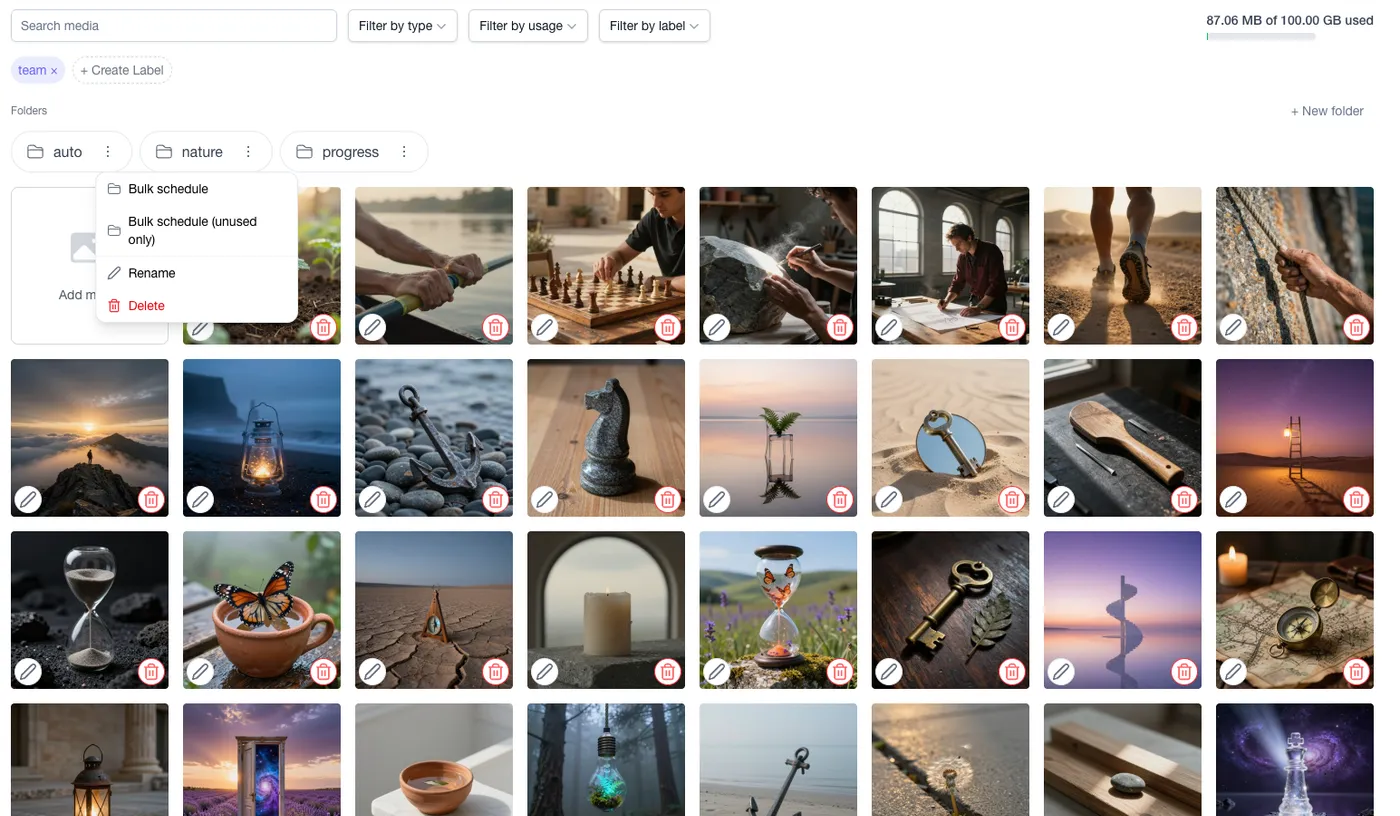
Organize your server assets
Never lose a great community meme or update graphic again. Store your Discord-ready assets in organized folders, label them for quick retrieval, and seamlessly bulk-schedule an entire month of community content.
- Store and label images tailored for Discord sharing.
- Filter community assets by campaign, tag, or usage status.
- Bulk upload and schedule entire folders to your channels.
Testimonials
Loved by creators & brands worldwide
“Managing our gaming community announcements has never been easier. We schedule patch notes weeks in advance.”

“The rich text formatting for Discord looks perfect every time. No more broken markdown in our #announcements channel.”

“Being able to send multiple images and videos natively to Discord through a scheduler is an absolute game-changer.”

Pricing
Pricing plans for teams of all sizes
We have you covered, whether you're an individual content creator, a brand, business or agency.
Professional
7-Day Free TrialBest for individual content creators.
$13/month
- 5 social accounts
- 10.00 GB storage
- 1000 Free AI credits/month
- 5 Link in Bio profiles
- AI Chat Assistant & Brainstorming
Brand
Most popularBest for startups and small brands.
$20/month
- 10 social accounts
- 15 Link in Bio profiles
- 5 team members
- 3000 Free AI credits/month
- All Professional features
Business
Best for businesses and organizations.
$40/month
- 30 social accounts
- 50 Link in Bio profiles
- 15 team members
- 7000 Free AI credits/month
- All Brand features
Frequently asked questions
- How does the free trial work? Do I need a credit card?
No credit card is required! Every new signup automatically receives 7 days of free Pro access with 5 social channels and 300 free AI credits. You get full access to experience all Pro features risk-free. If you don't choose to upgrade after 7 days, your account smoothly drops to our permanent Free tier (1 channel) without any unexpected charges or lockouts.
- What social networks and post types does Auto Poster AI support?
We support all major platforms: Facebook (Pages & Groups), Instagram (Reels, Stories, Grid), X/Twitter (Threads & Accounts), LinkedIn (Profiles & Company Pages), Pinterest (Standard & Video Pins), YouTube (Shorts & Long-form), TikTok, Google Business Profile, Telegram (Groups & Channels), Threads, Mastodon, Bluesky, Discord (Servers & Channels), and WordPress.
- What are AI Credits and how do they work?
AI Credits are used whenever you generate content using our AI tools—such as creating an image, translating video audio, or writing a complex thread. Your credits reset at the beginning of each billing cycle.
- Can I manage multiple clients or brands?
Absolutely. Our Brand and Business plans are designed for agencies and multi-brand owners. You get unlimited workspaces, allowing you to separate clients, define custom AI Brand Voices for each, and collaborate with your team.
- What payment methods do you accept?
You can pay securely with any major credit / debit card or PayPal. Our payments are processed securely via Paddle. You can choose to pay monthly, or subscribe annually to get 2 months free.
Ready to scale your social media?
Join thousands of creators and brands who save hours every week using our AI-powered auto poster.
Includes 7 days of Pro access • No credit card required • Seamless downgrade to free plan