Know every person
behind every comment.
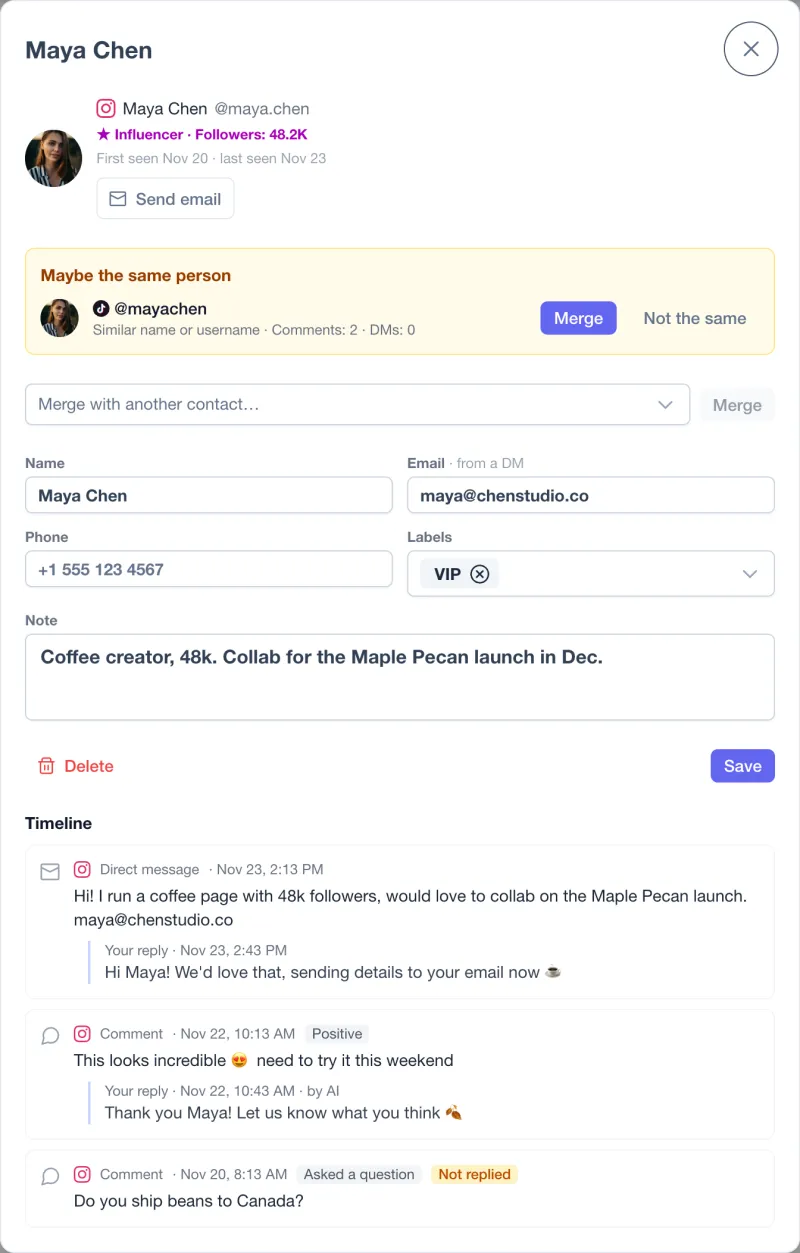
Comments, DMs and link-in-bio signups from all your accounts become one profile per person, with their email, history and your replies.
Stop losing people between platforms
One person, one profile
The fan who comments on Instagram, messages on Facebook and signs up on your link in bio is one contact, not three.
Leads don't slip through
Emails and phone numbers typed in comments and DMs are saved automatically, and rules label buyers the moment they ask.
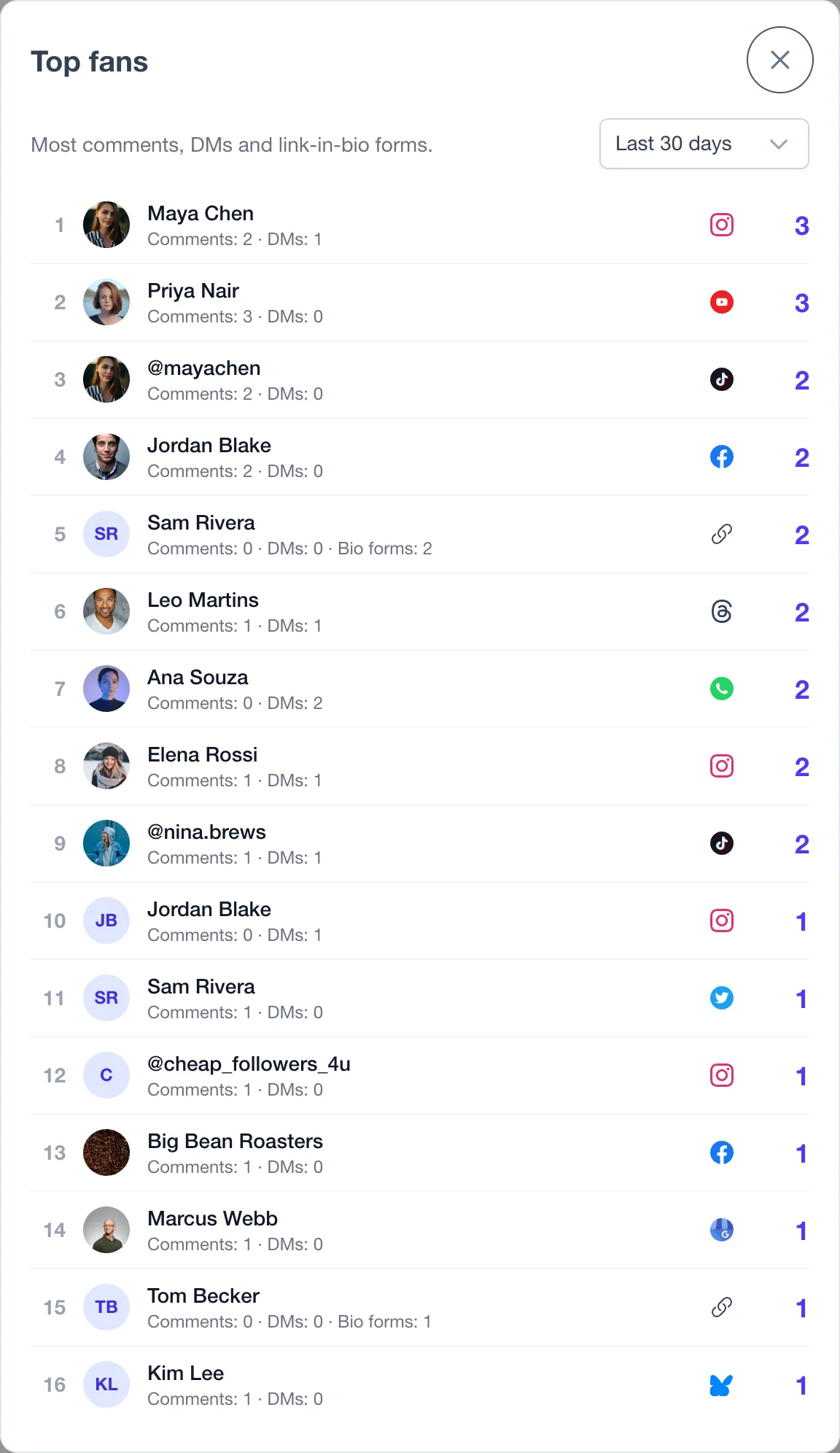
See who matters most
Top fans and influencer badges show who to thank, reward or invite to collaborate.
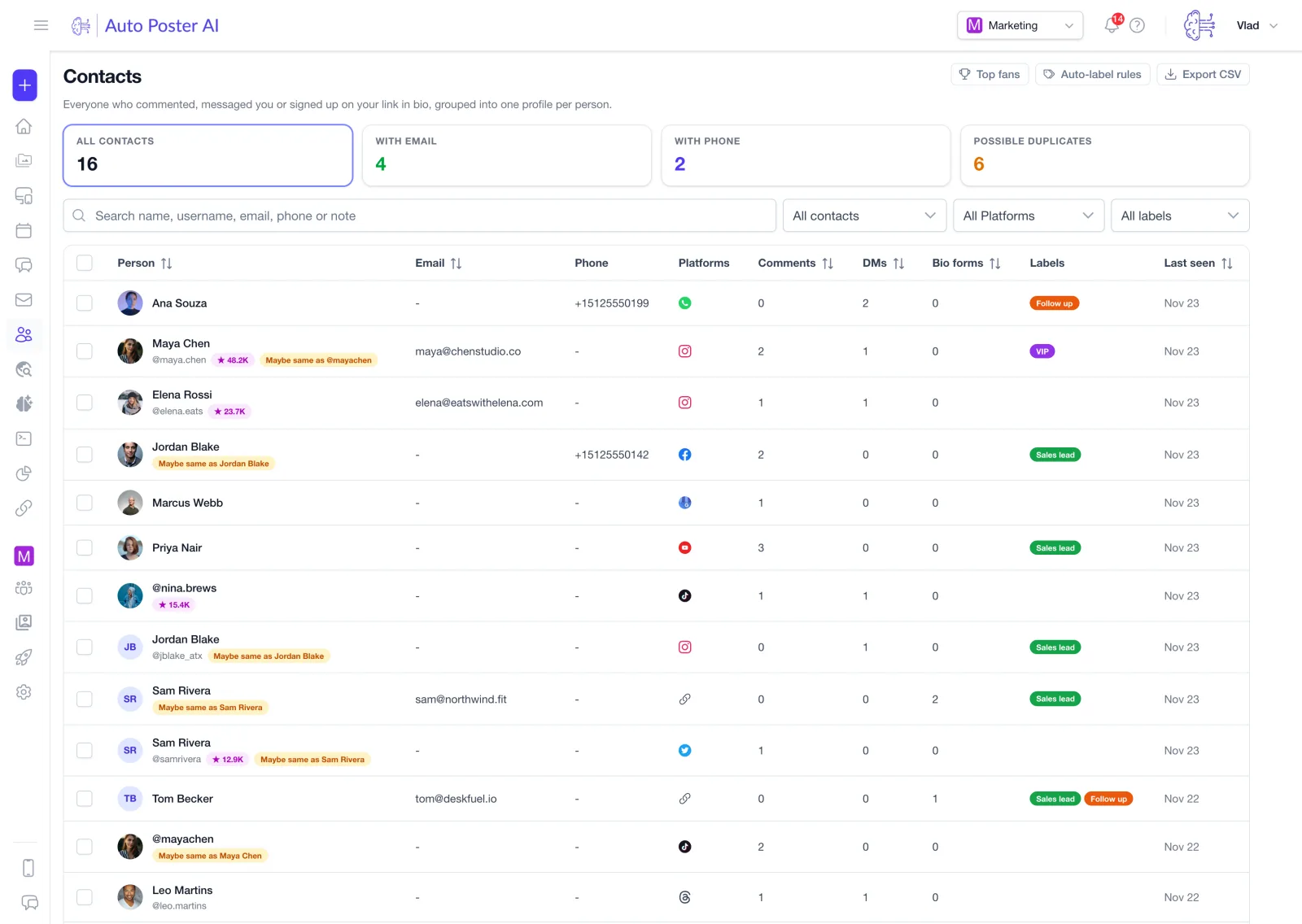
Everyone who talks to you, in one list
Commenters, DM senders and link-in-bio signups become contacts automatically. Emails and phone numbers people type are picked up for you, and you can filter by platform, label or segment.
Catch the same person on every platform
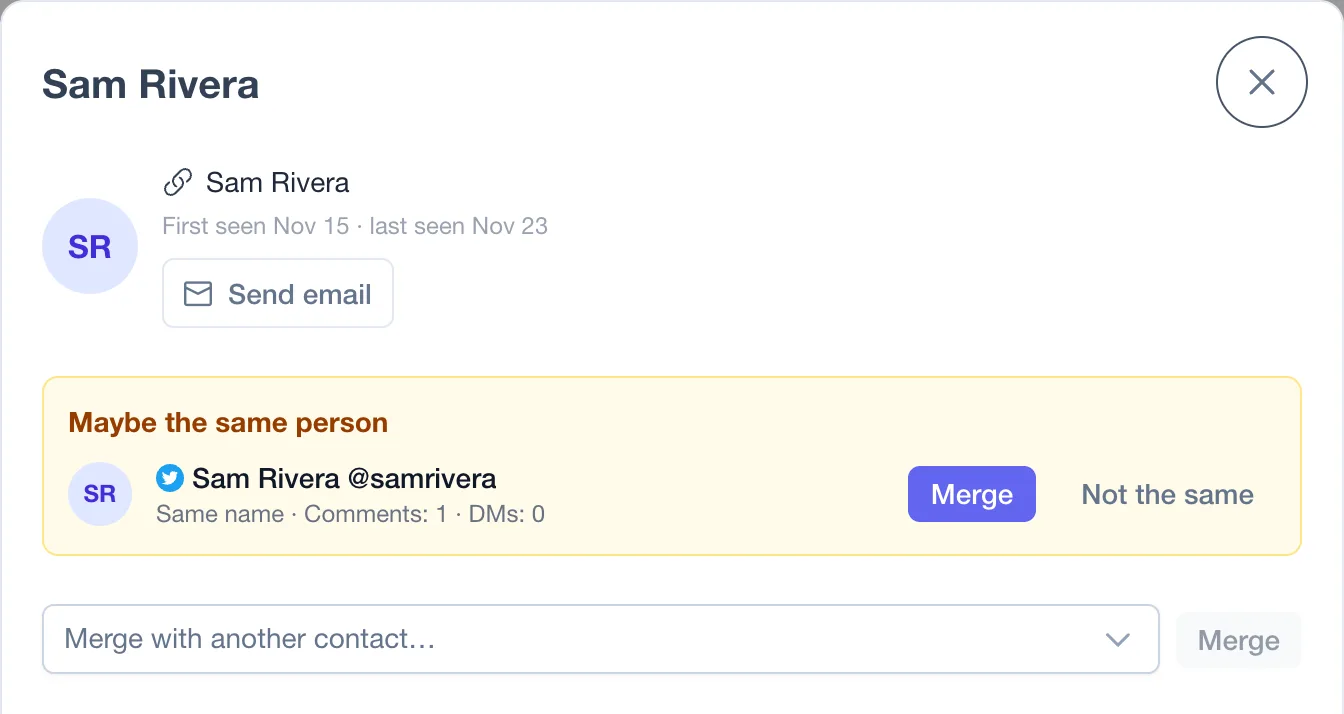
Duplicates are spotted by email, phone, username and name, even when the words are in a different order, like samrivera and Rivera Sam. Merge in one click or mark them as different people.
The whole conversation, with your replies
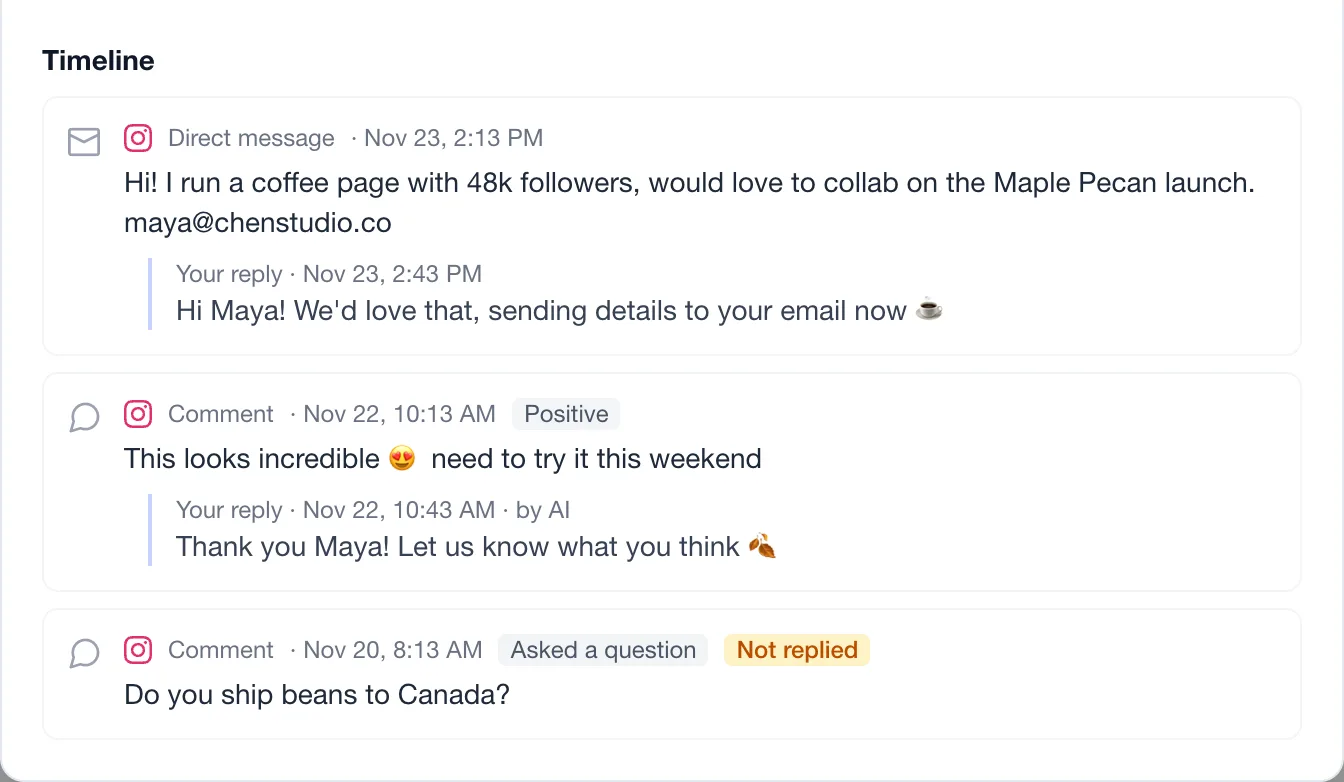
Every comment, DM and form submission on one timeline, with your reply under each one and a clear Not replied badge where you still owe an answer.
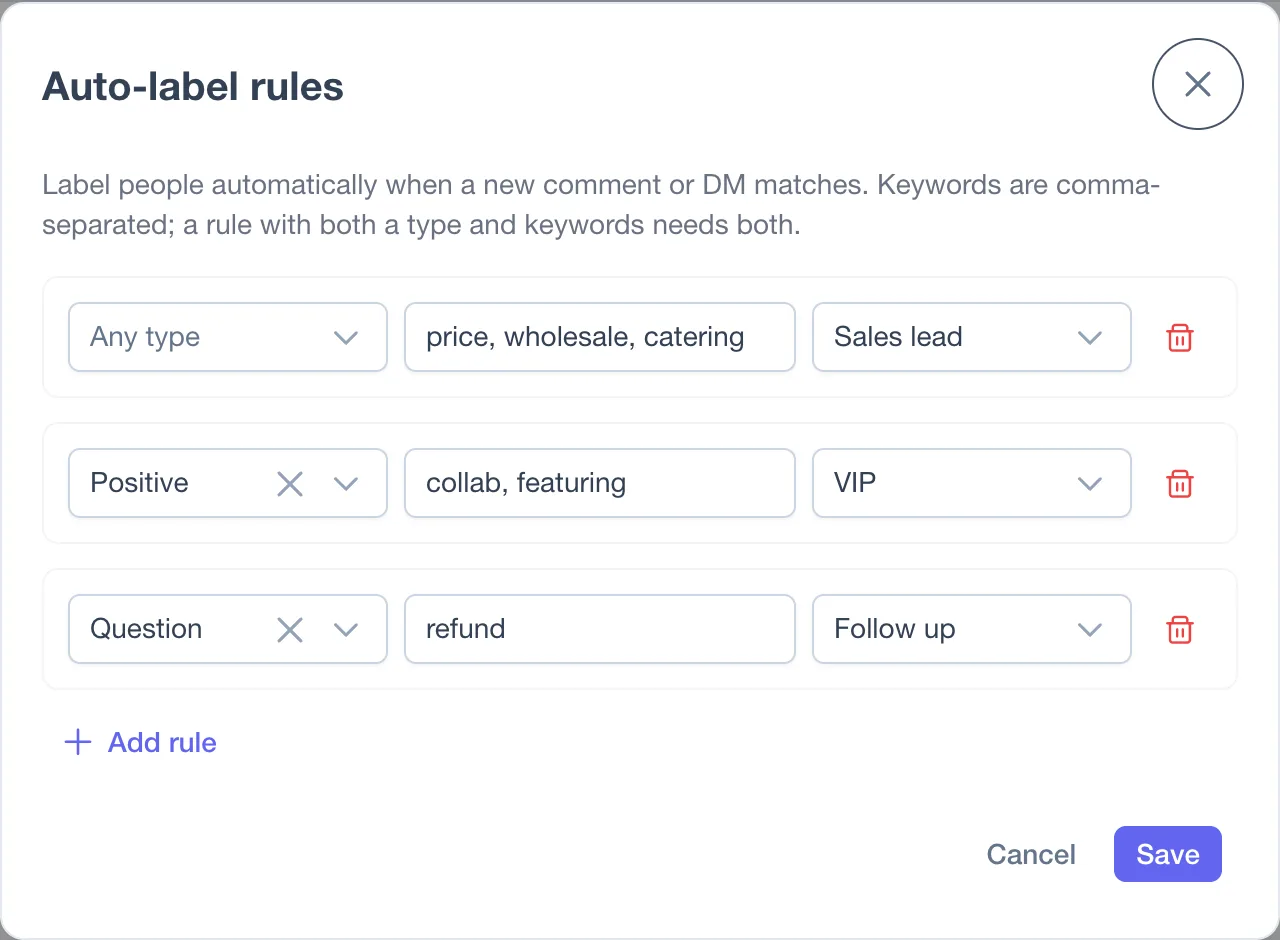
Label people automatically
Rules add labels when a new comment or DM matches a type, keywords or both. Anyone asking about price becomes a Sales lead without anyone tagging them.
Know your biggest fans
Rank people by comments, DMs and signups over the last 7, 30 or 90 days, then open their profile to thank them, reward them or invite them to collaborate.
A CRM built from your social conversations
No spreadsheets and no copy-paste. Profiles build themselves as people engage.
One profile per person
Comments, DMs and link-in-bio forms from every connected account roll up into one contact with names, usernames and platforms.
Emails and phones captured
When someone types an email or phone number in a comment or DM, it lands on their contact with a note of where it came from.
Smart merge suggestions
Same email or phone merges automatically. Similar usernames and names are suggested for a teammate to confirm.
Auto-label rules
Label contacts by comment type and keywords, so leads, complaints and VIPs sort themselves.
Influencer flag
Follower counts are looked up for YouTube, X, Bluesky, Mastodon, Instagram business and creator accounts and Facebook Pages, and anyone above 10K gets a badge.
Notes, labels and CSV export
Add notes, edit details, bulk merge or delete, and export any segment to CSV for your email tool.
Your CRM fills itself
- 1
Connect your accounts
Connect the social accounts you already manage in AutoPoster AI. Comments and DMs start building contacts right away.
- 2
Review suggested merges
Confirm the people who appear on more than one platform, and set a few auto-label rules.
- 3
Act on it
Reply from the contact's timeline, email your top fans, or export a segment for your next campaign.
Contacts from every conversation
People who comment on your posts, message you or fill in a link-in-bio form are added to the CRM.
- TikTok
- YouTube
- X (Twitter)
- Threads
- Bluesky
- Google Business
Follower counts are available for YouTube channels, X, Bluesky and Mastodon profiles, Instagram business and creator accounts and Facebook Pages. Other platforms don't share them.
A social CRM without a separate subscription
The CRM comes with the inbox, comment-to-DM, scheduling, analytics and AI tools in one plan.
AutoPoster AI
$40/mo
Business plan billed yearly, with 15 team members included
Typical social CRM
$99+/mo
Often per user, on top of your scheduler
Frequently asked questions
- Where do contacts come from?
From comments on your posts, direct messages and link-in-bio form submissions on the accounts you connect to AutoPoster AI.
- How are duplicates handled?
Contacts with the same email or phone are merged automatically. Similar usernames and names are shown as suggestions that a teammate confirms or dismisses.
- Which plan includes the CRM?
The Business plan. On any other plan you can open the Contacts page and try a demo with sample data.
- Can I export my contacts?
Yes. Export any filtered list to CSV with names, usernames, emails, phones, platforms, counts, labels and notes.
Explore more
Turn comments into relationships.
Know who your fans are, what they asked and whether you answered, across every platform.
Includes 7 days of Pro access • No credit card required • Seamless downgrade to free plan