Turn Long Videos Into Viral Shorts With AI
Upload your video file and extract top-performing 9:16 vertical clips with kinetic animated captions in seconds.
Drop or select MP4/MOV video file to extract clips...
Supports MP4, MOV, WebM video files
No credit card required. Try instantly in Auto Poster App.
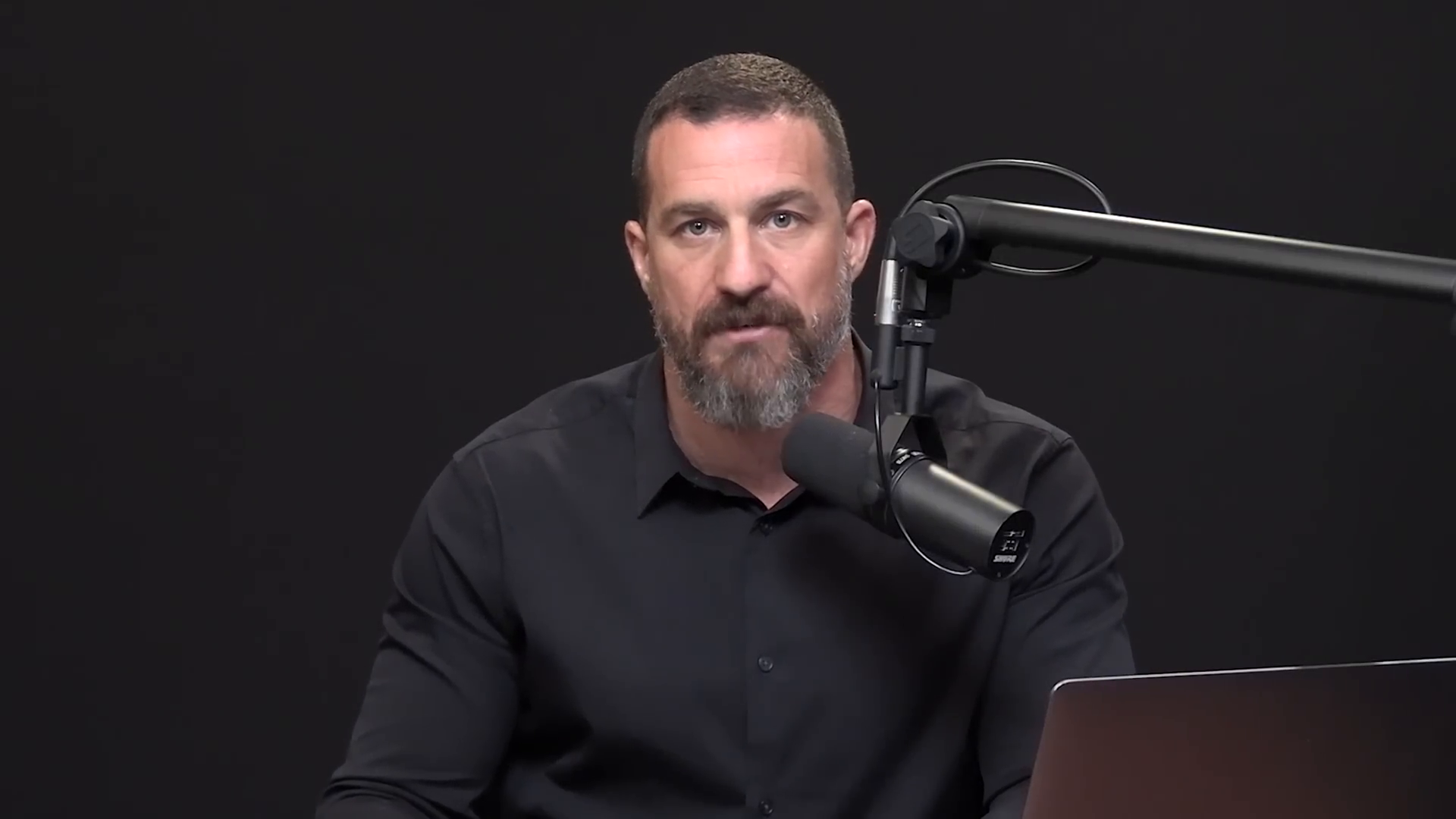
shorts-generator-input.mp4
Our vision & NLP AI identified 3 high-retention moments from this long video, automatically tracked speakers for 9:16 vertical crop, and rendered Hormozi-style animated captions.
Extracted 9:16 Vertical Shorts(Click to watch interactive video preview)
Try in Auto Poster App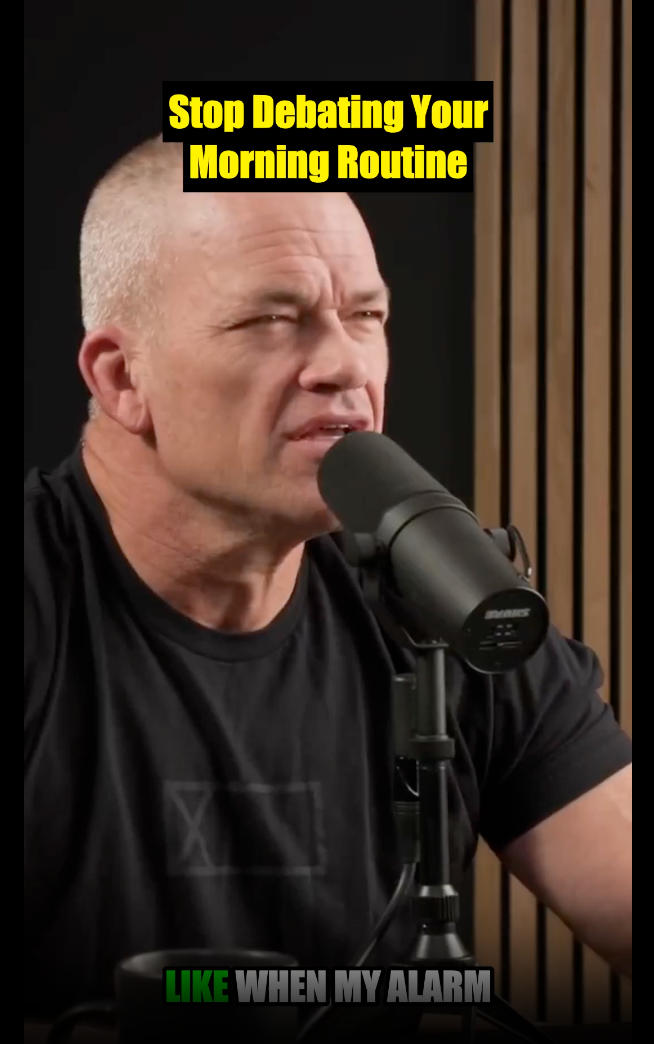
Clip 1: Stop Negotiating With Yourself
⏰💪 "Stop negotiating with yourself in the morning. When the alarm goes off, just move. Your body will thank you later. #MorningRoutine #Discipline #FitnessMotivation #NoExcuses #JockoWillink"
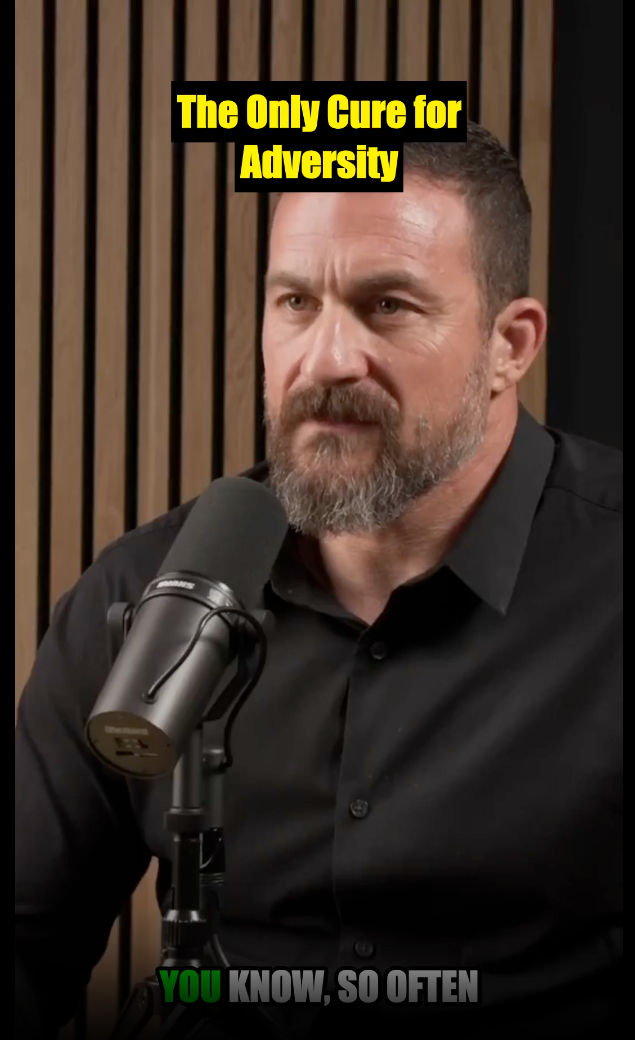
Clip 2: Action Cures Problems
👊⚡ "When you hit a wall, stop dwelling and start doing. Action is the fastest cure for any problem you're facing. #PersonalGrowth #Action #Motivation #ProblemSolving #Resilience"
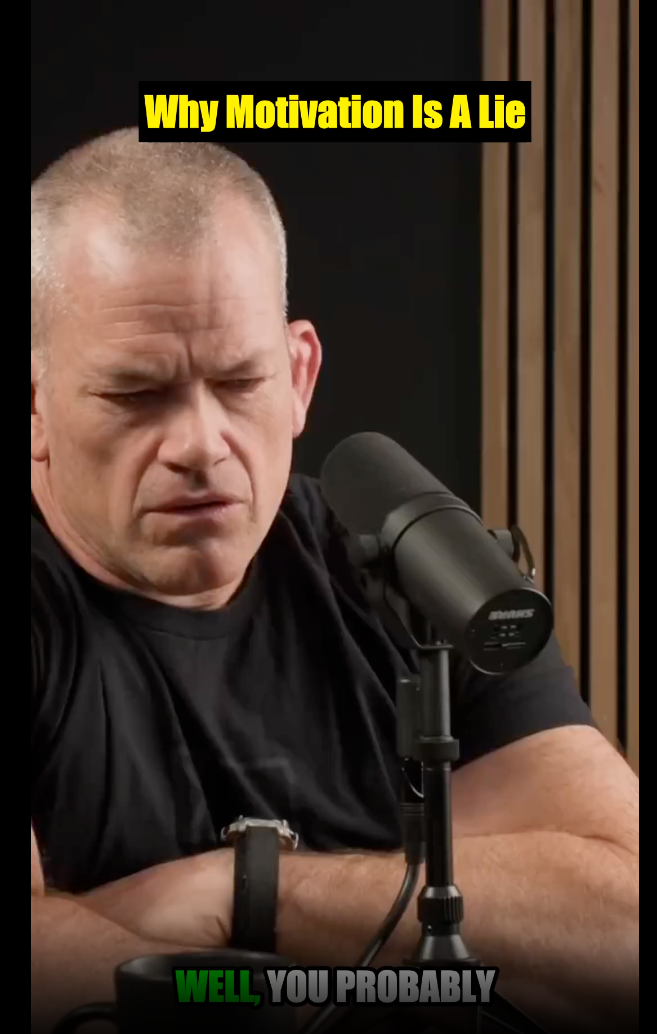
Clip 3: Choose Discipline Over Motivation
⛓️🔥 "Stop waiting for motivation. It’s a fleeting emotion you can’t rely on. Choose discipline instead. #Discipline #Motivation #Mindset #SuccessTips #HardTruths"
AI Viral Shorts & Clip Extractor
Auto Poster AI Viral Shorts Generator uses advanced natural language processing and computer vision to analyze long-form video files, podcasts, interviews, and webinars uploaded by creators. It identifies high-engagement hooks, emotional spikes, and viral punchlines, automatically cropping 16:9 widescreen video files into 9:16 vertical clips. Built for modern content repurposing, it automatically burns bold animated kinetic subtitles (in Alex Hormozi and MrBeast styles) and formats videos for instant auto-publishing across TikTok, YouTube Shorts, Instagram Reels, Facebook Reels, and LinkedIn.
Who Uses AI Viral Shorts Generator?
Tailored solutions for content creators, agencies, marketers, and businesses.
Podcasters & Talk Shows
Turn a 1-hour interview episode recording file into 10 viral bite-sized clips for TikTok and Reels every single week.
YouTube Content Creators
Repurpose long video files into engaging YouTube Shorts to drive new subscribers back to full videos.
Educators & Course Creators
Extract key lesson takeaways from lecture video files to build an audience on social media.
Social Media Agencies
Scale client video production 10x without hiring additional video editors or buying complex software.
Key Features & Capabilities
Built for high performance content creation and maximum virality.
Auto 9:16 Re-framing
Intelligently track speakers and crop horizontal video files to vertical format.
Kinetic Subtitle Burning
Burn bold, eye-catching animated captions onto every extracted clip.
AI Virality Score
AI scores segments by engagement potential to select top viral moments.
Direct 7-Platform Auto-Post
Schedule and auto-post clips to TikTok, YouTube Shorts, Reels, and LinkedIn.
How It Works in 3 Easy Steps
Fast and simple workflow directly inside Auto Poster App.
Upload Video File
Upload any MP4, MOV, or WebM long-format video file.
AI Extracts Viral Moments
Our AI analyzes speech patterns, engagement hooks, and visual dynamics.
Publish & Auto-Post
Review clips with animated captions and schedule directly to social accounts.
Frequently Asked Questions
Everything you need to know about AI Viral Shorts Generator.
Q. How does the AI identify viral moments in uploaded video files?
Our AI model analyzes speech sentiment, cadence shifts, audience attention hooks, and high-energy topic transitions in the video transcript. It evaluates virality scores (0-100) to pull clips that maximize watch time on short-form feeds.
Q. Does the 9:16 re-framing automatically track moving speakers?
Yes! Facial detection tracks active speakers and automatically centers them in 9:16 vertical orientation, even during multi-person podcast discussions.
Q. Can I customize caption animations, fonts, and brand colors?
Absolutely. Choose from kinetic subtitle presets like Hormozi yellow, MrBeast bold, clean Minimalist, or define your custom brand font, background highlight, and text colors.
Q. Can I automatically schedule clips to post across social media?
Yes. Auto Poster AI connects directly with TikTok, YouTube Shorts, Instagram Reels, Facebook Reels, X (Twitter), and LinkedIn to schedule and auto-publish clips on your specified timetable.
Q. What video file formats are supported for upload?
Upload MP4, MOV, WebM, and MKV video files.
Q. Is there a limit on how many clips I can generate per video file?
Depending on the length of your input video file, the AI typically generates between 5 to 15 optimized clips per processing run.
Ready to Try AI Viral Shorts Generator?
Launch Auto Poster App right now and transform your content creation workflow.