Restore & Colorize Old Damaged Photo Files
Upload your old photo scan file to repair scratches, remove noise, fix blur, and colorize black-and-white photos.
Drop or select old/damaged photo scan file...
Supports PNG, JPG, WEBP image files
No credit card required. Try instantly in Auto Poster App.
Low-Res Blurry Face Scan File
Historical family photograph with faded contrast and blurry facial features
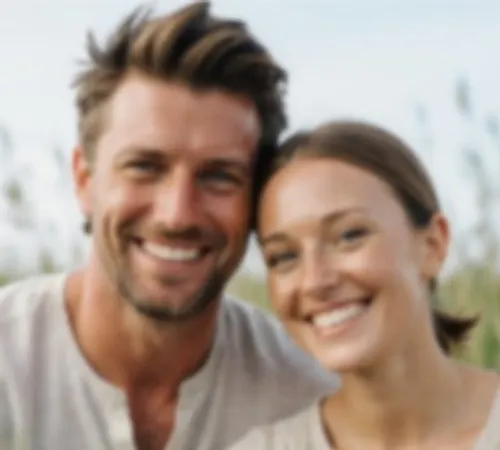
Restored & Enhanced HD Master
Restored portrait with sharp facial features and synthesized micro-details

AI Photo Repair & Restoration
Auto Poster AI Image Restoration repairs torn, scratched, stained, or degraded vintage photograph files uploaded by users.
Who Uses AI Image Restoration?
Tailored solutions for content creators, agencies, marketers, and businesses.
Family History & Genealogy
Restore and colorize old family portrait scans to preserve historical memories for future generations.
Museums & Archives
Digital restoration of historical photographic collections for public display and exhibitions.
Memorial & Event Organizers
Restore aged photographs for memorial services, anniversary tributes, and milestone events.
Professional Photo Restorers
Speed up client photo repair projects with AI-assisted scratch and blur correction.
Key Features & Capabilities
Built for high performance content creation and maximum virality.
Scratch & Tear Removal
Fills in surface scratches and torn areas.
B&W Colorization
Adds natural realistic colors to monochrome photos.
Facial Enhancement
Restores blurry faces to sharp focus.
Contrast Correction
Balancing exposure and fading.
How It Works in 3 Easy Steps
Fast and simple workflow directly inside Auto Poster App.
Upload Photo Scan File
Upload old or damaged scan.
AI Restores Image
Repair model fixes artifacts.
Download Restored Photo
Get high quality restored image file.
Frequently Asked Questions
Everything you need to know about AI Image Restoration.
Q. How does AI photo restoration repair physical scratches and tears?
Generative inpainting models analyze surrounding image texture and color pixels to fill in torn paper creases, dust spots, and physical scratches seamlessly.
Q. Can it automatically colorize black-and-white historical photographs?
Yes! Neural colorization models analyze scene context, skin tones, clothing fabrics, and foliage to apply natural, historical color palettes.
Q. Does facial enhancement work on out-of-focus vintage portraits?
Yes! Facial restoration models sharpen blurry eyes, skin textures, and facial expressions without creating uncanny artifacts.
Q. Can I choose to keep the original black-and-white tone without colorization?
Yes! You can toggle monochrome restoration or full colorization depending on your preference.
Q. What scanned photo formats can be uploaded?
Supports JPG, PNG, WEBP, and TIFF scanned image files.
Q. How long does the AI restoration process take?
Full scratch repair, de-blurring, and colorization finish in 10 to 20 seconds.
Ready to Try AI Image Restoration?
Launch Auto Poster App right now and transform your content creation workflow.