Create Dynamic AI Videos From Prompts & Uploaded Photos
Generate cinematic AI scenes, product teasers, and animations by typing a prompt description.
No credit card required. Try instantly in Auto Poster App.
Cinematic Text Prompt
Detailed lighting, camera motion, and visual atmosphere description
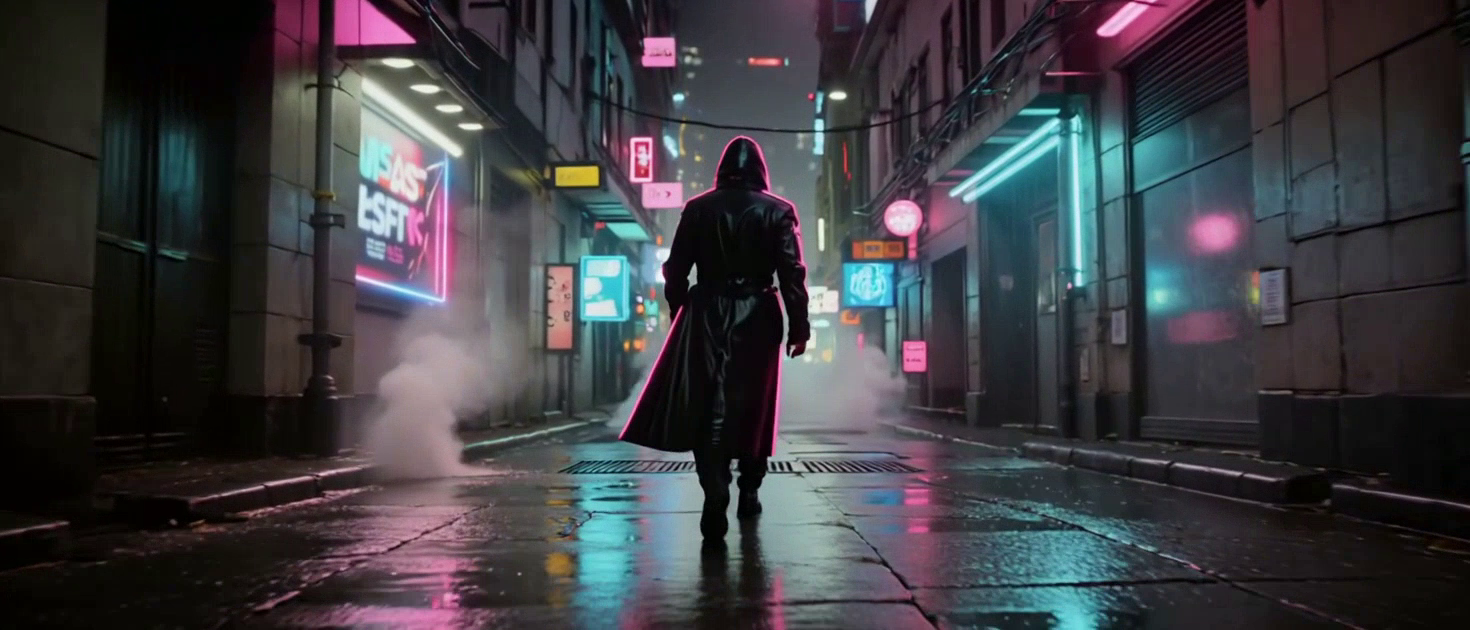
A cinematic, low-angle tracking shot moving through a dense, neon-drenched cyberpunk city alleyway at night. Heavy rain falls, reflecting vivid pink and cyan holograms in the puddles. A lone figure wearing a glowing, high-tech trench coat walks slowly away from the camera. Thick steam rises from street vents, and flying vehicles blur past in the sky above. Photorealistic, 8k resolution, anamorphic lens, moody atmosphere.
AI Generated Cyberpunk Video
Photorealistic motion video clip generated from prompt text
AI Video Generator (Text/Image to Video)
Auto Poster AI Video Generator brings text prompts and uploaded still photographs to life using state-of-the-art diffusion video models. Generate cinematic b-roll, animated product concepts, fluid camera movements, and sci-fi artwork without expensive camera gear or stock footage subscriptions.
Who Uses AI Video Generator?
Tailored solutions for content creators, agencies, marketers, and businesses.
Marketing & Ad Agencies
Generate original B-roll footage and creative motion assets for social ad campaigns in minutes.
Product Designers & E-Com
Animate product renders and concept sketch uploads into dynamic video showcases for landing pages.
Filmmakers & Storytellers
Create storyboards and pre-visualization video clips before full scale production.
Faceless YouTube Channels
Build automated faceless video channels with high quality AI-generated B-roll.
Key Features & Capabilities
Built for high performance content creation and maximum virality.
Text-to-Video Creation
Describe any visual scene and watch AI render motion video clips.
Image Animation
Upload static photos or artwork and animate camera movements and subject motion.
Multiple Aspect Ratios
Generate in 9:16 vertical, 16:9 widescreen, or 1:1 square aspect ratio.
Background Audio Sync
Optionally add AI-generated sound effects and background music tracks.
How It Works in 3 Easy Steps
Fast and simple workflow directly inside Auto Poster App.
Enter Video Prompt
Type a detailed text description of your desired video scene.
Configure Settings
Select aspect ratio, duration, and visual style.
Generate & Export
AI renders your scene ready for download or social scheduling.
Frequently Asked Questions
Everything you need to know about AI Video Generator.
Q. How does text-to-video generation work?
Enter a detailed prompt describing camera motion, lighting, and action. Our diffusion neural network interprets the prompt and synthesizes a high-definition video sequence.
Q. Can I animate my own uploaded photographs or illustrations?
Yes! Image-to-video mode allows you to upload any PNG or JPG image and specify camera pan, zoom, or subject movement.
Q. What aspect ratios can I generate?
Generate in 9:16 (vertical for TikTok/Reels), 16:9 (widescreen for YouTube/TV), and 1:1 (square for Instagram feeds).
Q. Do I own commercial rights to generated video clips?
Yes. All generated video clips include full commercial licensing rights for ads, client work, and monetized platforms.
Q. Can I combine generated clips into a longer video sequence?
Yes, you can generate multiple clips and arrange them on the timeline or send them directly to the Auto Poster AI video editor.
Q. How long does a clip take to render?
Most 5 to 10 second HD video generations complete within 45 to 90 seconds.
Ready to Try AI Video Generator?
Launch Auto Poster App right now and transform your content creation workflow.