How to Turn Long Videos into 10 Viral Shorts with AI (2026 In-Depth Guide)
Learn how to automatically extract high-retention 9:16 vertical clips from podcasts, webinars, and YouTube videos with AI hook detection and animated captions.
Short-form video is the dominant driver of organic audience growth across TikTok, YouTube Shorts, Instagram Reels, and Facebook. Yet, for creators, podcast hosts, and marketing teams, manually editing long-form recordings into 60-second vertical clips is one of the most time-consuming tasks in media production.
Sifting through a 60-minute interview, finding 30-second hooks, manually cropping horizontal 16:9 video into 9:16 vertical frames, and animating word-by-word subtitles in Premiere Pro takes anywhere from 2 to 4 hours per clip.
With the Auto Poster AI Viral Shorts Generator, you can upload a long-form video and automatically extract 8 to 15 high-retention vertical clips in under 2 minutes.
1. How AI Video Repurposing Works Under the Hood
The Auto Poster AI Shorts Generator combines three computer vision and natural language processing pipelines:
- Semantic Hook & Virality Scoring: Whisper neural transcription transcribes every spoken word with frame-accurate timestamps. A specialized natural language model analyzes sentence structure, emotional intensity, contrarian phrasing, and curiosity triggers. Moments featuring bold claims, shocking statistics, or strong imperative advice receive virality scores ranging from 0 to 100.
- Active Speaker & Facial Landmark Tracking: In a standard 16:9 widescreen video, two or more people may be speaking across the frame. When cropping to a vertical 9:16 aspect ratio, a static center crop often cuts off the active speaker. Auto Poster AI uses 3D facial landmark detection to track who is speaking in real time, executing smooth, cinematic pans to center the active speaker without jarring cuts.
- Kinetic Animated Subtitles: Over 80% of mobile users watch social feeds on mute. The system automatically burns dynamic, high-contrast animated subtitles (inspired by Alex Hormozi and MrBeast) directly onto the video frames.
2. Technical Comparison: AI Shorts Generator vs. Manual Editing
| Feature | Auto Poster AI Shorts Generator | Manual Video Editing (Premiere/FCP) | Basic Online Clippers |
|---|---|---|---|
| Editing Time per Clip | < 60 seconds | 2 to 4 hours | 5 to 10 minutes |
| Speaker Tracking | ✅ Dynamic Facial AI (smooth pans) | Manual keyframing | ❌ Static Center Crop |
| Subtitle Animations | ✅ Kinetic Word Highlights & Emojis | Manual keyframing | Basic subtitle boxes |
| Direct Auto-Posting | ✅ Integrated Multi-Platform Publisher | Manual upload per app | ⚠️ Limited integrations |
| Multi-Clip Batching | ✅ 10+ clips per hour of video | 1 clip at a time | 3 to 5 clips |
| Virality Scoring | ✅ 0-100 NLP Hook Analysis | Subjective guesswork | Basic keyword count |
3. Real-World Showcase & Interactive Demo
Here is the exact data from our live production test, where a 33-minute 1080p 60fps podcast master video was processed into three high-virality vertical clips. Click any clip to watch the interactive preview.
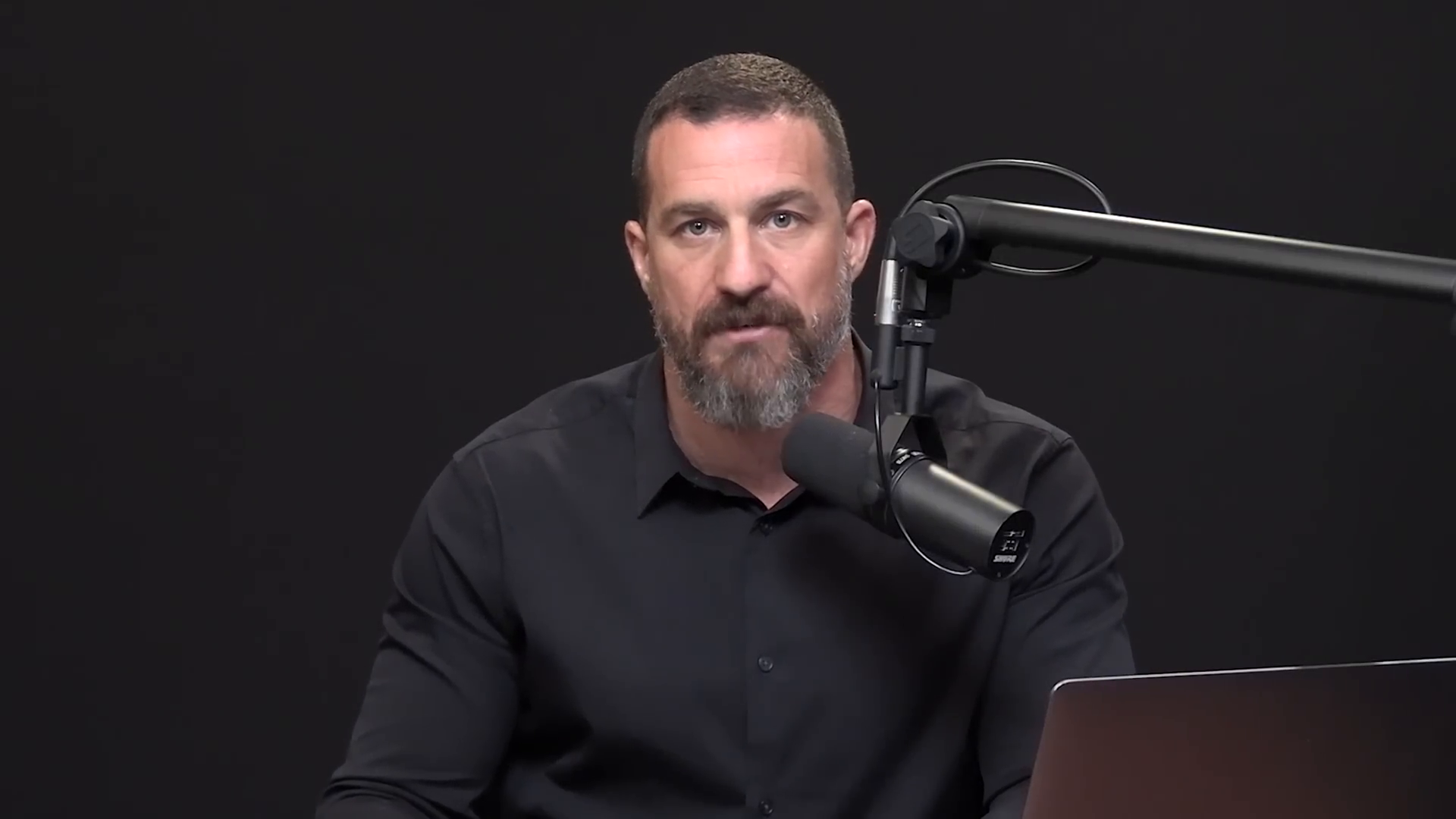
shorts-generator-input.mp4
Our vision & NLP AI identified 3 high-retention moments from this long video, automatically tracked speakers for 9:16 vertical crop, and rendered Hormozi-style animated captions.
Extracted 9:16 Vertical Shorts(Click to watch interactive video preview)
Extract in Auto Poster App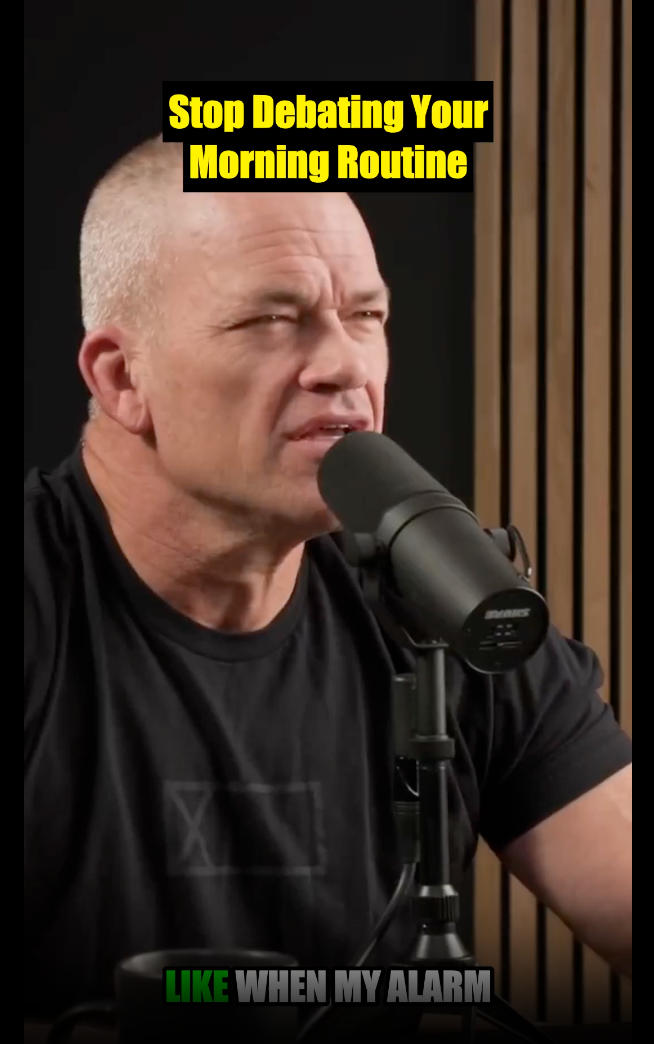
Clip 1: Stop Negotiating With Yourself
⏰💪 "Stop negotiating with yourself in the morning. When the alarm goes off, just move. Your body will thank you later. #MorningRoutine #Discipline #FitnessMotivation #NoExcuses #JockoWillink"
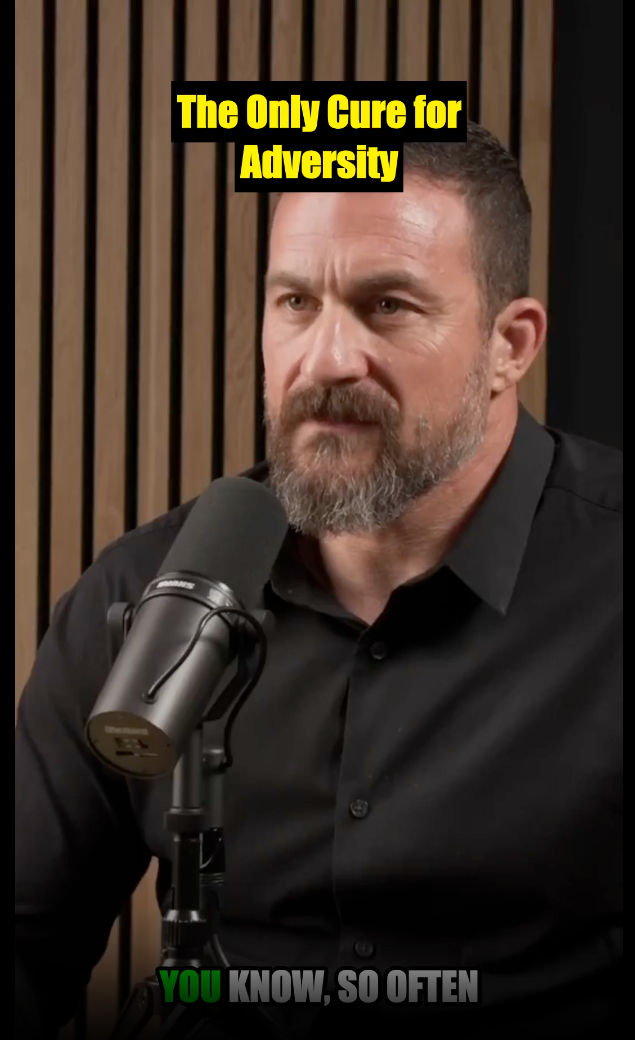
Clip 2: Action Cures Problems
👊⚡ "When you hit a wall, stop dwelling and start doing. Action is the fastest cure for any problem you're facing. #PersonalGrowth #Action #Motivation #ProblemSolving #Resilience"
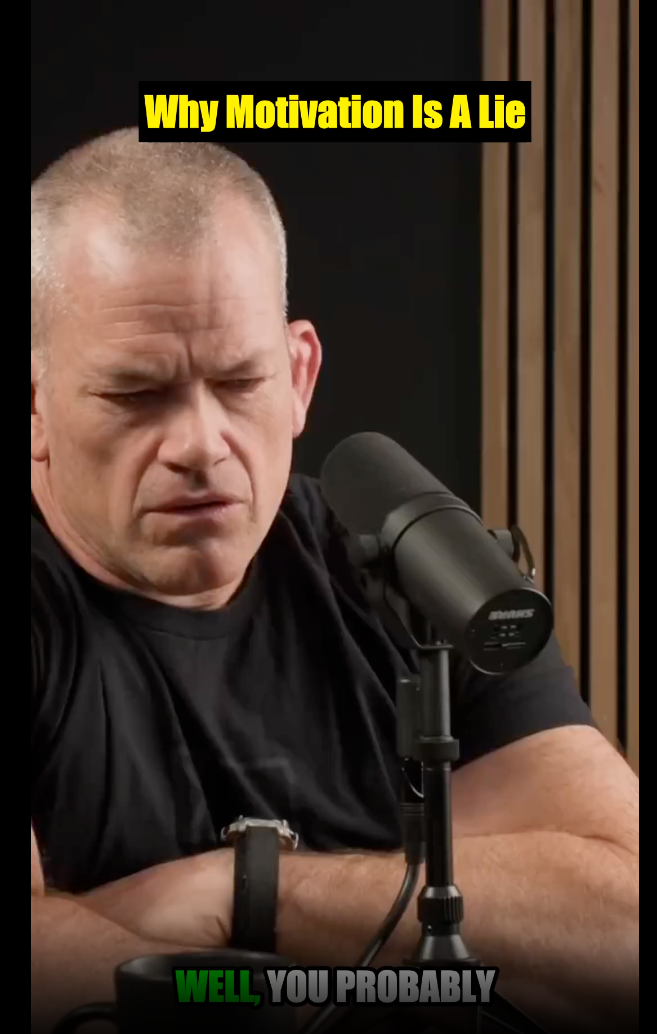
Clip 3: Choose Discipline Over Motivation
⛓️🔥 "Stop waiting for motivation. It’s a fleeting emotion you can’t rely on. Choose discipline instead. #Discipline #Motivation #Mindset #SuccessTips #HardTruths"
👉 Test this exact showcase and try your own video on the AI Shorts Generator page
4. Step-by-Step Production Tutorial
Step 1: Upload Your Master Video File
Upload any MP4, MOV, or WebM video file (up to 4K resolution). Whether it's a recorded Zoom call, a Twitch livestream VOD, a keynote speech, or a studio podcast, the upload processes in the cloud without slowing down your computer.
Step 2: AI Analyzes & Generates Candidate Clips
Within 60 to 90 seconds, the AI presents a dashboard of extracted clips, each labeled with a Virality Score (0–100), generated hook caption, hashtags, and exact timecode range.
Step 3: Customize Kinetic Subtitles & Branding
Choose your subtitle preset (Hormozi Yellow, Neon Green, Minimalist Black/White), adjust text placement to avoid platform UI overlays, and toggle auto-emojis.
Step 4: Schedule Across Social Platforms
Click Schedule to distribute your clips directly to TikTok, YouTube Shorts, Instagram Reels, Facebook Reels, and LinkedIn on an automated schedule.
5. The 3-Second Retention Rule: Hook Engineering
Social media algorithms prioritize Average View Duration (AVD) and Completion Rate. If a viewer swipes away within the first 3 seconds, the algorithm immediately stops distributing the video.
To maximize retention:
- Start Mid-Sentence on High Energy: Cut dead air and throat-clearing intro words ("So, uh, today we're talking about..."). Start directly on the contrarian statement.
- Use Kinetic Visual Motion: Highlight words at 150–200 words per minute to keep the viewer's eye constantly tracking the center of the screen.
- Place the Core Value Early: Deliver a tangible insight before the 30-second mark, then provide nuance.
6. Production Quality Checklist
- High-resolution master video uploaded (1080p or 4K)
- Active speaker tracking verified during multi-person dialogue
- Top 3–5 clips selected based on virality scores (>85)
- Subtitle text proofread and key terms capitalized
- Captions positioned in the safe zone (middle 60% of screen)
- Hashtags and social copy tailored for TikTok, Reels, and Shorts
- Multi-day auto-posting queue scheduled in Auto Poster AI
7. Frequently Asked Questions (FAQs)
Can I upload videos with multiple speakers?
Yes! The speaker tracking model detects who is currently talking and smoothly adjusts the 9:16 frame between hosts and guests.
Does the AI work on non-English videos?
Yes, the system supports video transcription, subtitle burning, and shorts extraction across 50+ languages including Spanish, Japanese, German, French, Portuguese, and Mandarin.
How many shorts can I get from a 1-hour podcast?
A typical 60-minute podcast yields between 8 and 15 viral clips scored 80+ for engagement.
Will using an AI scheduler hurt my social reach?
No. Auto Poster AI uses official, approved developer APIs for TikTok, YouTube, Meta, and LinkedIn, ensuring full algorithmic distribution.
Ready to automate your social media?
Join thousands of businesses and creators who trust AutoPoster AI to automate their social media presence.