Dual Subtitle Burning: How to Display Original & Translated Captions Simultaneously (2026 Guide)
In-depth tutorial on hardcoding dynamic kinetic subtitles and simultaneous dual-language captions for global audience growth and language learners.
Over 80% of video views on mobile feeds happen in silent mode. While traditional video platforms support "soft" closed captions (SRT files), soft subtitles have severe limitations: they can be turned off by users, stripped when videos are reposted or downloaded, and often render in tiny, illegible default fonts.
Burned-in hardcoded subtitles guarantee 100% legibility across every screen, social feed, and video player.
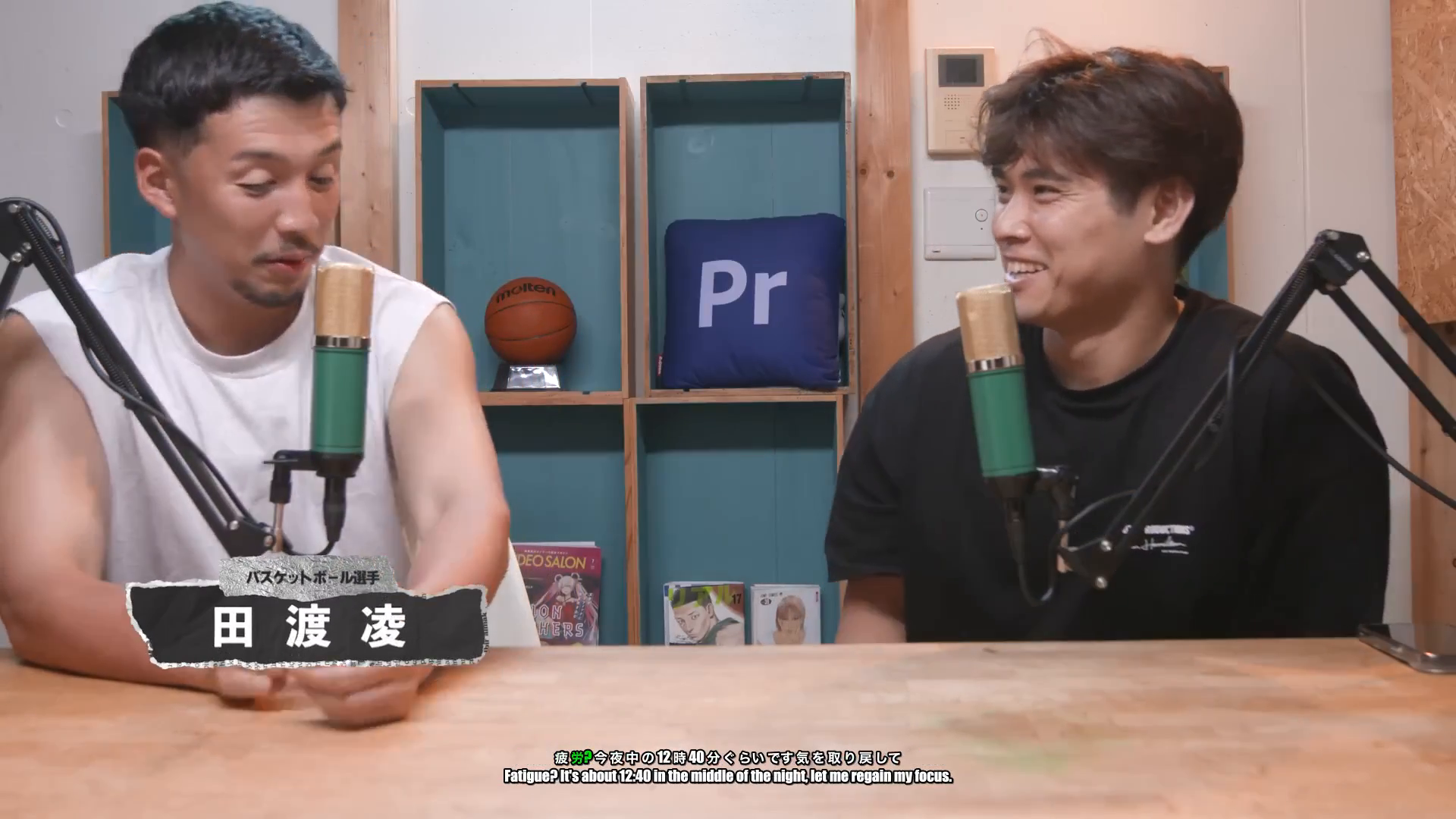
Auto Poster AI Subtitle Burner introduces a breakthrough capability: simultaneous dual-subtitle burning. This enables creators to display original spoken dialogue and translated subtitles stacked on screen simultaneously—a proven growth hack for international creators, bilingual influencers, and language learning communities.
1. Why Dual-Language Subtitles Outperform Single Captions
Dual subtitles solve three critical challenges for content creators:
- Global Reach Without Voice Alteration: Viewers get to hear the authentic emotion and tone of the original speaker while reading natural translations in their native language.
- The Language Learning Goldmine: Channels targeting ESL students, Japanese anime enthusiasts, and Spanish learners see 2.5x to 4x longer watch times when providing dual native + target subtitles.
- Cross-Cultural Viral Sharing: Dual-captioned clips spread rapidly on international discussion forums, Reddit, and global TikTok channels because both domestic and foreign audiences can immediately understand the content.
2. Technical Specs: Hardcoded Subtitles vs. Soft SRT Captions
| Feature | Burned Dual Subtitles | Standard Soft Subtitles (SRT) | Single-Language Burned Subtitles |
|---|---|---|---|
| Feed Legibility on Mute | 100% Guaranteed | Requires user to toggle on | 100% Guaranteed |
| Bilingual Audience Reach | ✅ Native + Translation | ❌ One language at a time | ❌ One language only |
| Language Learning Value | High (Read + Listen) | Low | Low |
| Kinetic Word Animations | ✅ Word-level highlights | ❌ Plain text only | ✅ Word-level highlights |
| Mobile Player Compatibility | 100% Universal | Varies by app/browser | 100% Universal |
3. Real-World Showcase & Interactive Demo
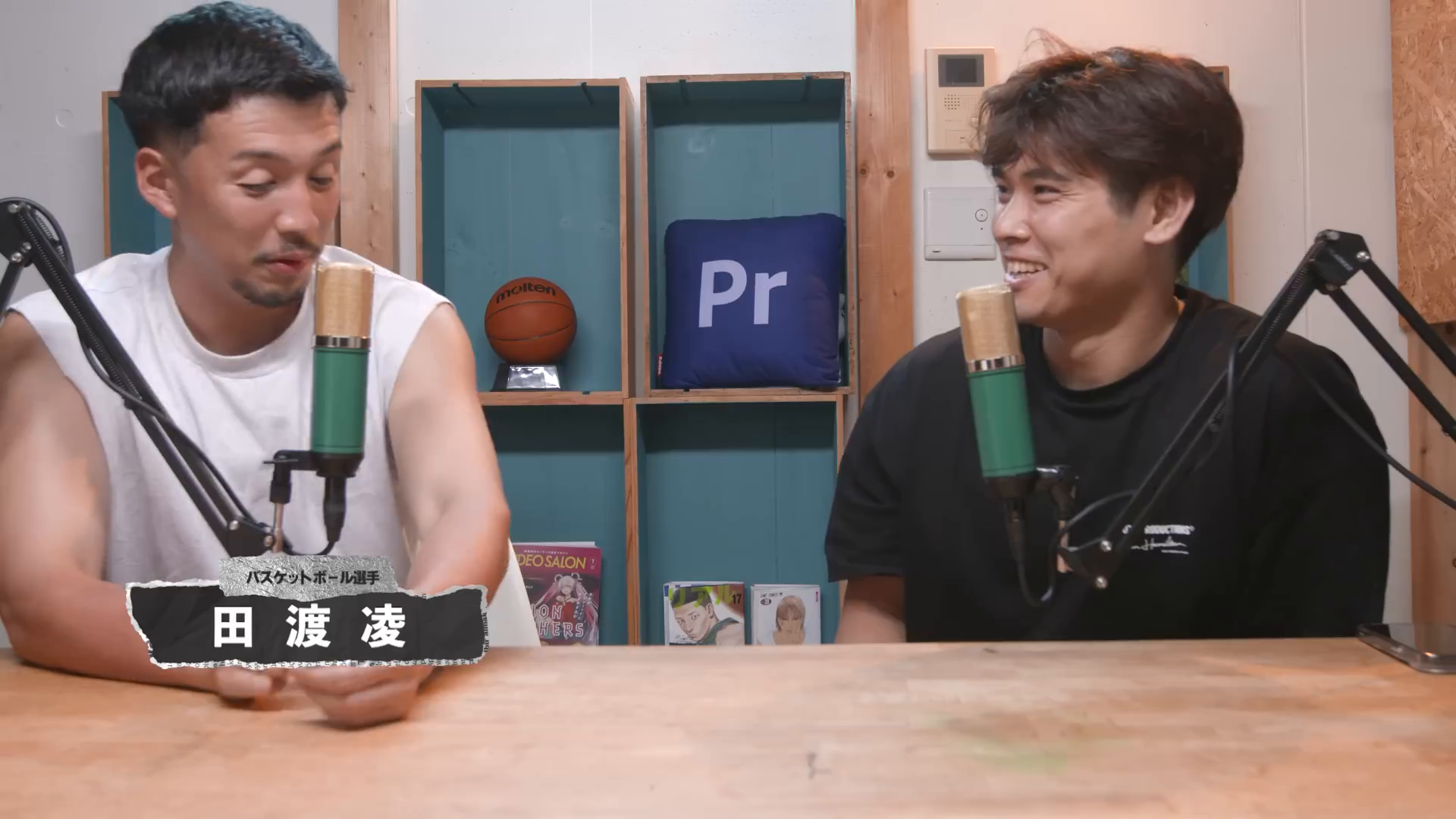
In our live showcase, a Japanese health podcast episode was captioned with stacked Japanese (original) and English (translated) kinetic subtitles. Click the video preview to see both caption lines burned into the frame.
Raw Video File (Japanese Speech)
Uploaded Japanese video recording without hardcoded captions
Dual Subtitled Video (Japanese + English)
Hardcoded dual subtitles showing simultaneous Japanese speech captions and English translated subtitles
👉 Test this dual-subtitle demo and burn your own captions on the AI Subtitle Burner page
4. Step-by-Step: How to Burn Dual Subtitles
Step 1: Upload Your Source Video
Provide your video in any format (MP4, MOV, WebM). The video can be in English, Japanese, Spanish, German, French, Mandarin, or any of 50+ supported languages.
Step 2: Configure Dual-Language Mode
Select your primary spoken language and your desired translation language. The AI generates frame-accurate bilingual transcripts automatically.
Step 3: Customize Typography & Highlight Colors
Pick your font family, background pill opacity, highlight colors, and text size. Stack original speech above or below the translation.
Step 4: Render & Download 1080p/4K MP4
Click Burn Subtitles. Our GPU cluster renders the subtitles permanently into the video frames in seconds.
5. Best Practices for Subtitle Legibility & Safe Zones
- Maintain Safe Zones: Avoid placing subtitles in the bottom 20% of vertical videos where TikTok captions and music handles overlap.
- High-Contrast Colors: Use subtle dark pill backgrounds or drop shadows behind text to ensure legibility over bright video backgrounds.
- Limit Words Per Line: Keep subtitle lines between 4 and 7 words to prevent visual clutter on mobile screens.
6. Frequently Asked Questions (FAQs)
Can I edit the translated subtitle text before burning?
Yes! You have full access to an interactive transcript editor where you can adjust spelling, word timings, and font colors before rendering.
Will burning subtitles reduce my video quality?
No. Auto Poster AI uses high-bitrate hardware encoding (NVENC/H.264) to maintain 100% of the original video's sharpness and color accuracy.
Can I burn subtitles on vertical 9:16 and horizontal 16:9 videos?
Yes, the subtitle burner supports all aspect ratios including 9:16, 16:9, 1:1, and 4:5.
Ready to automate your social media?
Join thousands of businesses and creators who trust AutoPoster AI to automate their social media presence.