Captions App vs Auto Poster AI: Subtitle Burning Compared (2026 Guide)
Compare kinetic subtitle animations, dual-language burning, cloud rendering speed, and direct multi-platform scheduling to pick the right tool.
Captions App made kinetic subtitles famous on mobile, but desktop creators, agencies, and teams need more than on-device editing: they need cloud GPU rendering, simultaneous dual-subtitle burning, and direct multi-platform scheduling in one workflow.
Here's how Auto Poster AI Subtitle Burner stacks up against Captions App in 2026.
1. The Core Differences
| Feature | Auto Poster AI Subtitle Burner | Captions App |
|---|---|---|
| Platform support | Web, desktop & mobile cloud | Mobile app centric |
| Dual subtitles (bilingual) | ✅ Simultaneous stacked captions | ❌ Single language only |
| Cloud GPU rendering | ✅ Instant cloud rendering | ⚠️ On-device processing |
| Direct social auto-post | ✅ Integrated scheduler | ⚠️ Limited export |
| 50+ language support | ✅ With translated captions | ⚠️ Limited |
2. When On-Device Editing Becomes a Bottleneck
Mobile-first tools render on your phone's hardware, which works for a quick clip but breaks down on batch jobs. Rendering ten long-form videos on-device means your phone is unusable for an hour and the battery takes a hit. Cloud rendering offloads that work entirely — start the batch and the videos are done whether you're on your laptop or not.
For agencies and high-volume creators, that's the difference between a tool and a production bottleneck.
3. The Dual-Subtitle Advantage
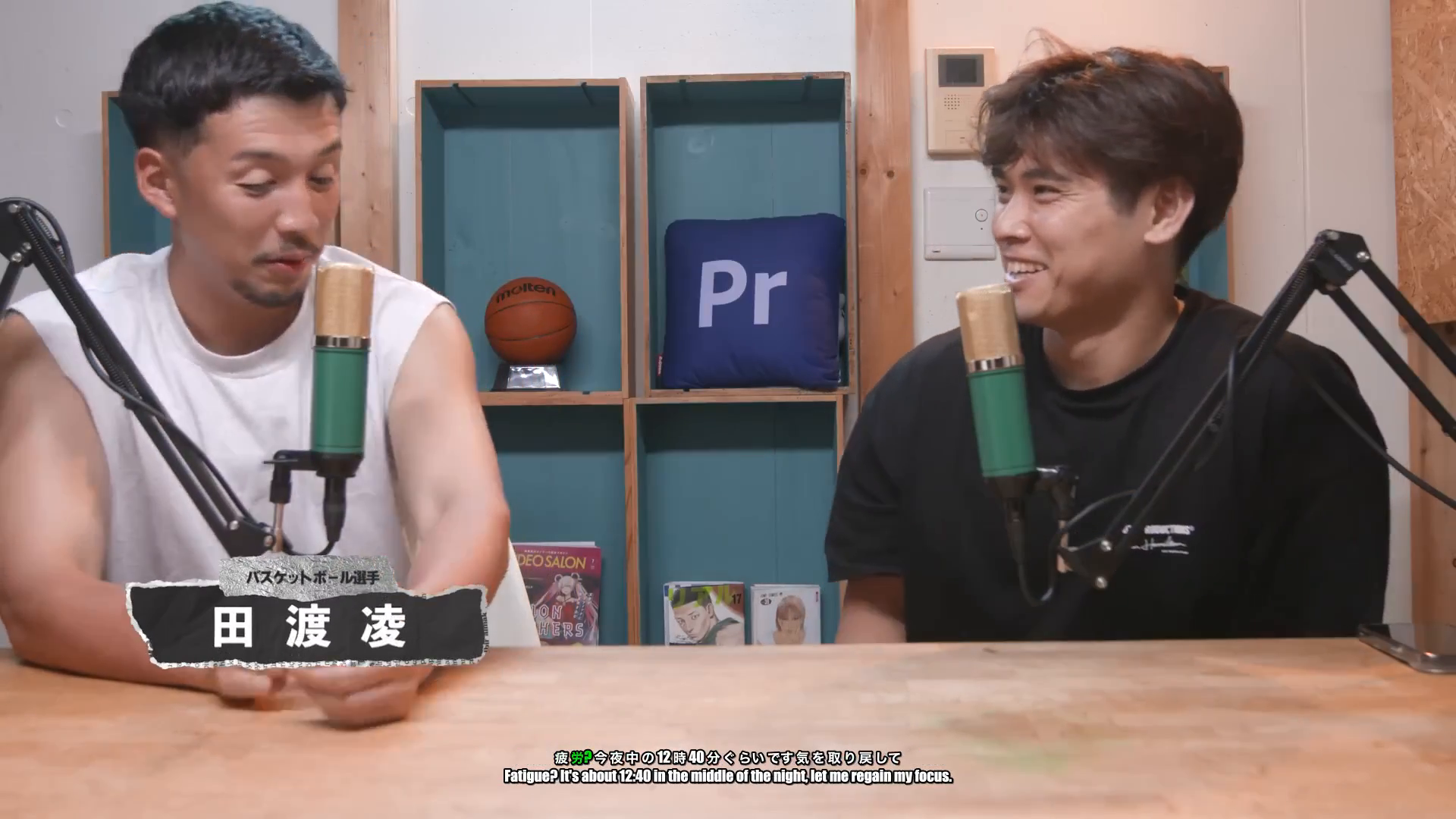
Captions App burns one language at a time. The Subtitle Burner stacks original speech and translated subtitles simultaneously — a feature that doubles your reach with language-learning and international audiences, and one that single-language tools simply can't replicate.
4. See It In Action: Live Demo
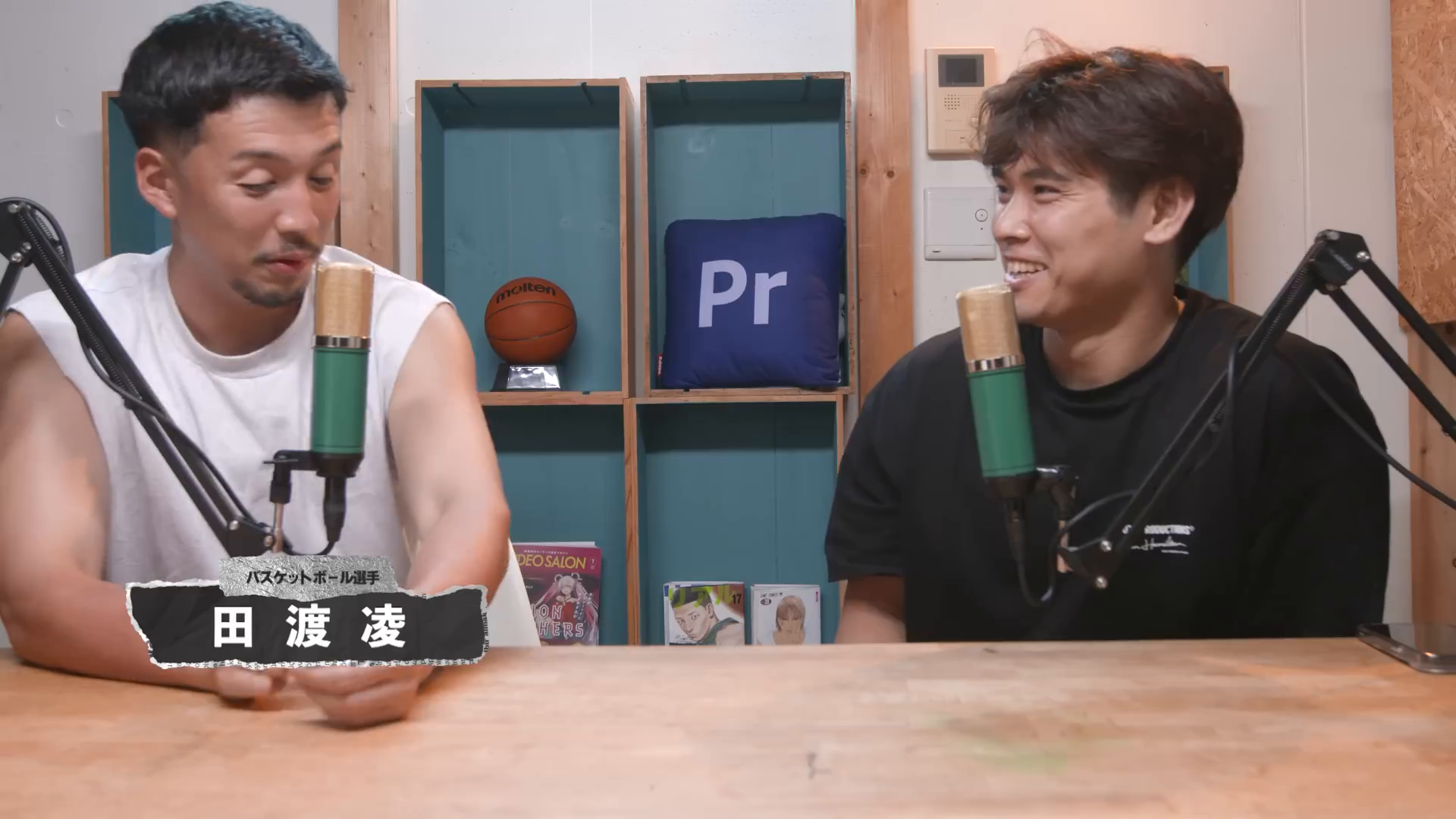
This is a Japanese + English dual-subtitle burn. Click the video to see both caption lines hardcoded into the frame.
Raw Video File (Japanese Speech)
Uploaded Japanese video recording without hardcoded captions
Dual Subtitled Video (Japanese + English)
Hardcoded dual subtitles showing simultaneous Japanese speech captions and English translated subtitles
Frequently Asked Questions
Can I edit the captions before burning?
Yes — an interactive editor lets you fix words, timing, and translations before rendering.
Does burning reduce video quality?
No — output maintains source resolution up to 4K 60fps.
Which is better for batch work?
Cloud rendering wins for batches; on-device tools slow down as volume grows.
Ready to automate your social media?
Join thousands of businesses and creators who trust AutoPoster AI to automate their social media presence.