AI Text-to-Video: Generate Cinematic HD Clips from Prompts (2026 Guide)
Turn text prompts and still photos into cinematic AI video clips. Learn camera-motion prompt formulas, aspect ratios, and image-to-video animation.
Stock footage is a tax on creativity. A 15-second b-roll clip from a premium library costs $20 to $80, and it still looks generic — the same drone shot every other brand has already used. Meanwhile, shooting original footage requires gear, locations, permits, and hours of editing.
Auto Poster AI Video Generator flips the workflow. Describe a scene in natural language, or upload a still image, and the diffusion video model renders a short cinematic clip — complete with camera motion, lighting, and atmosphere — in under two minutes.
1. The 4-Part Video Prompt Formula
Text-to-video models respond to structured prompts, not vague descriptions. The most reliable results come from four components in this order:
- Camera movement — slow tracking shot, low-angle drone flyover, fpv dive, macro rack focus.
- Subject & action — what is moving, and what is it doing.
- Environment & lighting — golden hour, volumetric mist, neon reflections on wet asphalt.
- Style & fidelity tags — photorealistic, 8k, anamorphic lens, 60fps.
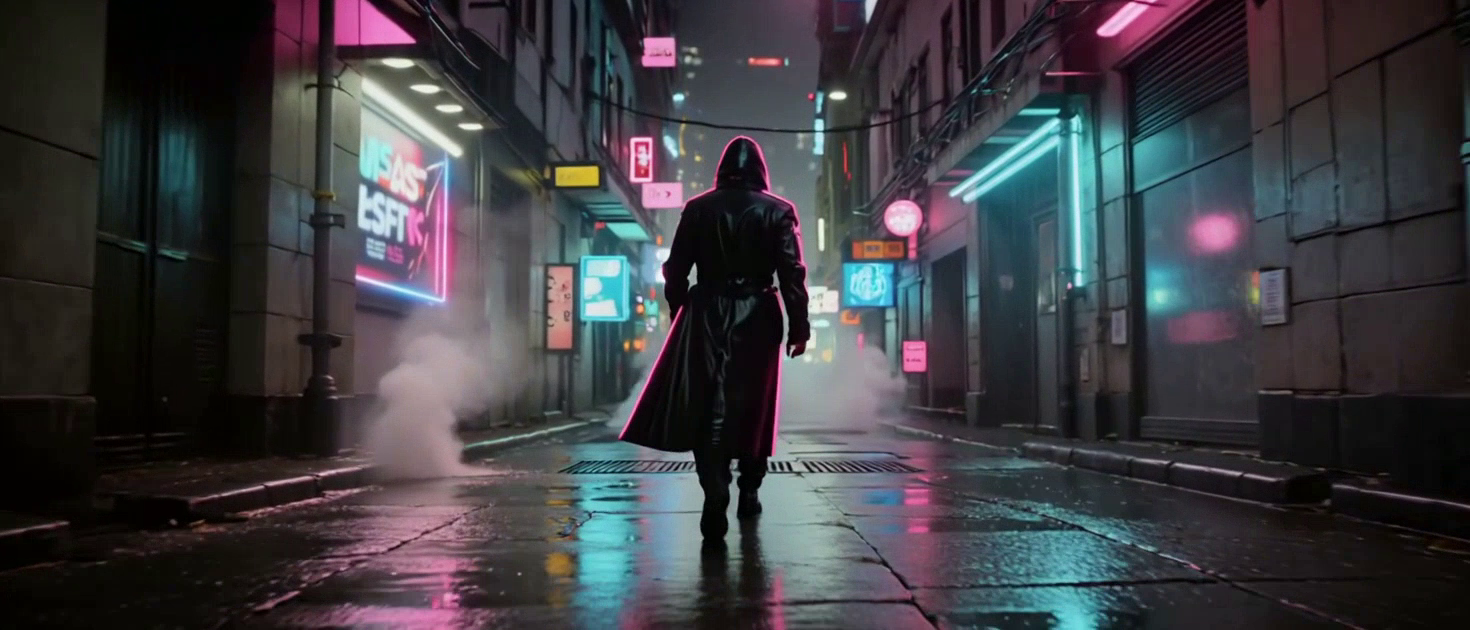
A weak prompt says "a city at night." A strong prompt says "low-angle tracking shot through a neon-drenched cyberpunk alley at night, heavy rain reflecting pink and cyan holograms in puddles, a lone figure in a glowing trench coat walking away from camera, steam rising from vents, 8k, anamorphic lens."
2. Text-to-Video vs. Image-to-Video
The generator supports two inputs:
- Text-to-video produces an original scene from a written description — ideal for b-roll and establishing shots that don't exist yet.
- Image-to-video animates an uploaded photo or render. You specify the camera move (pan, zoom, orbit) and the model adds natural subject motion, which is perfect for product renders, concept art, and thumbnails that need life.
3. See It In Action: Live Demo
This is the exact cyberpunk prompt used in our showcase, rendered into a short cinematic clip.
Cinematic Text Prompt
Detailed lighting, camera motion, and visual atmosphere description
A cinematic, low-angle tracking shot moving through a dense, neon-drenched cyberpunk city alleyway at night. Heavy rain falls, reflecting vivid pink and cyan holograms in the puddles. A lone figure wearing a glowing, high-tech trench coat walks slowly away from the camera. Thick steam rises from street vents, and flying vehicles blur past in the sky above. Photorealistic, 8k resolution, anamorphic lens, moody atmosphere.
AI Generated Cyberpunk Video
Photorealistic motion video clip generated from prompt text
4. Choosing the Right Aspect Ratio
- 9:16 vertical for TikTok, Reels, and YouTube Shorts.
- 16:9 widescreen for YouTube and broadcast.
- 1:1 square for Instagram feeds and LinkedIn.
Generate the same prompt in multiple ratios to distribute one concept across every platform without re-shooting.
5. Where Creators Use AI Video Clips
- Marketing teams generate original b-roll for ad campaigns instead of paying stock fees.
- E-commerce brands animate product renders for landing pages and paid social.
- Faceless YouTube channels assemble full videos from AI-generated b-roll and voiceover.
- Filmmakers use it for storyboards and pre-visualization before full production.
Frequently Asked Questions
How long does a clip take to render?
Most 5 to 10 second HD generations complete in 45 to 90 seconds.
Can I animate my own uploaded photos?
Yes. Image-to-video mode lets you upload a PNG or JPG and specify the camera pan, zoom, or subject movement.
Do I own the commercial rights to generated clips?
Yes. All generated clips include full commercial licensing for ads, client work, and monetized platforms.
Can I combine multiple clips into a longer sequence?
Yes — generate several clips and arrange them on the timeline or send them straight to the Auto Poster AI video editor.
Ready to automate your social media?
Join thousands of businesses and creators who trust AutoPoster AI to automate their social media presence.